XTreme-EMS Operating Manual Page 55
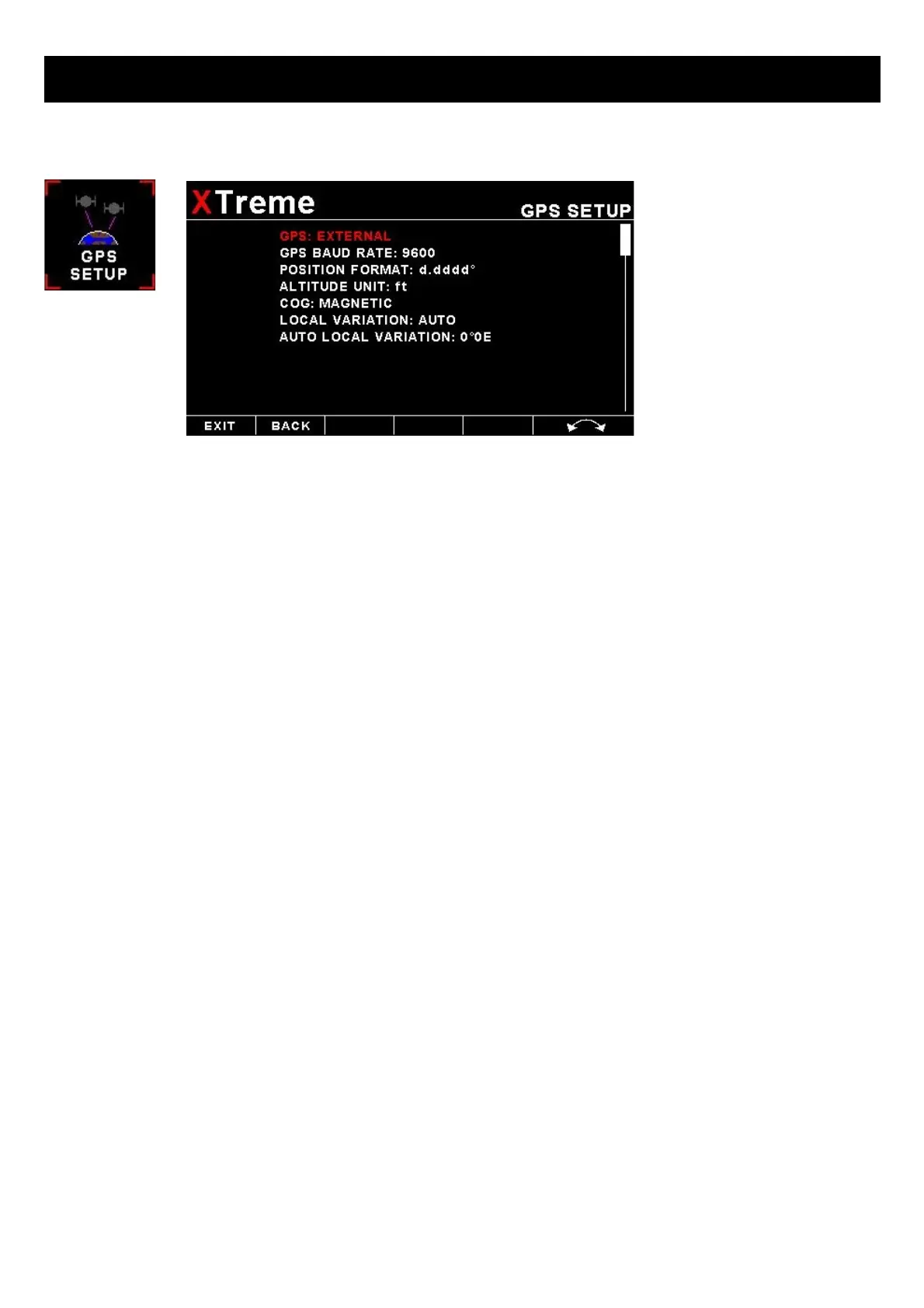
4.4 GPS Setup
GPS:
Select “OFF” to disable the GPS information screen or select "EXTERNAL" if you have an external NMEA compatible
GPS connected to the XTreme-EMS.
If an external GPS is used then it must output the following NMEA sentences
• GGA - Global positioning system fix data
• RMC – Recommended minimum specific GNSS data
• GSA – GNSS DOP and active satellites
• GSV – GNSS satellites in view
GPS BAUD RATE:
Select the baud rate to match the external GPS receiver you are using.
POSITION FORMAT:
Select the display format of the GPS latitude and longitude.
ALTITUDE UNIT:
Select the unit of the altitude display.
COG:
Select if you want the COG to be related to true or magnetic north.
LOCAL VARIATION:
Select “AUTO” to allow the XTreme-EMS to automatically calculate the local variation or “MANUAL” for manual local
variation input.
AUTO LOCAL VARIATION:
This item displays the calculated local magnetic variation. The XTreme-EMS will calculate the local variation every 10
minutes if a valid 2D or 3D GPS fix is obtained.
MANUAL LOCAL VARIATION:
This item allows the pilot to manually enter his local variation.



 To Next Page