XTreme-EMS Operating Manual Page 17
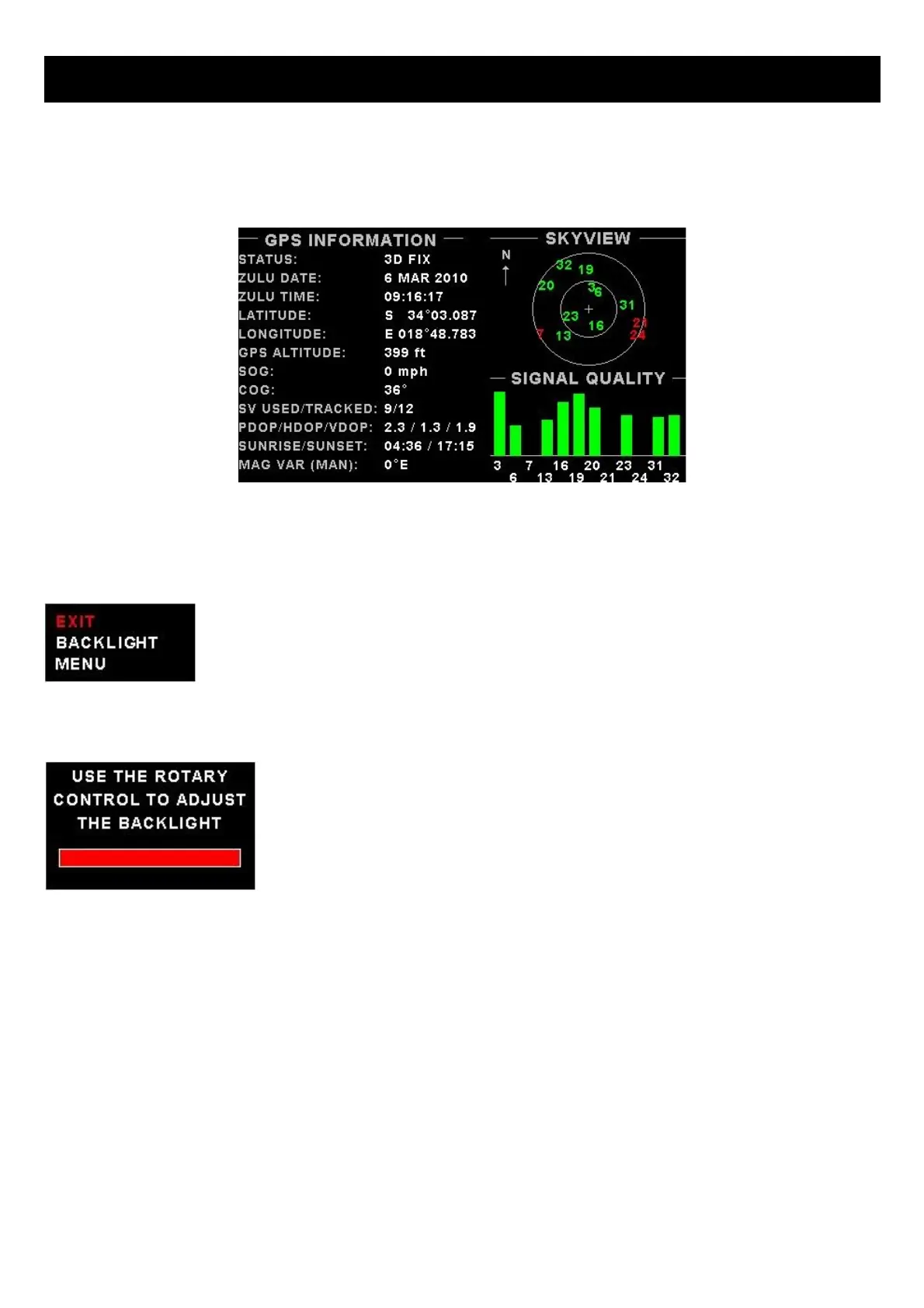
3.3 GPS Display (External RS232 GPS receiver required)
The GPS page show the GPS information in an easy to read format. Sunrise/sunset times as well as the magnetic
variation is shown.
3.4 GPS Quick Select Menu System
Press the rotary control when the GPS screen is shown to access the GPS quick select menu.
BACKLIGHT:
Select this menu option to adjust the backlight brightness level. This may be desirable
during low light flying conditions. Use the rotary control to adjust the brightness level.
MENU:
Select this menu option to enter the main menu system.



 To Next Page