XTreme-EMS Operating Manual Page 50
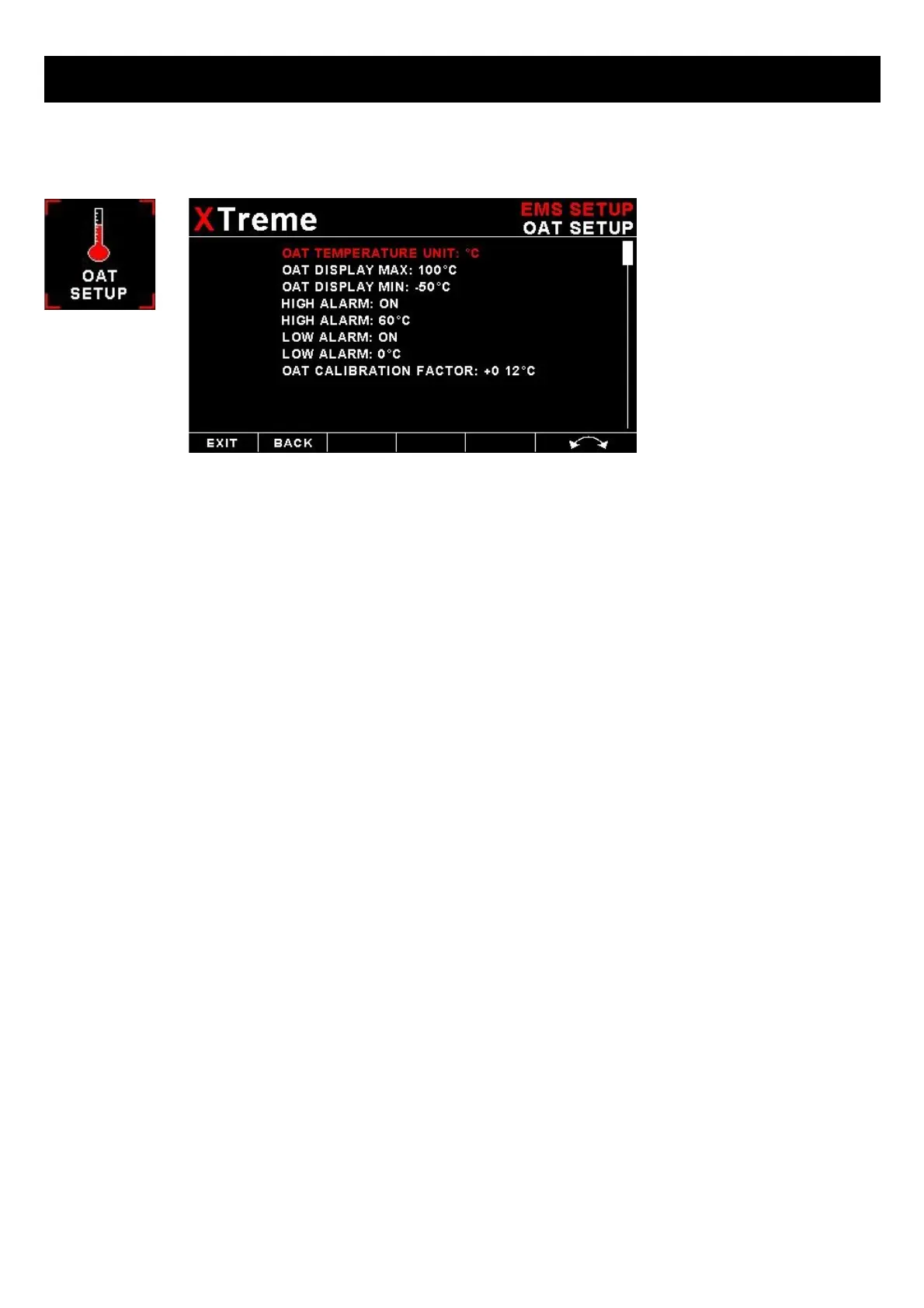
4.3.12 OAT Setup
OAT DISPLAY:
Select to enable or disable the OAT display.
OAT TEMPERATURE UNIT:
Select whether you want the OAT to be displayed in degrees Celsius (ºC) or in degrees Fahrenheit (ºF).
OAT DISPLAY MAX:
Select the maximum temperature that you want the OAT bargraph in the EMS display to show. This can give you
increased display resolution.
OAT DISPLAY MIN:
Select the minimum temperature that you want the OAT bargraph in the EMS display to show. This can give you
increased display resolution.
HIGH ALARM:
This enables or disables the OAT high alarm.
HIGH ALARM:
Enter the temperature threshold for when the high alarm must be activated. Any temperature above this value will activate
the alarm.
LOW ALARM:
This enables or disables the OAT low alarm.
LOW ALARM:
Enter the temperature threshold for when the low alarm must be activated. Any temperature below this value will activate
the alarm.
OAT CALIBRATION FACTOR:
During the factory calibration a factor has been determined and entered here that will give you an accurate OAT reading.
If you find this value is incorrect then adjust the calibration factor until the XTremes OAT matches that of a precision
thermometer. Calibration can only be done in Celcius (ºC).



 To Next Page