XTreme-EMS Operating Manual Page 30
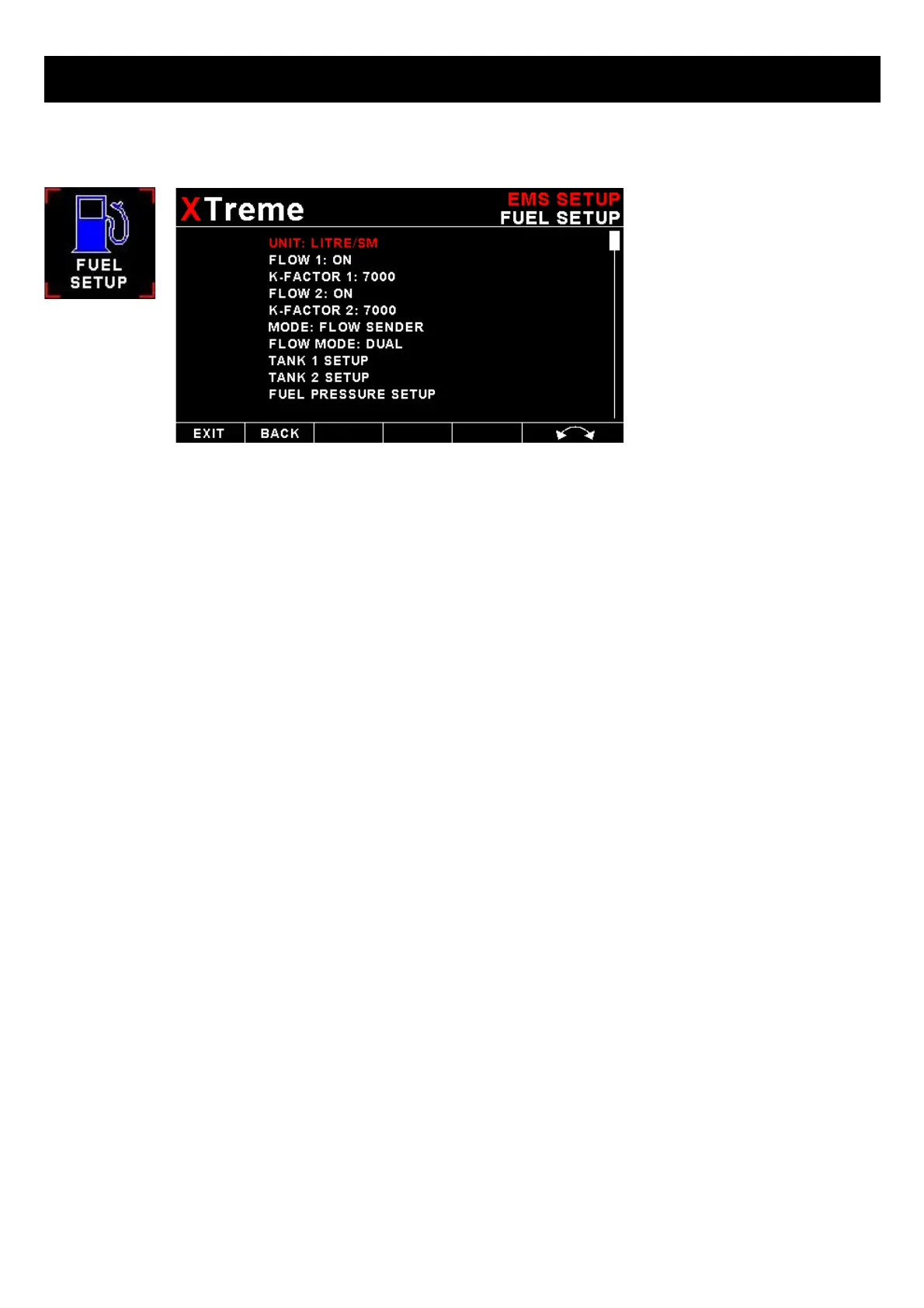
4.3.4 Fuel Setup
UNIT:
Select your desired units for distance and fuel quantity. The following options are available:
L/sm: Liters and statute miles
G/sm: U.S. Gallons and statute miles
L/nm: Liters and nautical miles
G/nm: U.S. Gallons and nautical miles
L/km: Liters and kilometer
G/km: U.S. Gallons and kilometers
FLOW 1 / FLOW 2:
This enables or disables the Flow 1 display.
K-FACTOR 1 / K-FACTOR 2:
The K-Factor is the number of pulses generated by the fuel flow sender for one liter of fuel. The dual range fuel flow
sender supplied by MGL Avionics has a K-Factor of 7000 in the low flow mode (jet installed) and 1330 for the high flow
mode (no jet installed). The Flowscan 201A-6 has a K-Factor of 8454. You can use the K-Factor to calibrate your fuel flow
sender. See the RDAC manual for more details on how to calibrate and install the fuel flow sender.
MODE:
Select if you want to measure fuel flow using a fuel flow sender or by using fuel injectors.
FLOW MODE:
If both fuel flow senders are selected then select if they are operating on individual fuel tanks (dual) or if they are
operating in a supply/return type fuel system (differential).
TANK 1 SETUP / TANK 2 SETUP:
Select this menu item to setup the fuel level for fuel tank 1 / fuel tank 2. See below for more details.



 To Next Page