XTreme-EMS Operating Manual Page 28
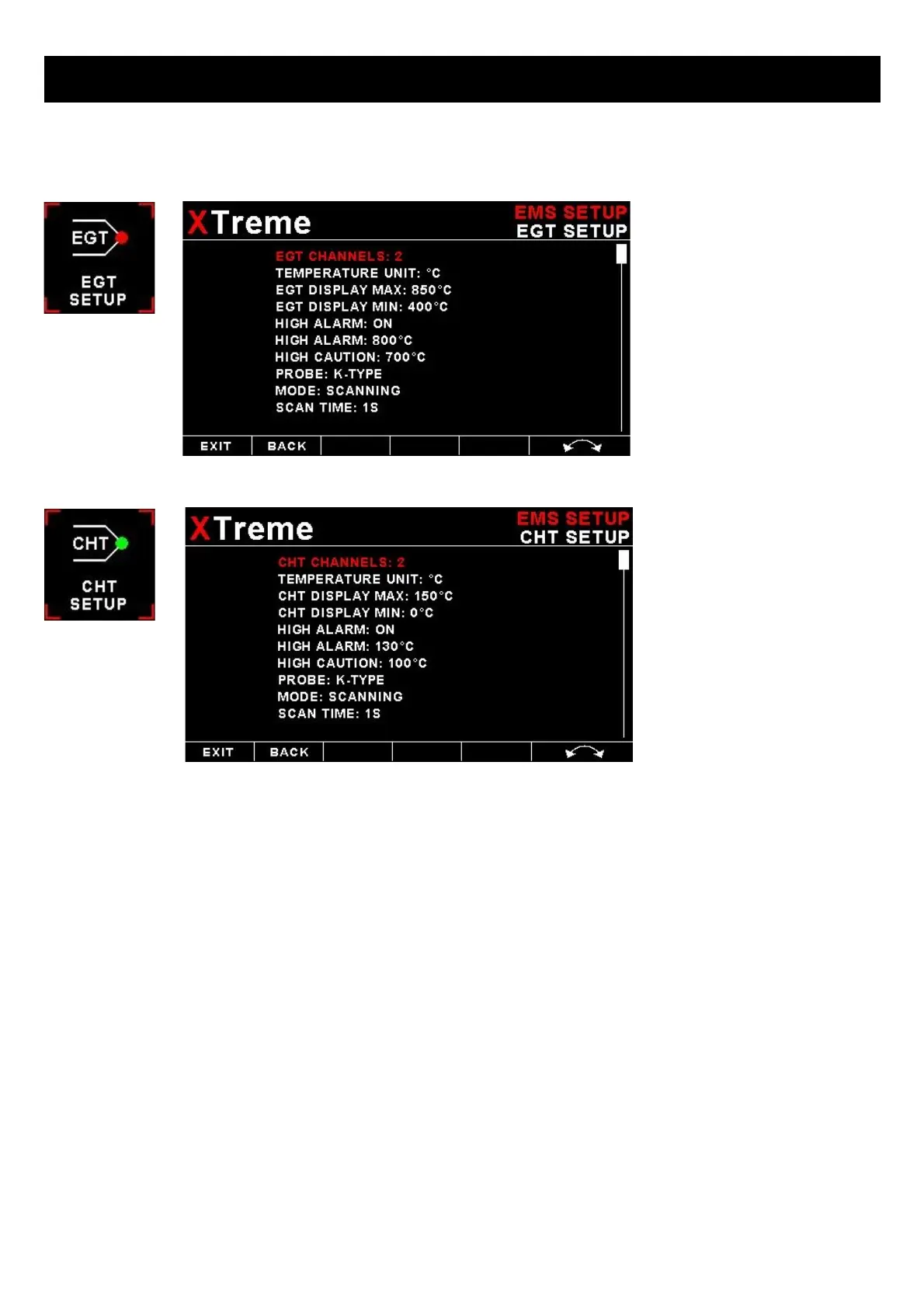
4.3.3 EGT/CHT Setup
EGT / CHT CHANNELS:
Select the number of EGT or CHT channels you want to use. Choices are from 1 to 12. The temperature display will
configure itself to make best possible use of the available display size. Please note that the minimum number of EGT &
CHT channels that can be displayed is 1 and the maximum number of EGT and CHT channels that can be displayed is
12.
EGT / CHT DISPLAY MAX:
Select the maximum temperature that you want the EGT/CHT bargraph to show. This can give you increased display
resolution.
EGT / CHT DISPLAY MIN:
Select the minimum temperature that you want the EGT/CHT bargraph to show. This can give you increased display
resolution.
HIGH ALARM:
This enables or disables the EGT/CHT high alarm.
HIGH ALARM:
Enter the temperature threshold for when the high alarm must be activated. Any temperature above this value will activate
the alarm.



 To Next Page