XTreme-EMS Operating Manual Page 26
4.3.2 RPM 2 Setup
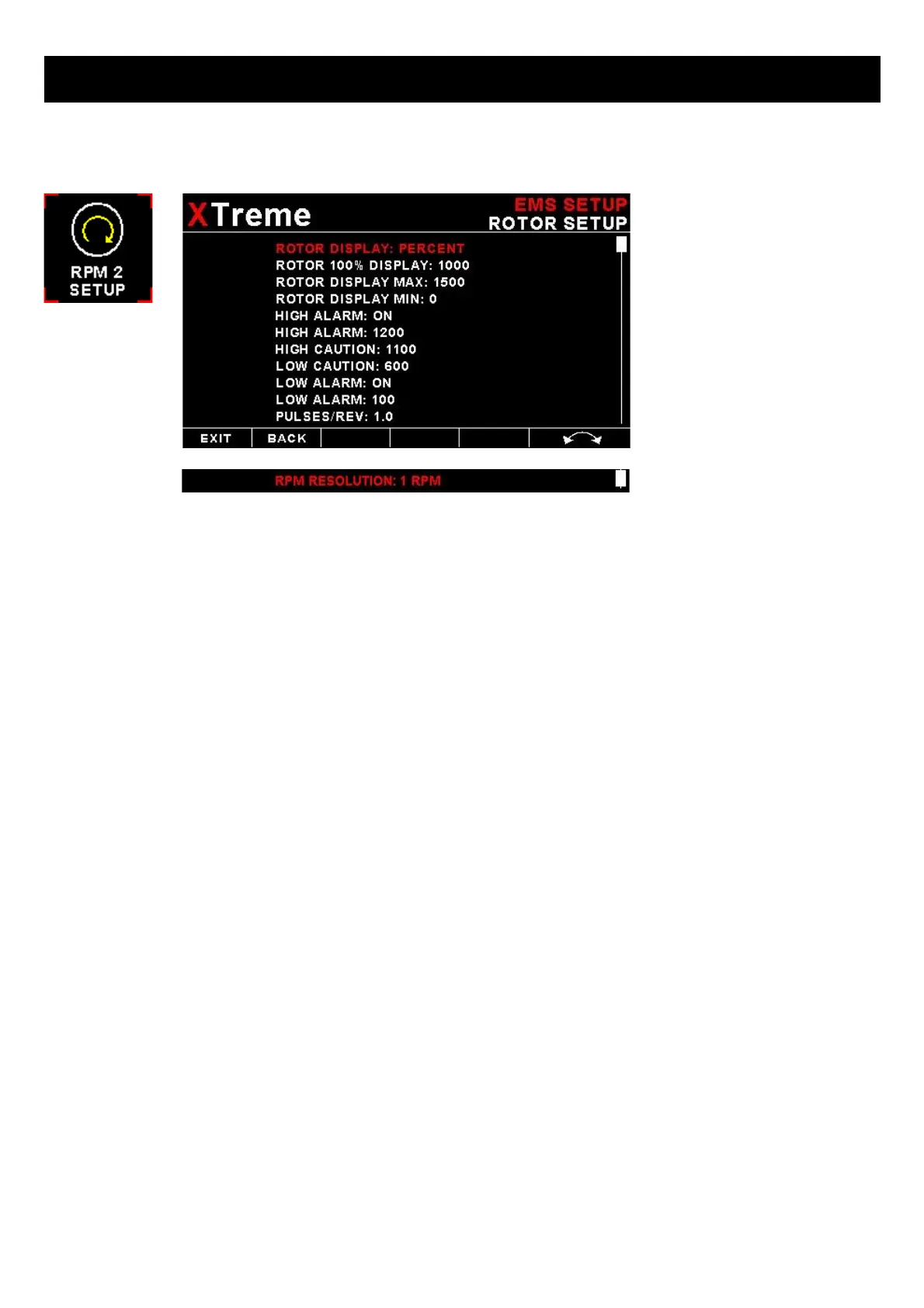
RPM DISPLAY:
Select if you want the RPM 2 to be displayed in “RPM” or “PERCENT” .If you do not want any RPM 2 information then set
this parameter to off. If the RPM 2 is set to "RPM" or "PERECENT" then the engine RPM display will automatically be
enabled.
RPM 100% DISPLAY:
Select the maximum value that you want the RPM to correlate to 100%.
HIGH ALARM:
This enables or disables the RPM high alarm.
HIGH ALARM:
Enter the RPM threshold for when the high alarm must be activated. Any Rotor RPM value above this value will activate
the alarm.
HIGH CAUTION:
Enter the RPM value for the high caution. This is the lower value of the upper yellow band.
LOW CAUTION:
Enter the RPM value for the low caution. This is the upper value of the lower yellow band.
LOW ALARM:
This enables or disables the low alarm.
LOW ALARM:
Enter the RPM threshold for when the low alarm must be activated. Any RPM value below this value will activate the
alarm.
PULSES/REV:
Enter the number of pulses per RPM.
RESOLUTION:
Select the step size between successive RPM values eg. if the RPM value is 403 RPM and the “RESOLUTION” is 5
then the actual value shown is 405 RPM.



 To Next Page