XTreme-EMS Operating Manual Page 9
3.1.2.1 Magneto Check Function
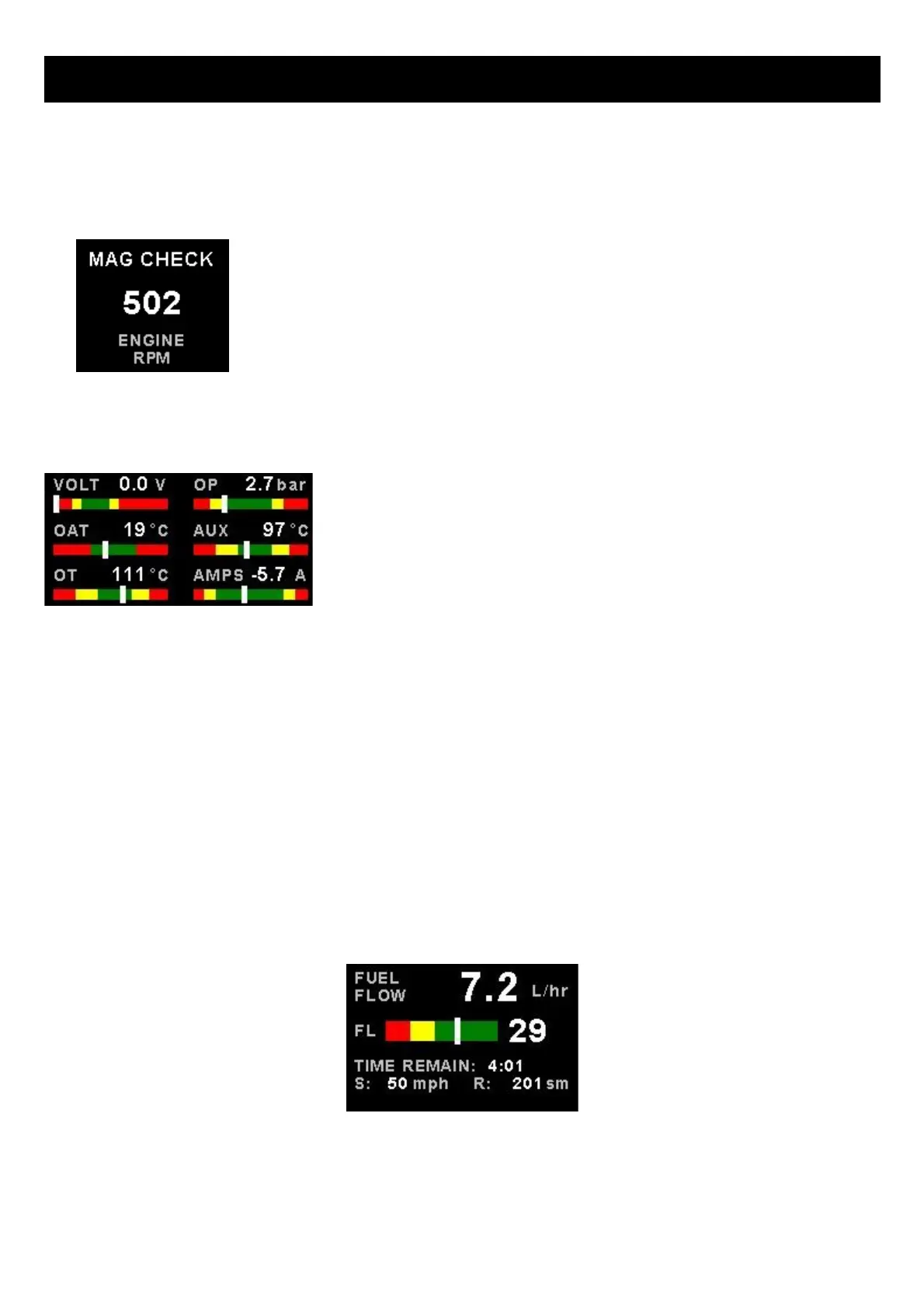
Activate the magneto check function in the sub-menu once you have reached your normal run-up RPM. The display will
show the RPM deviation from when the magneto function was activated. Any RPM drops will be displayed as a negative
RPM value, a positive reading indicates an increase in RPM.
Switch the mag to left or right. The RPM should display a negative (drop in) RPM.
Then switch the mags to “Both”. The RPM reading should go back to zero or near
zero. A problem should show up as an excessive drop in one mag and the return to
zero or close to zero incorrectly.
The RPM display will return to the normal display after 60 seconds.
3.1.3 Volts, OAT, Oil Temperature / Pressure, Current and Auxiliary Analog section
This section displays the supply voltage, OAT, oil temperature, oil pressure, as
well as the 2 auxiliary analog channels.
3.1.4 Fuel display section
The XTreme-EMS supports dual fuel flow, dual fuel levels and a single fuel pressure. The fuel section will automatically
try and maximize the display area according to the fuel parameters selected. The fuel parameters can be configured in
the “FUEL SETUP” menu.
3.1.4.1 Single fuel flow and calculated tank level (single tank)
Single fuel flow and fuel level sender (single tank)
Differential fuel flow and calculated tank level (single tank)
Differential fuel flow and fuel level sender (single tank)
Summed fuel flow and calculated tank level (single tank)
Summed fuel flow and fuel level sender (single tank)



 To Next Page