XTreme-EMS Operating Manual Page 69
11 Firmware upgrades
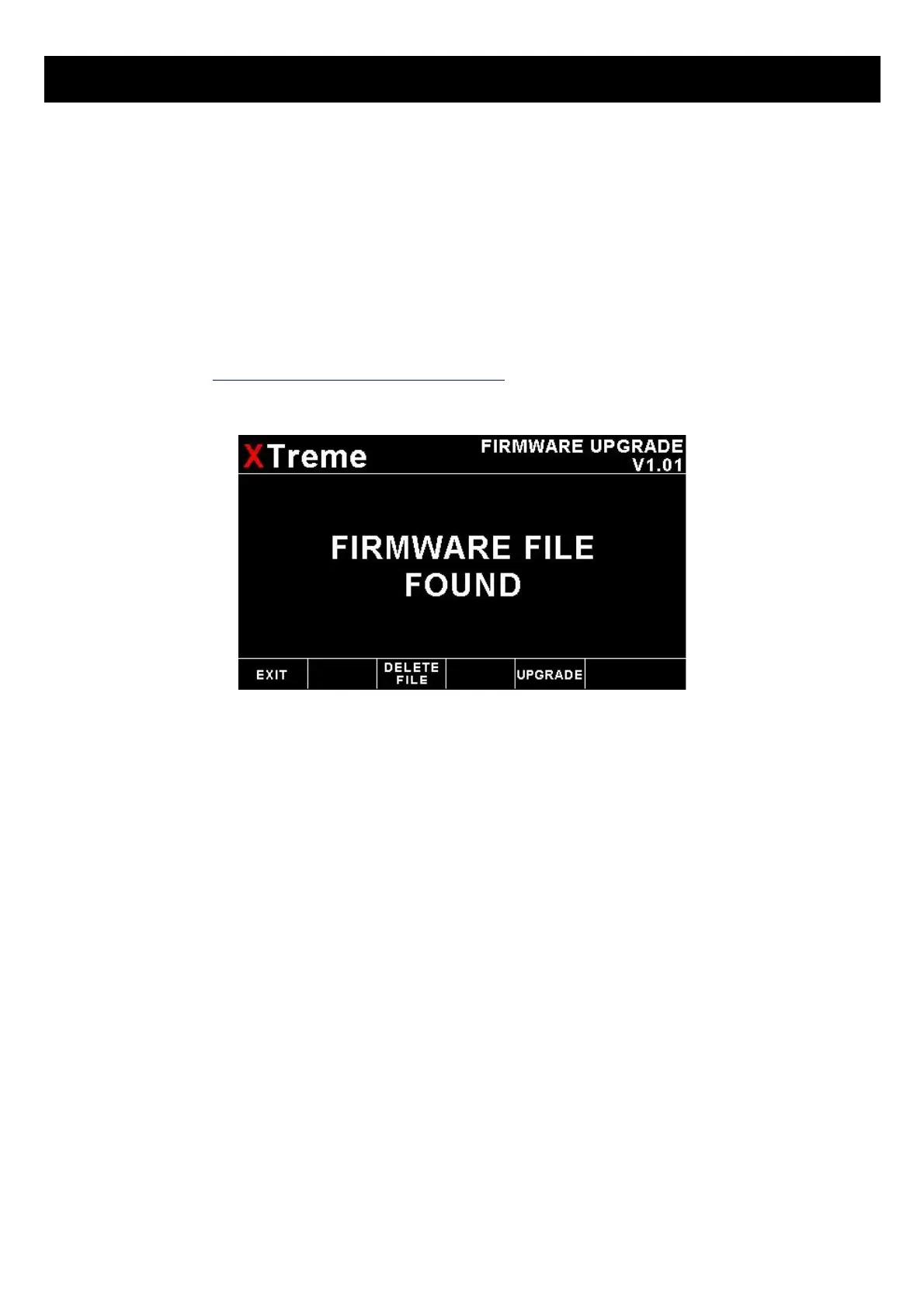
The XTreme-EMS firmware can be upgraded in the field to the latest version via the SD card. This will keep your XTreme-
EMS up to date with bug fixes and new features.
The name of the firmware file must be called XTREME.FW and it must reside in the root directory of the SD card. When
the XTreme-EMS powers up it will first look at the SD card to see whether the file exists, if it does then it will prompt the
user to upgrade the firmware. Use the soft keys at the bottom to select whether to upgrade to the new firmware or to exit
the firmware upgrade feature. The XTreme-EMS also provides a soft key to delete the XTREME.FW file from the SD card
to avoid removing the SD card and deleting it with a PC.
If the file does not exist, then the firmware upgrade function is bypassed and the XTreme-EMS' main program is
executed. Please check http://www.mglavionics.co.za/XTreme.html regularly for the latest firmware releases.
Steps to follow when upgrading firmware:
1) Save the current settings to a SD card using the “SAVE SETTINGS TO SD CARD” function in the Miscellaneous
menu section.
2) Load the new firmware as described above.
3) Load factory default settings as outlined in section 6 of this manual.
4) Recall the saved settings from SD card by using the “RECALL SETTINGS FROM SD CARD” function in the
Miscellaneous menu section.
5) Verify all settings.


 To Next Page