XTreme-EMS Operating Manual Page 46
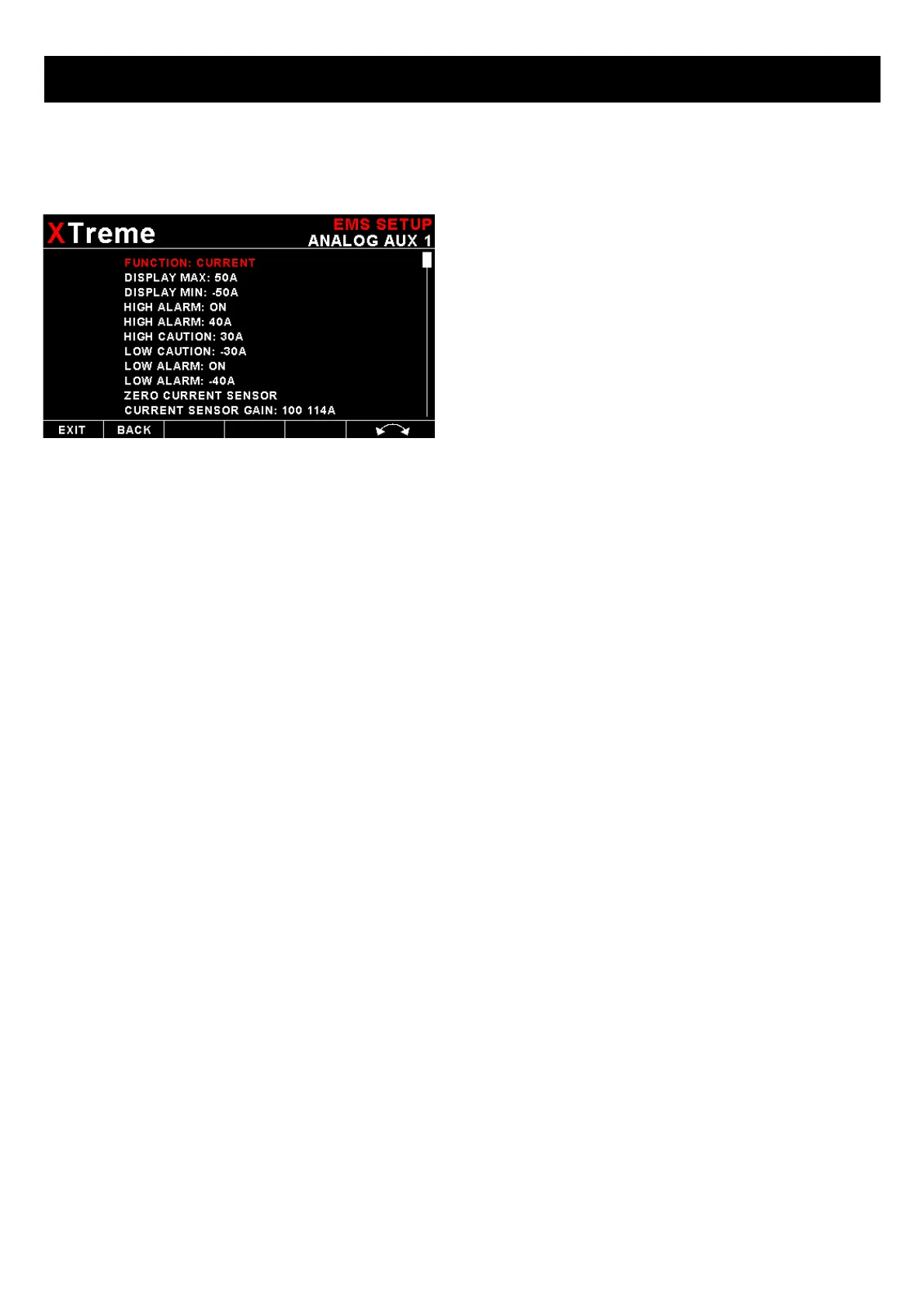
If the “CURRENT” function is selected: (MGL Avionics Closed Loop Current
Sensor required)
DISPLAY MAX:
Select the maximum current that you want the bargraph to show. This can give you increased display resolution.
DISPLAY MIN:
Select the minimum current that you want the bargraph to show. This can give you increased display resolution.
HIGH ALARM:
This enables or disables the current high alarm.
HIGH ALARM:
Enter the current threshold for when the high alarm must be activated. Any current above this value will activate the
alarm.
HIGH CAUTION:
Enter the current value for the high caution. This is the lower value of the upper yellow band.
LOW CAUTION:
Enter the current value for the low caution. This is the upper value of the lower yellow band.
LOW ALARM:
This enables or disables the current low alarm.
LOW ALARM:
Enter the current threshold for when the low alarm must be activated. Any current below this value will activate the alarm.
ZERO CURRENT SENSOR:
Select this function to indicate to the Xtreme-EMS that zero current is flowing through the MGL Avionics Closed Loop
Current sensor. This is best done with the MGL Closed Loop Current sensor disconnected from the main current
supplying conductor.
CURRENT SPAN CALIBRATION:
Adjust the gain factor until the current is reading correctly. It will be best if a multimeter can be inserted in series with the
current supplying conductor and the gain calibration adjusted until the Xtreme-EMS matches that of the multimeter.
Please see the MGL Avionics Closed Loop Current Sensor documentation for more information.



 To Next Page