XTreme-EMS Operating Manual Page 57
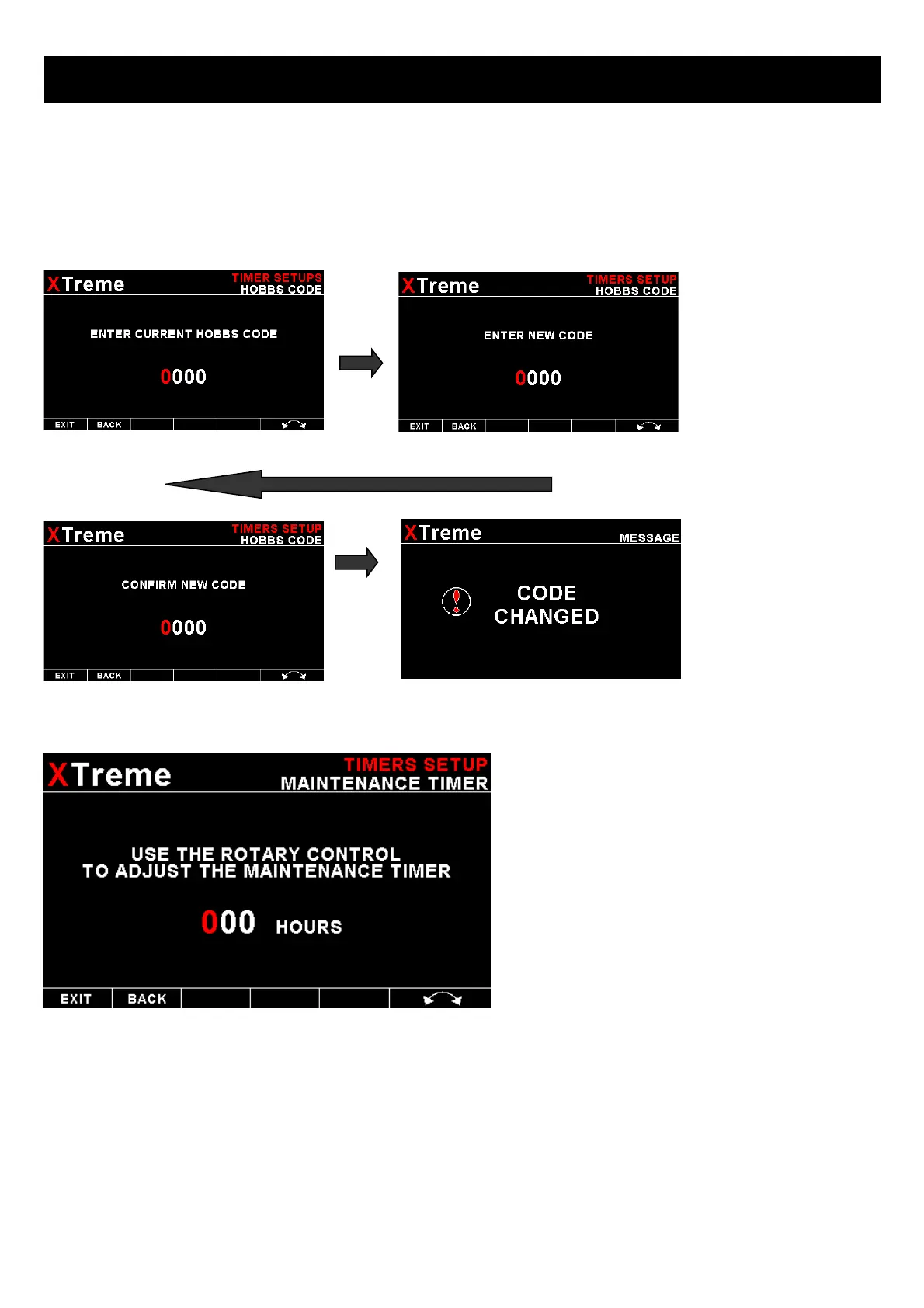
CHANGE HOBBS CODE:
This menu option allows you to change the Hobbs access code. You will first be prompted to enter the current code
followed by entering in a new code followed by re-entering the new code. If the new code and the re-entered code is the
same, then the Hobbs access code will be changed. Default code is 0000.
SET MAINTENANCE TIMER:
These timers allow you to keep track of engine
maintenance interval. Set the timer when you have
serviced your engine. A typical time might be 50
hours. This function allows you to set an engine
maintenance timer. This timer is set in engine hours
and it will count down to zero when the engine RPM
is greater then the “HOBBS MINIMUM RPM”. A
good use for this function is to set the hours until
your next spark plug change or engine inspection.
Use the rotary control to change the value.
HOBBS/MAINTENANCE TIMER START:
Select what source will start the Hobbs and Maintenance timers. A selection between Power, RPM 1 or RPM 2 can be
made
HOBBS RPM:
Enter the RPM limit in which the Hobbs timer/Maintenance timer must start incrementing



 To Next Page