B-10 Workstation 4 Setup Guide
Connector and Cable Diagrams
Hook-up Cables
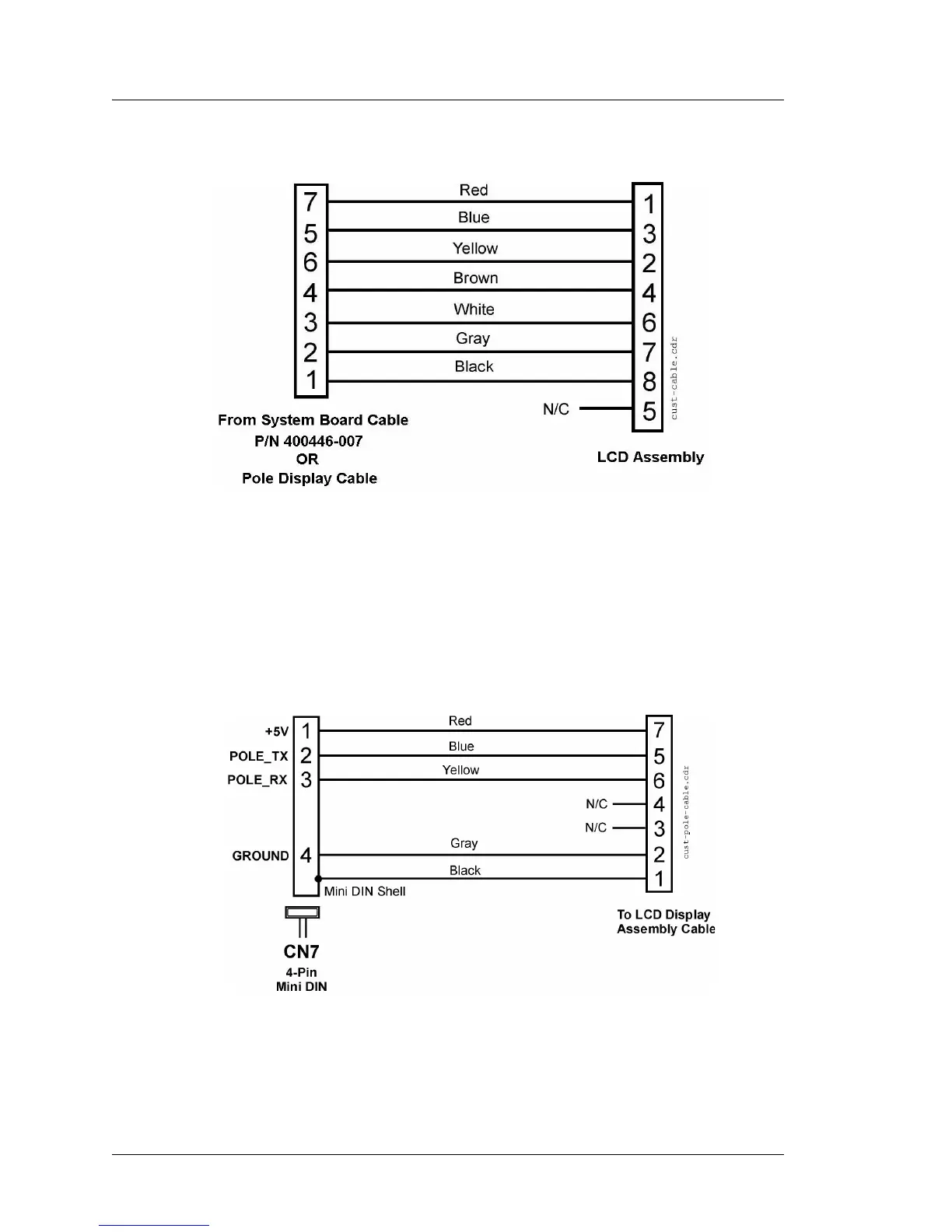
Figure B-14: LCD Customer Display Housing Cable
Remote Pole LCD Customer Display
This cable, shown in Figure B-15, is supplied with the Pole LCD Customer
Display kit. It attaches between the 4-pin DIN customer display connector on a
WS4 or KWS4 IO Panel, up through the pole to mate with the cable from the
LCD Display Assembly shown in Figure B-14.
Figure B-15: Remote Pole LCD Customer Display Assembly



 To Next Page