2-20 Workstation 4 Setup Guide
What’s Inside?
Hardware Updates
Pole LCD Customer Display
This procedure describes how to install the Pole LCD Customer Display on the
Workstation 4. The pole version is provided as a kit consisting of the LCD
Display Assembly /w cable, pole, base, extension cable, and nut. Due to the
varying thickness and materials used on the counter surface, the installer must
provide mounting hardware for the base. The cable length is approximately 5
feet.
1. Use the base as a template to locate the mounting holes in the counter
surface.
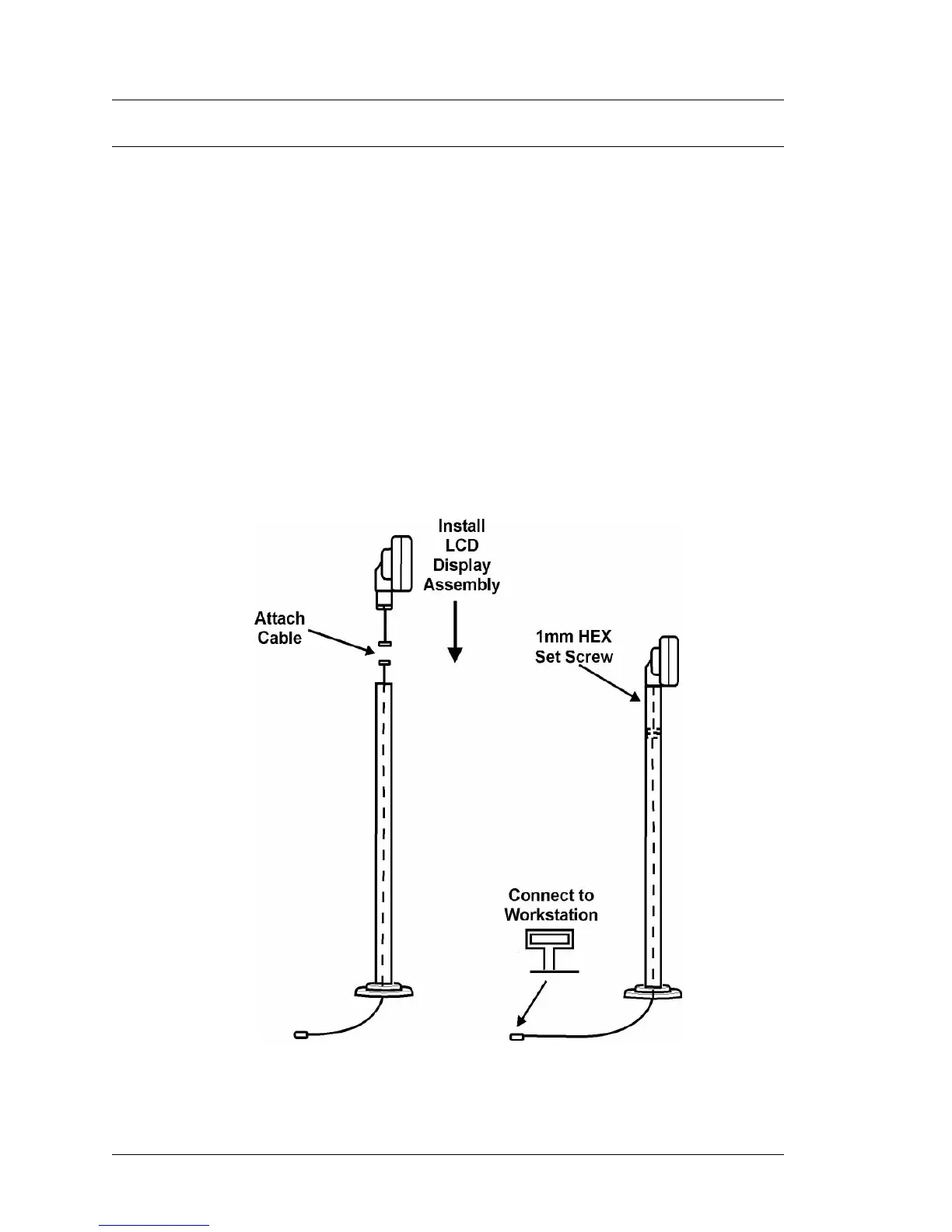
2. After mounting the pole display base to the counter surface, route the
extension cable through the pole and connect the LCD assembly cable.
Figure 2-18. Mount the LCD assembly to the pole, position the display
head in the desired position and use a 1mm hex screw to lock the LCD
assembly in place.
Figure 2-18: Assembling the LCD Pole Display



 To Next Page