Workstation 4 Setup Guide 2-23
What’s Inside?
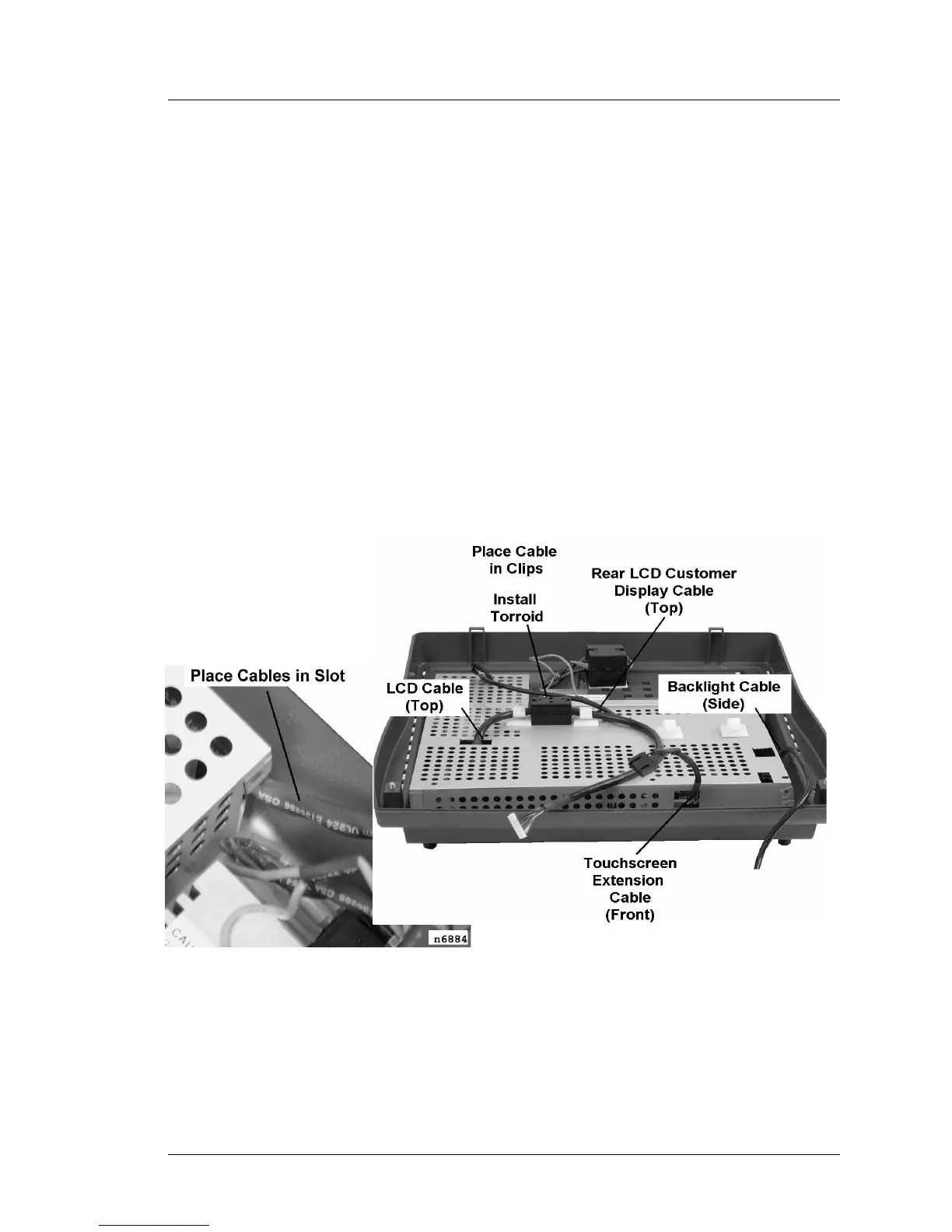
Reassembling the WS4
Reassembling the WS4
1. Make sure the AC input cable is disconnected from the unit.
2. Reinstall the RF Shield. Figure 2-22 shows the details.
o Place the AC input cables in the cutout at the rear of the shield as
shown on the left.
o If installed, route the optional customer display cable through the
opening at the center of the RF shield.
o Route the LVDS cable through the opening on the top of the shield.
Reinstall the toroid on the cable and place the toroid/cable in the
holders as shown.
o The touchscreen extension cable should project from the opening in the
front of the shield.
o The backlight cable should exit the shield through the cut-out on the
right side.
Figure 2-22: Routing cables through the RF Shield



 To Next Page