Workstation 4 Setup Guide 3-5
Installing and Operating the Workstation 4
The IO Panel
The IO Panel
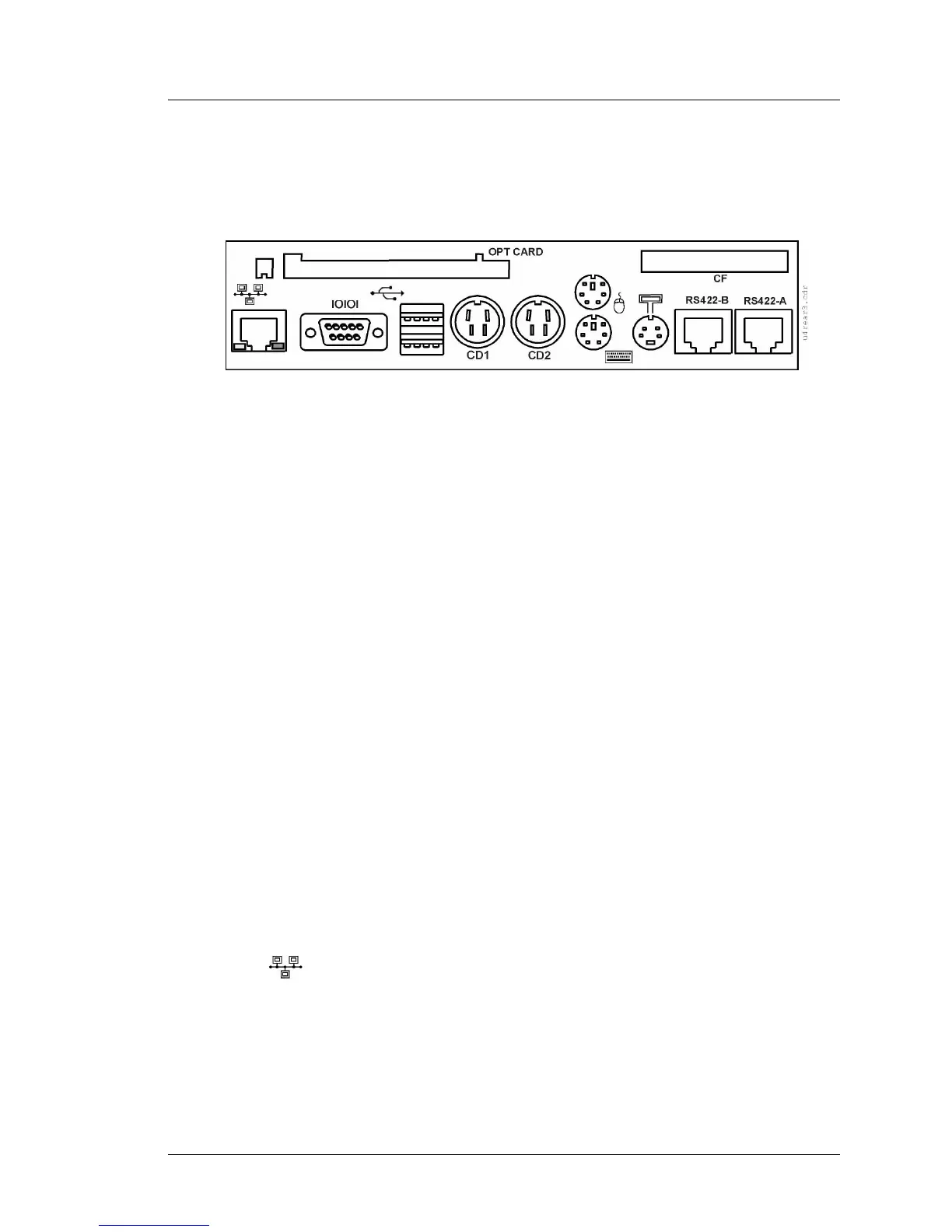
Figure 3-1 shows the rear mounted Workstation 4 Connector Panel.
Figure 3-1: Workstation 4 I/O Connector Panel
Working from left to right in the illustration...
OPT Card (Optional)
At the top left of the I/O Panel is access to an optional PCMCIA Daughter
Card. Access to the slot is protected by a bracket mounted to the unit with two
hex screws.
Established by the Personal Computer Memory Card International Association
(PCMCIA), the CardBus PC Card is a 32-bit version of the original 16-bit PC
Card standard, offering higher levels of performance and conforming to an
established physical form factor.
Currently, PCMCIA device driver support in Windows CE is limited. Consult
the Workstation 4 PMA or your MICROS representative for more information
about compatible PCMCIA cards.
Compact Flash (CF)
The Compact Flash Card (CF) is factory populated on a daughter card and is
accessible from the I/O Panel. In a compromise between security and
accessibility, the CF card is protected by a bracket fastened to the case with
two hex screws.
After the WS4 is installed and in operation, the CF card contains the
‘personality’ of the WS4, storing a copy of the Windows CE registry, as well as
the POS application and optionally SAR totals. See the Memory Architecture
section for more details about how the CF card is utilized.
10/100 Ethernet
The WS4 system board includes a National Semiconductor PCI based 10/100
Ethernet Controller with a UTP modular connector. The modular connector
features an integrated isolation transformer as well as a link status and network
activity indicators. The interface is fully IEEE 802.3 compliant and features
Wake On LAN support.



 To Next Page