2-24 Workstation 4 Setup Guide
What’s Inside?
Reassembling the WS4
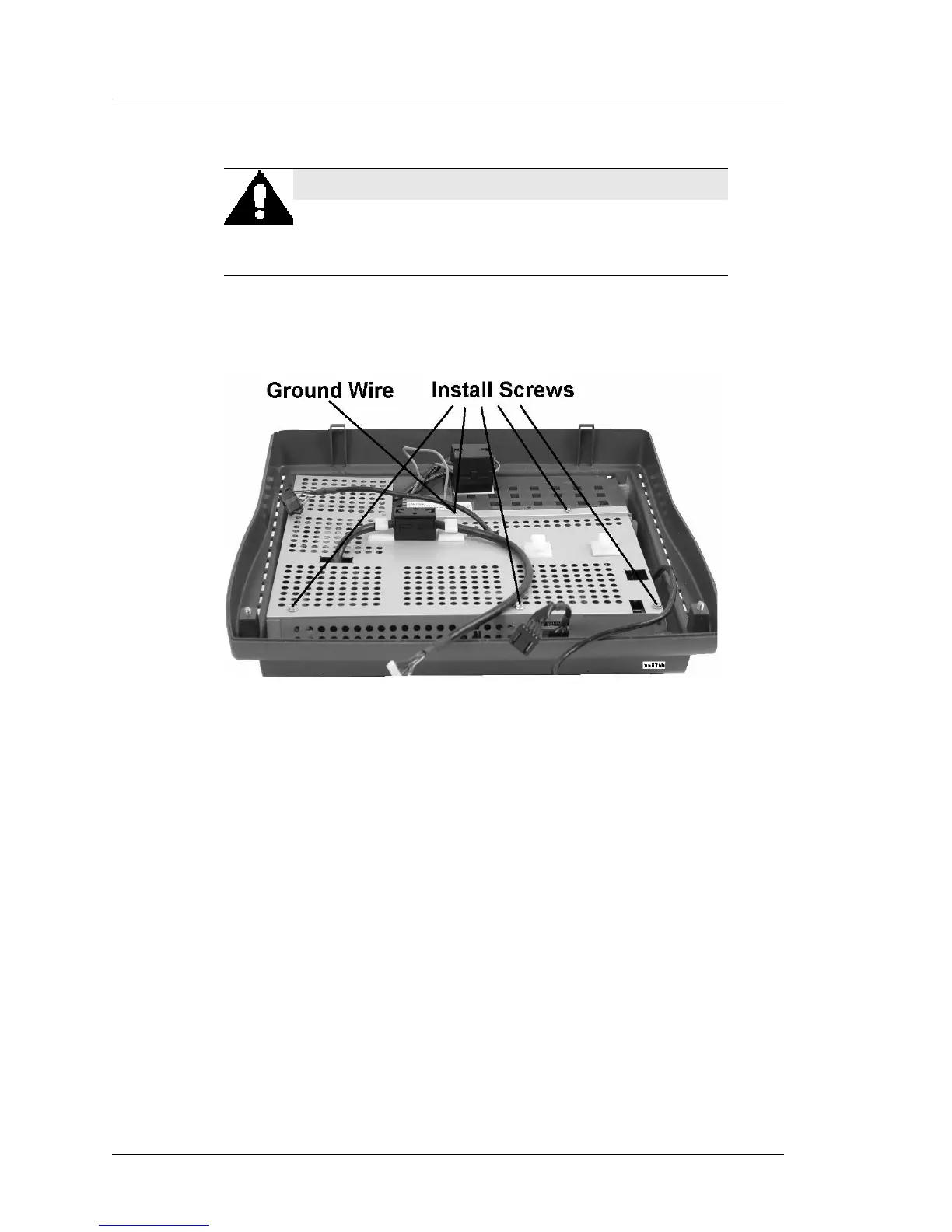
3. Fit the RF shield in place over the power supply and system board.
4. Fasten the RF shield screws. Figure 2-23. Be sure to install the ground wire
fastened with left rear shield screw.
Figure 2-23: Securing the RF Shield and Fastening the AC Ground Wire
5. Position the top cover directly in front of the base.
6. Connect the following cables to the top cover. Figure 2-24.
o Touchscreen ribbon cable to the keyed touchscreen extension cable
projecting from the front of the shield.
o LVDS cable to the LVDS Receiver Board on the Samsung LCD (Figure
2-24), or directly to the Sharp LCD Panel (Figure 2-25), and the
Backlight Cable to the Backlight Inverter Board.
WARNING:
Before continuing, take a moment to ensure the shield is
fitted to the outside of the power supply tray, in particular,
the area near the power supply AC fuse and input cables.



 To Next Page