3-8 Workstation 4 Setup Guide
Installing and Operating the Workstation 4
Installation
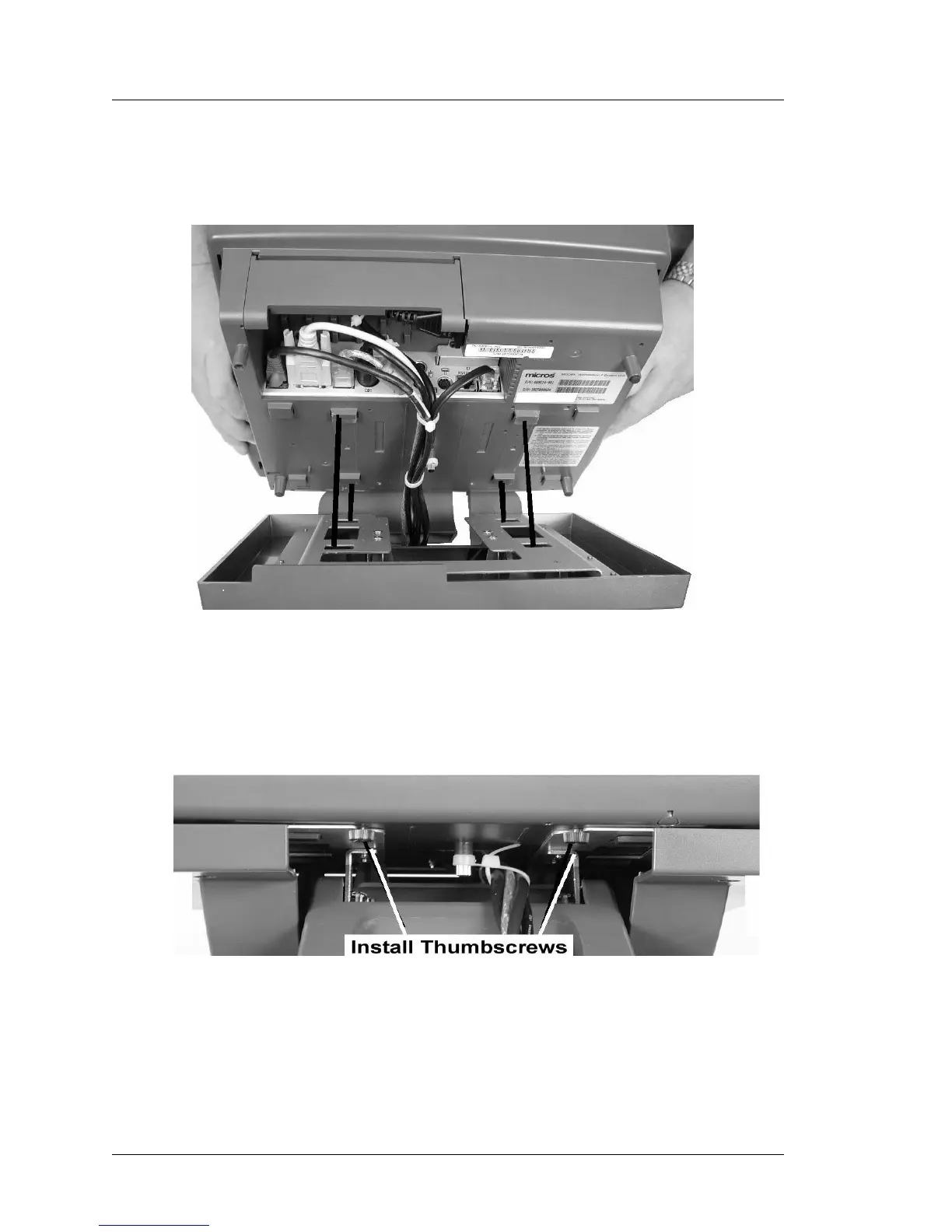
3. Line the four inside plastic hooks on the workstation with the four
rectangular holes on the stand and place the unit on the stand as shown in
Figure 3-2. The workstation will slide down and lock into place.
Figure 3-2: Attaching the WS4 to the Stand
4. Tilt the workstation to the fully reclined position and install the pair of
thumbscrews supplied with the stand to secure it to the workstation. Figure
3-3.
Figure 3-3: Securing the Workstation to the Stand
5. Place your peripherals near the workstation and attach cables as required.



 To Next Page