OM-244 814 Page 58
C. General Purpose LEDs
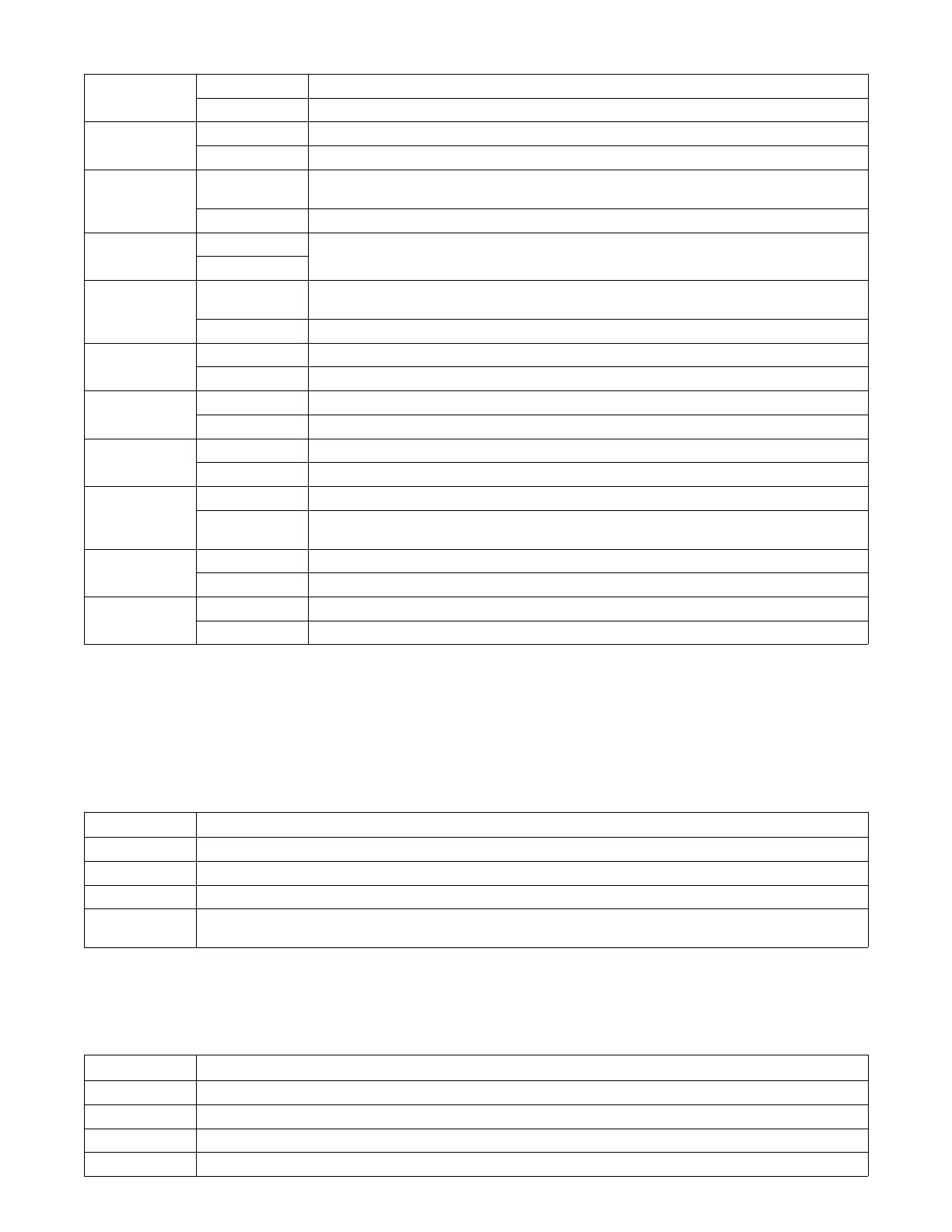
D17 On Gnd Cnt − Indicates ground error. Contact nearest factory Authorized Service Agent.
Off Indicates no error
D25 On OVR CNT − Indicates an error. Contact nearest factory Authorized Service Agent.
Off Indicates no error
D26 On OVR PWR − Indicates unit is operating at max input current. Contact nearest factory Authorized Service
Agent.
Off Indicates no error
D28 — —
Future use
— —
D30 On OVR TMP − Indicates unit is overheated. Turn unit off and allow to cool. If error continues, contact nearest
factory Authorized Service Agent.
Off Indicates no error
D33 On Contactor − Indicates unit is receiving a contactor On signal
Off Indicates contactor on signal is not being received. Check input connections.
D43 On ARM/O − Indicates +10 VDC is present, should flash at same rate as ARM AWAKE
Off Indicates +10 VDC is not present
D44 On E-Stop − Indicates E-Stop is not present
Off Indicates E-Stop has been engaged, check external sources
D98 On USB Host on − Indicates this function is operating properly
Off Indicates USB error. Cycle unit power, if error is still present contact nearest factory Authorized Service
Agent
D101 On Indicates +2.5 VDC is present
Off Indicates +2.5 VDC is not present
D108 On Indicates +25 VDC is present
Off Indicates +25 VDC is not present
12-6. Network And Module Status LEDs
A. Network Status LED
LED2 on the E Module board stack
Status Diagnosis
Off The board stack is not on-line with the network or there is no power applied to the board stack.
Green The board stack is operating normally and the on-line connection is made with the network.
Flashing Green The board stack is waiting for an on-line connection to be made with the network.
Red The board stack has encountered a communication link failure with the network. Check DeviceNet cable connections. Replace
board stack if necessary.
B. Module Status LED
LED1 on the E Module board stack
Status Diagnosis
Off There is no power applied to the board stack or the board stack software is not executing its functions.
Green The board stack is operating normally.
Flashing Red The board stack has encountered a recoverable fault. Wait or cycle power to clear fault.
Red The board stack has encountered an unrecoverable fault.






 To Next Page