Compressor
The compressor reduces the gain of an output channel when the audio signal reaches the level specied by the
Threshold parameter. The gain of the channel will be progressively reduced as the signal increases above the
threshold, according to the Ratio parameter. This can be used to limit the power delivered to speakers and thus reduce
the risk of damage from overdriving.
Overview
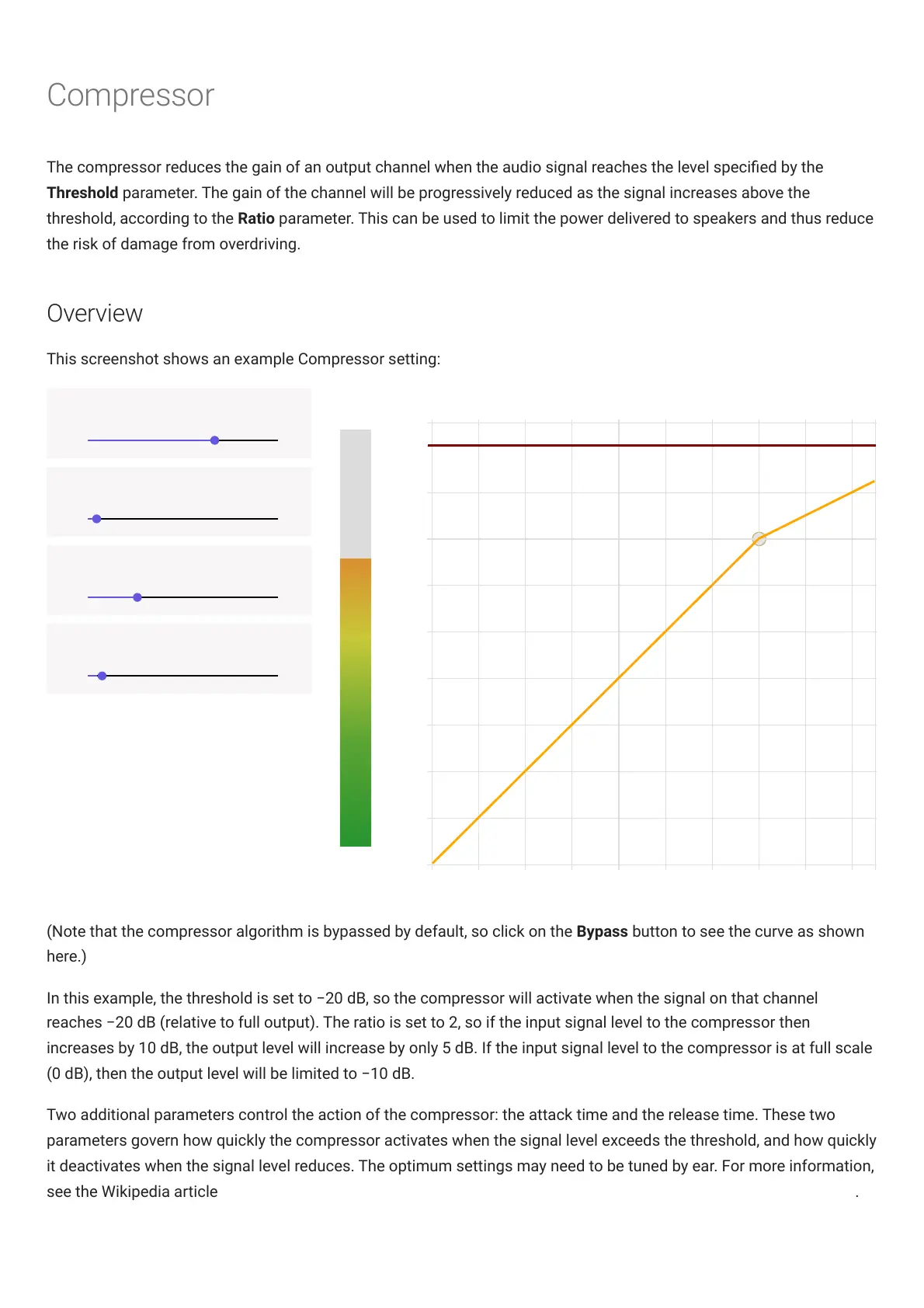
This screenshot shows an example Compressor setting:
(Note that the compressor algorithm is bypassed by default, so click on the Bypass button to see the curve as shown
here.)
In this example, the threshold is set to −20 dB, so the compressor will activate when the signal on that channel
reaches −20 dB (relative to full output). The ratio is set to 2, so if the input signal level to the compressor then
increases by 10 dB, the output level will increase by only 5 dB. If the input signal level to the compressor is at full scale
(0 dB), then the output level will be limited to −10 dB.
Two additional parameters control the action of the compressor: the attack time and the release time. These two
parameters govern how quickly the compressor activates when the signal level exceeds the threshold, and how quickly
it deactivates when the signal level reduces. The optimum settings may need to be tuned by ear. For more information,
see the Wikipedia article Dynamic range compression (https://en.wikipedia.org/wiki/Dynamic_range_compression) .



 To Next Page