•
•
•
•
•
•
Getting started
MiR200™ User Guide, Robot interface 2.0, 11/2018 v.1.2 13
3
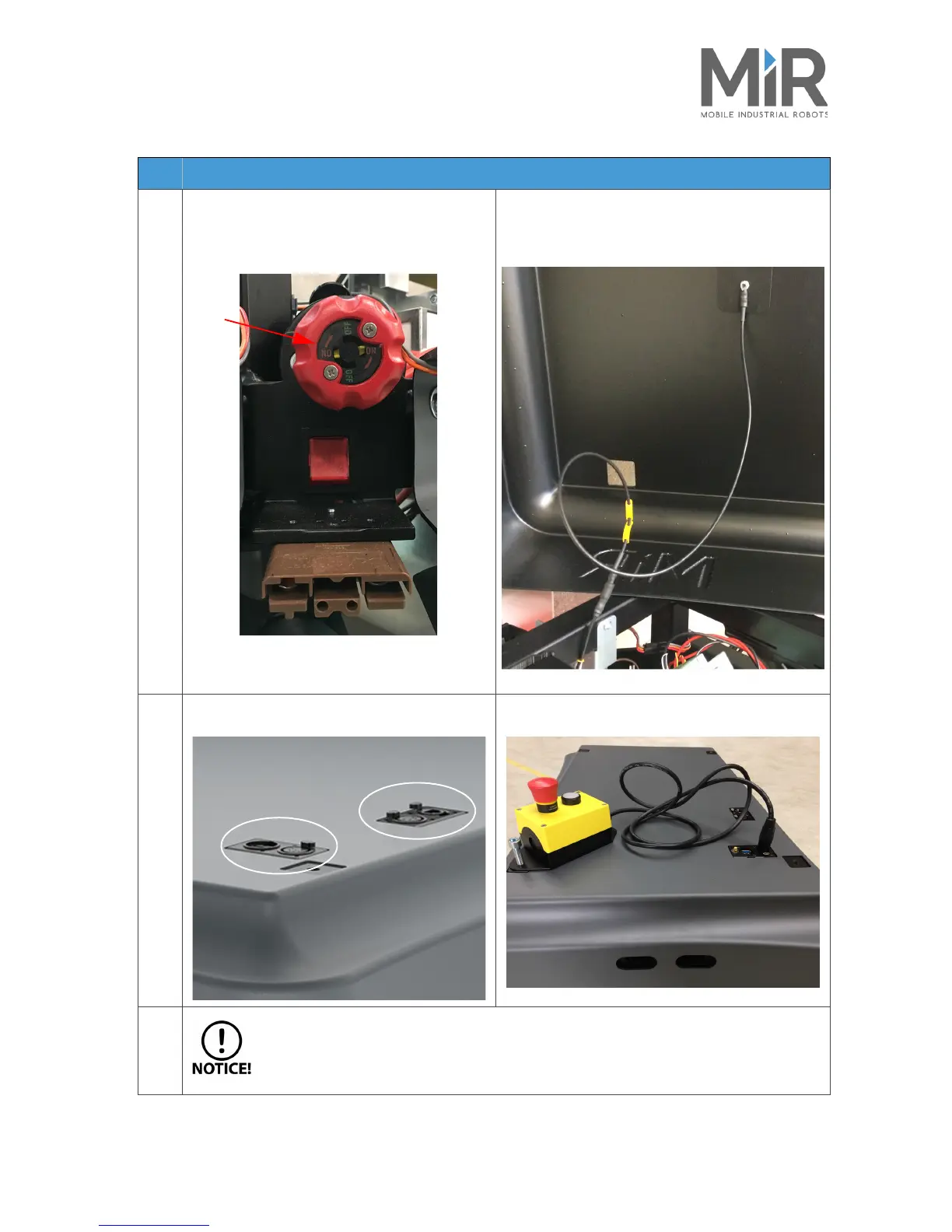
Before putting the cover back on:
Make sure that the battery disconnect switch is
on (the two yellow indicators pointing to On).
Connect the two ESD cables attached to the robot
frame, next to the loudspeaker, and inside the cover.
4
Carefully fit the cover correctly over the
connector openings.
Mount and connect the emergency stop box on
top of the robot cover.
If a top module is to be mounted on top of the robot, the emergency stop must be
moved and placed in a position where it is easy to reach. See Placing the top module
on page 26.
Step Action



 To Next Page