113
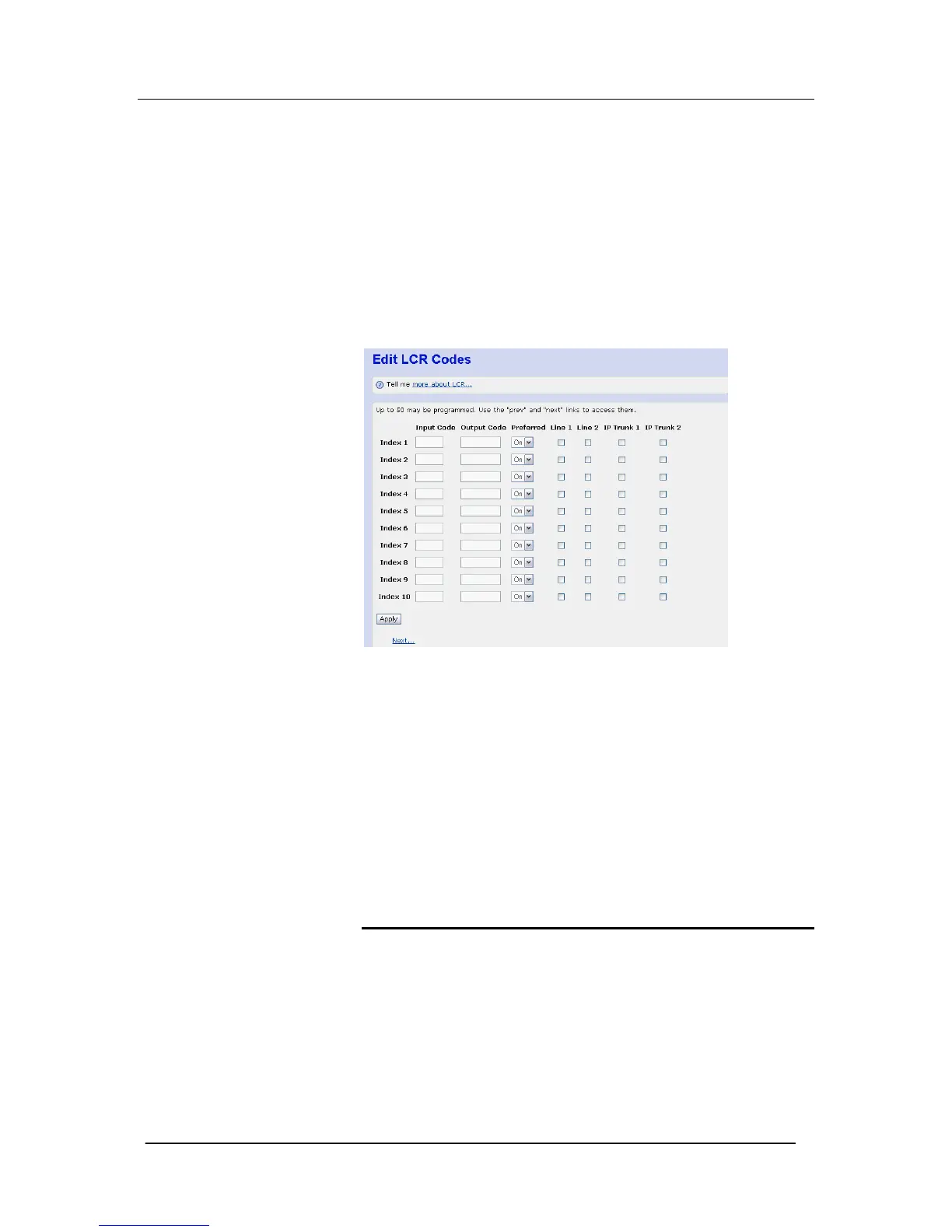
Edit LCR Codes
Using this page you may define the Least Cost Routing criteria.
Up to 30 LCR rules may be defined (Index 1 – 30).
In the ‘Input Code’ field you insert the relevant dialed digits (e.g. ‘00’
for International calls or ‘001’ for International calls to the USA).
In the Output Code field, you insert whatever digits you want to be
passed to the network. If no additional carrier access codes are
required, then the Output Code is the same as the Input Code.
If you require to enter an network operator specific access code
enter this before the relevant dialed digits in the ‘Output Code’ field.
The ‘Output Code’ entered will be dialed automatically by the
system on front of the user dialed digits.
Preferred On/Off
In Preferred On is selected (Preferred Mode), then the system will,
as a preference, route the call using the line(s) which have been
enabled for each specific Input Code. However, if these line(s) are
busy or not-available, then the system will attempt to route the call
over any of the remaining system lines (i.e. those, which are not
enabled for that specific Input code)
LCR Lines
For each specific LCR rule (Index), enable which lines are available
for selection.
CLI Routes
Using this feature, incoming calls from particular numbers (Caller
Identities – CLI) can be associated with a particular name and
routed to a pre-defined extension.





 To Next Page