38
Background music
This feature allows an extension to have music played over the speaker of a
Featurephone while the extension is idle. This background music is supplied
only if there is an external music source connected to the system. This
background music is disconnected as soon as the user goes off hook or a call
is presented to the extension.
From your Featurephone, press the PROGRAM Key
Press the Scroll Down Key (Ô) until ‘Background Music’ is displayed.
Select the required option – ‘Background music on’ or ‘Background music off’.
Press the Speakerphone Key to finish programming.
Note
The External Music on Hold Extension must be selected before
you can turn background music on/off.
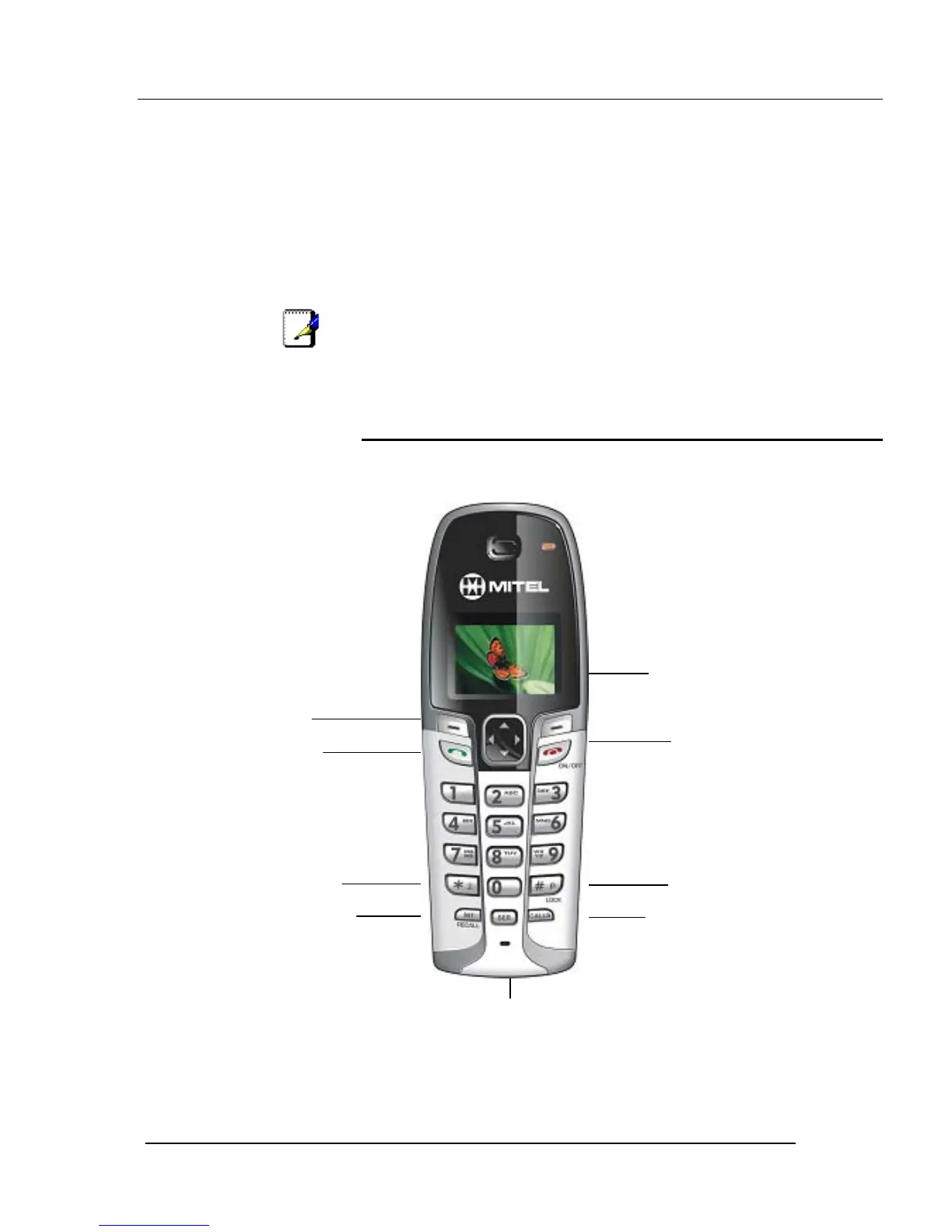
Using the Cordless Telephone
The cordless telephone is designed for use with the Mitel 1000. The keys are
as shown. For a detailed description of the functionality see Appendix A on
page184.
Services Key
Hash, Lock & Pause Key
Star & Ringer Off Key
Soft keys
On/Off and End Key
Recall Key
Internal Key
Talk Key
Calls Key
Rock Key





 To Next Page