157
System Resets
This page allows you to reset your Mitel 1000 to its default factory
settings.
The configuration settings of your Mitel 1000 are stored in a
configuration file. When you set up your Mitel 1000 and access the
web pages for the very first time, the configuration file contains a
default factory configuration. This configuration has been set by
your provider for you, and contains the basic settings that you can
use without having to make extensive changes to the configuration.
If you do make changes to the default configuration but then wish to
revert back to the original factory configuration, you can do so by
resetting the Mitel 1000 to factory defaults.
You may need to reset to defaults if you have made changes to
Mitel 1000's settings causing it not to function properly.
If you are having problems connecting to your Internet Service
Provider, their support staff may request that you reset to defaults to
help in the connection process.
Remember that all your previous settings will be replaced.
Resetting the system
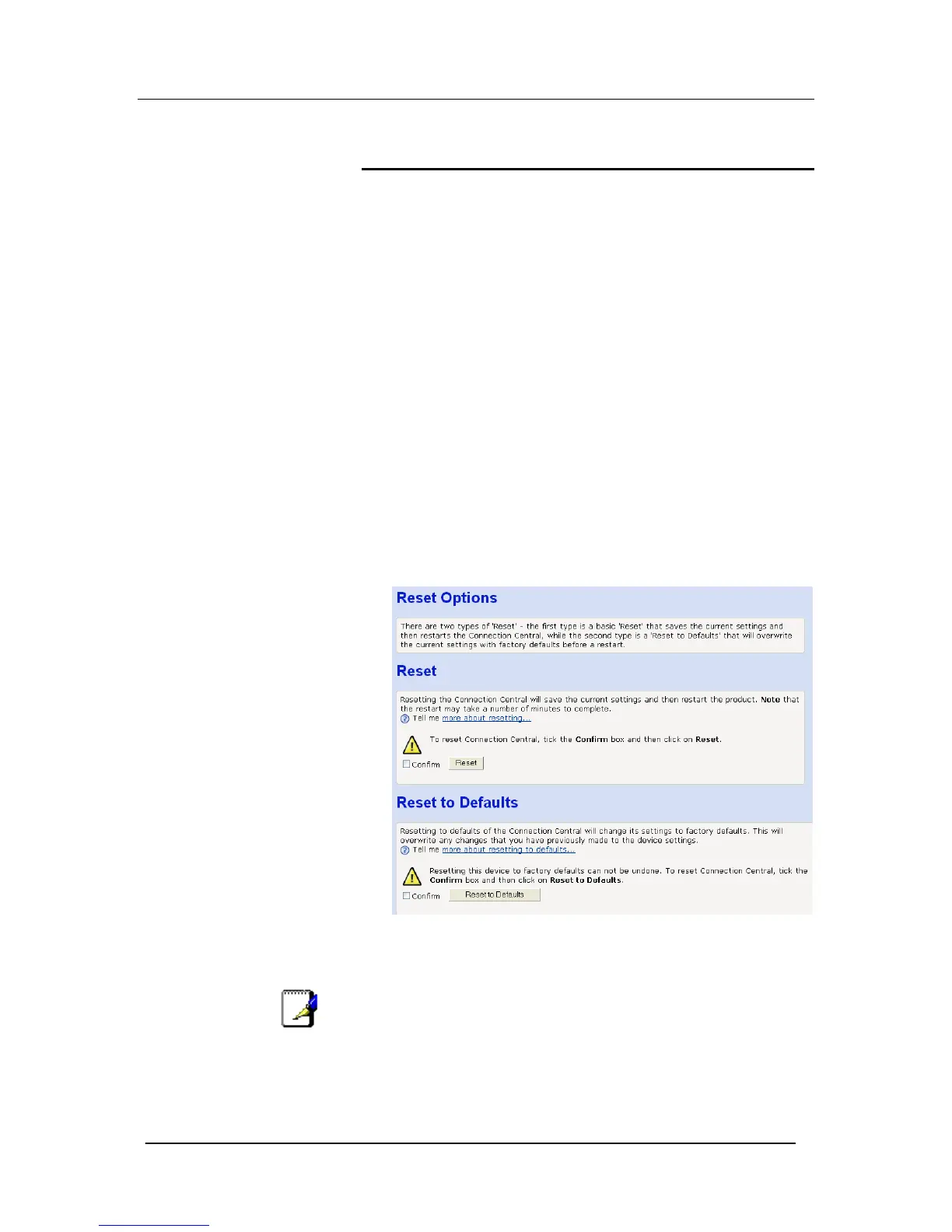
1. From the left-hand menu, click on Reset Options The following
page is displayed:
Two options are presented, Reset and Reset to Defaults. Selecting
Reset invokes a reset but all the programming is retained.
Resetting to defaults deletes most of the system programming.
Note
If you reset your Mitel 1000 to factory defaults, all previous
configuration changes that you have made are overwritten by the
factory default configuration.





 To Next Page