13
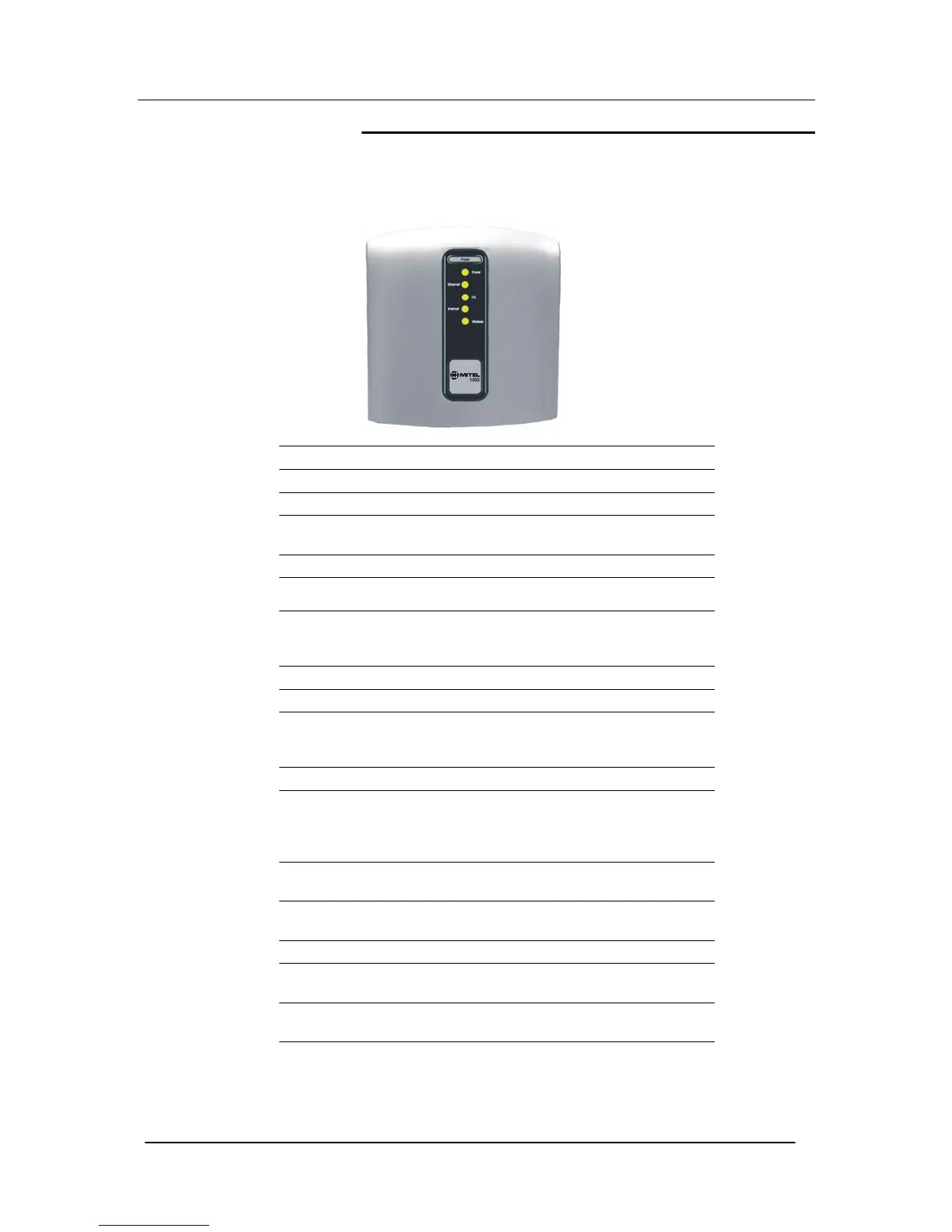
Front Panel
The front panel contains a ‘Page’ button and lights called Light
Emitting Diodes (LEDs) that indicate the status of the Mitel 1000.
Pressing the ‘Page’ button rings all the cordless handsets registered
to the Mitel 1000.
Label Color Function
Power Off Power not connected to the Mitel 1000
Red Powering up or Mitel 1000 malfunction
Flashing
Red/Green
Cordless phone registration mode
Green Power on
Ethernet Off
No Mitel 1000 connected to the LAN
Solid Green
Powered Mitel 1000 connected to the
LAN
DSL Off ADSL line not connected
Green flashing ADSL line Connected and synchronizing
Green.
(Occasional
flicker)
ADSL line connected and synchronized
Internet Off ADSL line not connected
Red
Mitel 1000 attempted to make an IP
connection and failed. Usually indicates
that the Internet User Name or
Password is incorrect.
Solid Green
Mitel 1000 is IP connected and no traffic
is detected
Flashing
Green
Mitel 1000 is IP connected and traffic is
detected
Wireless Off Wireless LAN is disabled
Solid Green
Wireless LAN is enabled
Flashing
Green
Wireless LAN is active with traffic in
either direction





 To Next Page