138
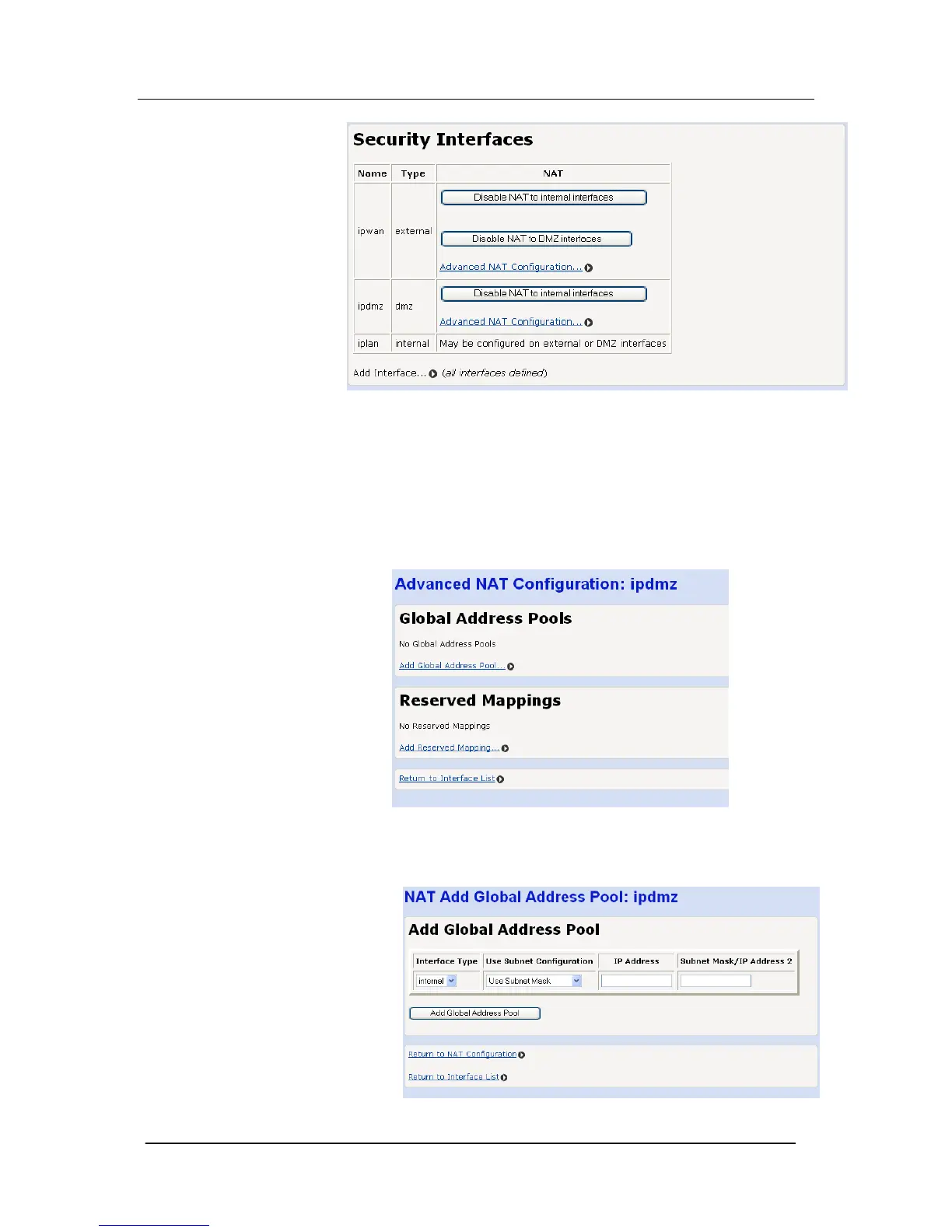
Select “Disable NAT to … (Interface)”
Restart the Mitel 1000 for the change to take effect
Global Address Pools
A range of external IP addresses can be assigned to a specific
interface.
Select “Advanced NAT Configuration …”
The following screen is displayed
Select “Add Global Address Pool …”
The following screen is displayed.





 To Next Page