90
Existing DHCP Server Subnets
The settings for the existing subnets on the iplan and ipdmz are
displayed.
All displayed parameters can be changed – change the setting to a
new value and click “Apply”.
To delete a subnet, check the associated box and select “Apply”.
Advanced Options
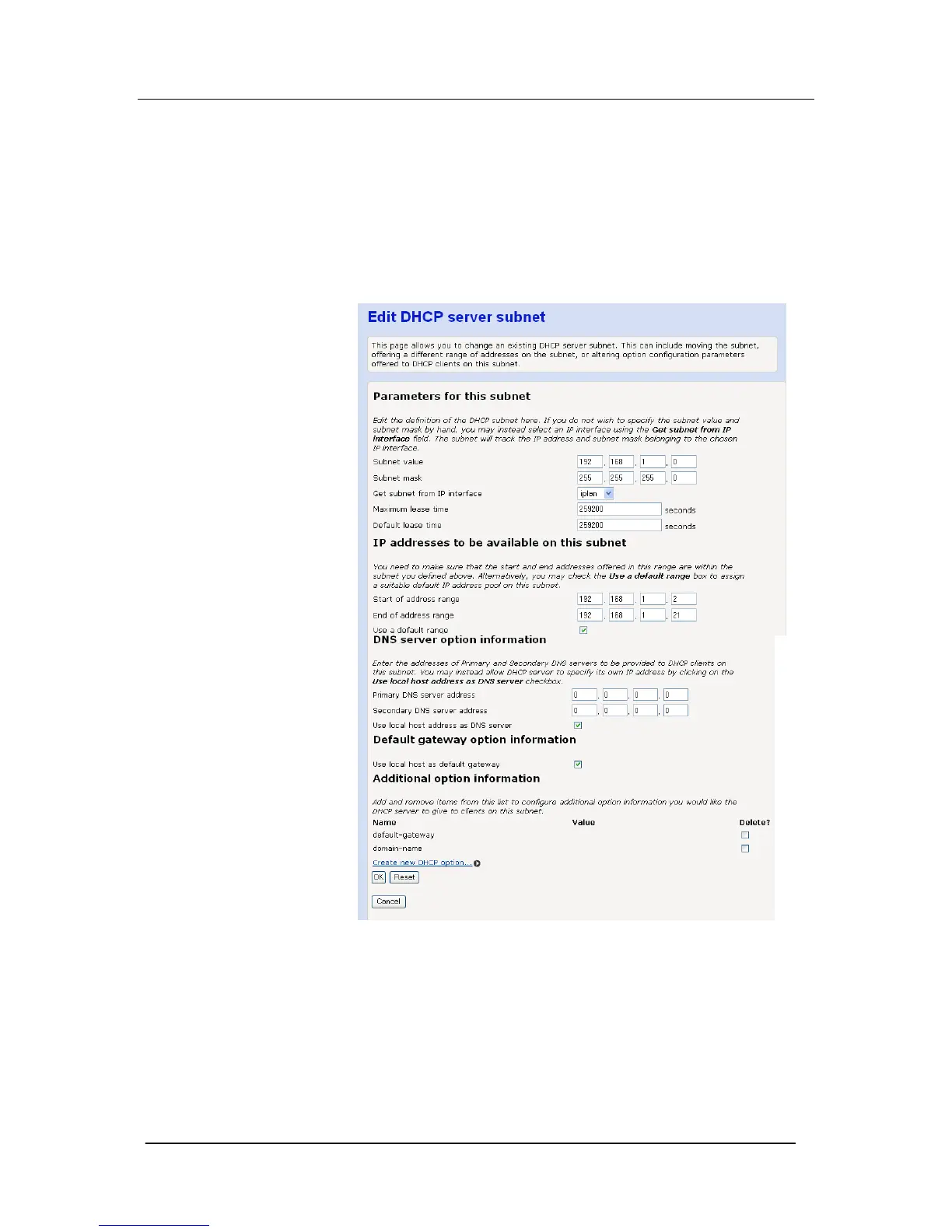
Select “Advanced Options”
The following screen is displayed
Parameters for this subnet
The current subnet parameters are shown. These can be changed
if required.
IP addresses to be available on this subnet
The range of IP addresses available on the subnet is shown. These
can be changed if required.





 To Next Page