Line Keys and Programmable Keys
PAGING KEY
You can configure a Paging key on the phone that allows you to send a Real Time Transport
Protocol (RTP) stream to pre-configured multicast address(es) without involving SIP signaling.
You enter a multicast IP address(es) and a port number for the Paging key, that when pressed,
initiates an outgoing multicast RTP session. This is called Group Paging on the IP phones.
You can also specify group paging RTP addresses that the phone listens for when receiving
RTP streams. You can specify up to 5 listening multicast addresses at the path, Basic Settings
> Preferences > Group Paging RTP Settings.
For more information about Group Paging and how it works, and to specify multicast addresses,
see “Group RTP Paging” on page 172.
CONFIGURING A PAGING KEY
1. Click on Operation > Programmable Keys.
or
Click on Operation > Expansion Module <N>.
Programmable Keys
2. Select from Key 1 through Key 8.
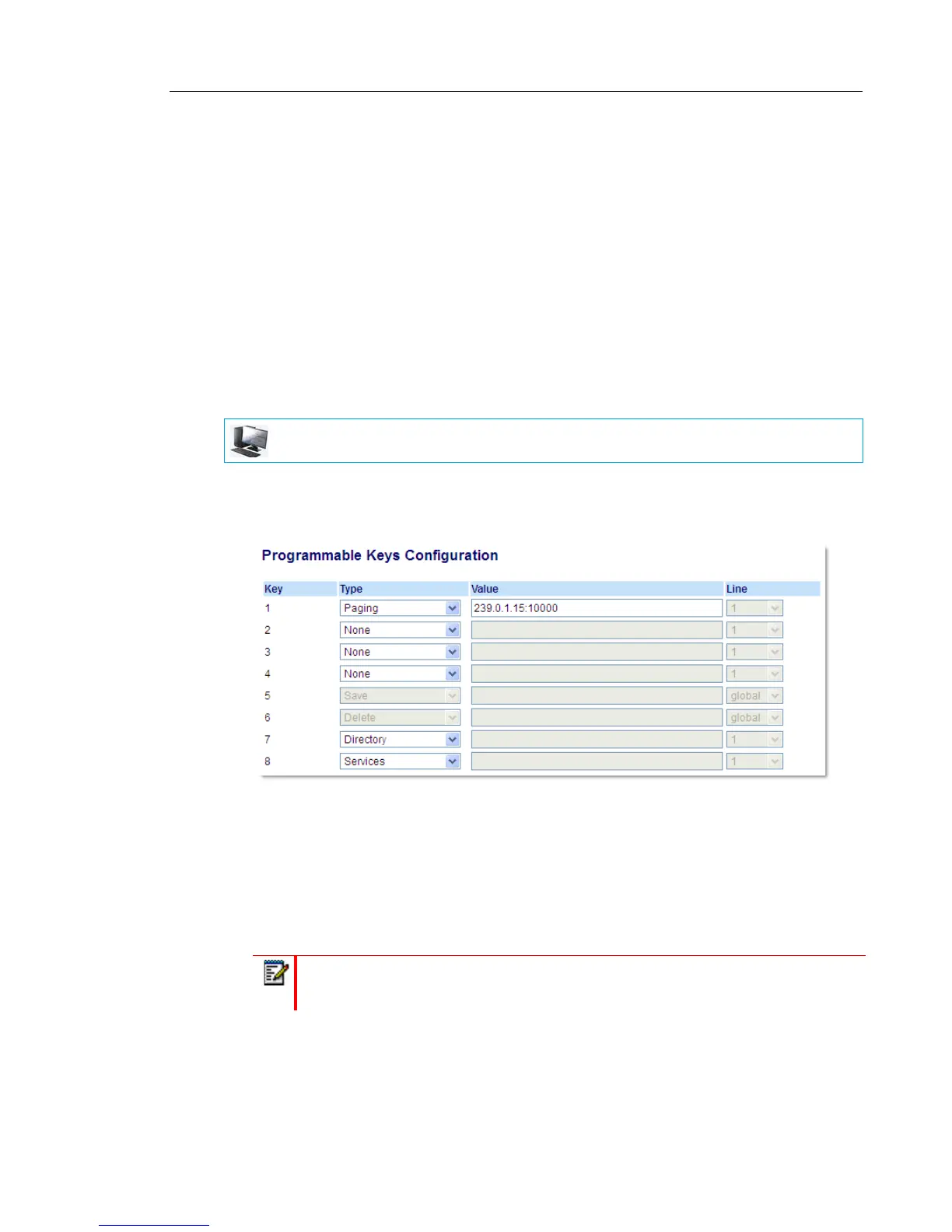
3. In the Type field, select Paging.
4. In the Value field, enter a multicast IP address and a port number for the Paging key. When
you press this key, the phone initiates an outgoing multicast RTP session to the specified
address using the specified port (e.g. 239.0.1.15:10000).
5. To receive RTP steams for Group Paging, you must also configure the Paging Listen
Addresses parameter at the path, Basic Settings > Preferences > Group Paging RTP
Settings. For more information about setting this parameter, see “Group RTP Paging” on
page 172.
MITEL WEB UI
Note: The Value field allows for one multicast address entry only.



 To Next Page