CONFIGURING PREFERRED LINE AND PREFERRED LINE TIMEOUT
USING THE MITEL WEB UI
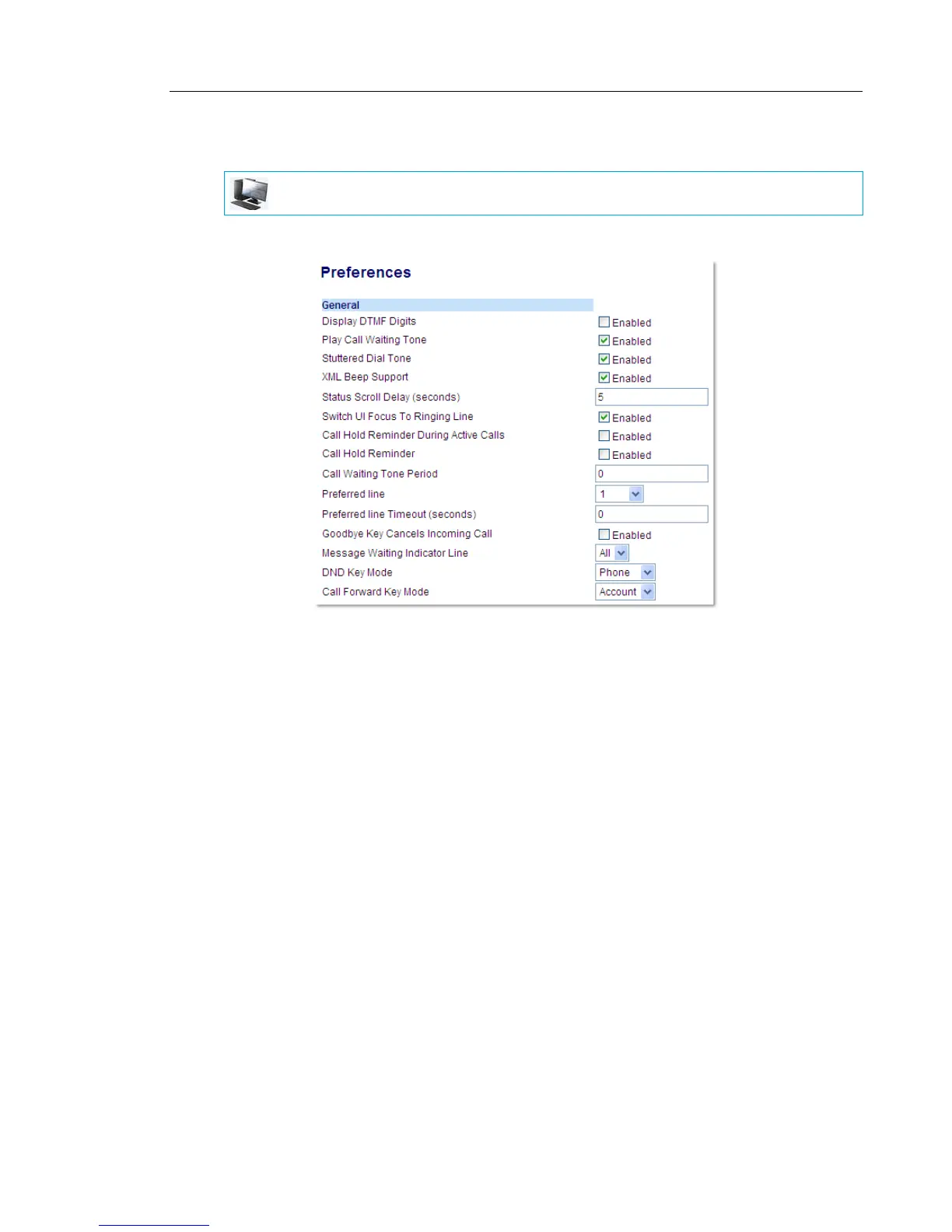
1. Click on Basic Settings > Preferences > General.
2. In the Preferred Line field, select a preferred line to switch focus to after incoming or
outgoing calls end on the phone. Default is 1. Valid values are:
• None (disables the preferred line focus feature)
• 1 through 24
For example, if you set the preferred line to 2, when a call (incoming or outgoing) ends on
the phone (on any line), the phone switches focus back to Line 2.
3. In the Preferred Line Timeout field, enter the amount of time, in seconds, that the phone
switches back to the preferred line after a call (incoming or outgoing) ends on the phone,
or after a duration of inactivity on an active line. Default is 0.
Valid values are: 0 to 999
4. Click Save Settings.
MITEL WEB UI



 To Next Page