Mitel 6865i SIP Phone Release 4.1.0 User Guide
USING THE MITEL WEB UI
1. Open your web browser, enter the phone’s IP address or host name into the address field
and press Enter.
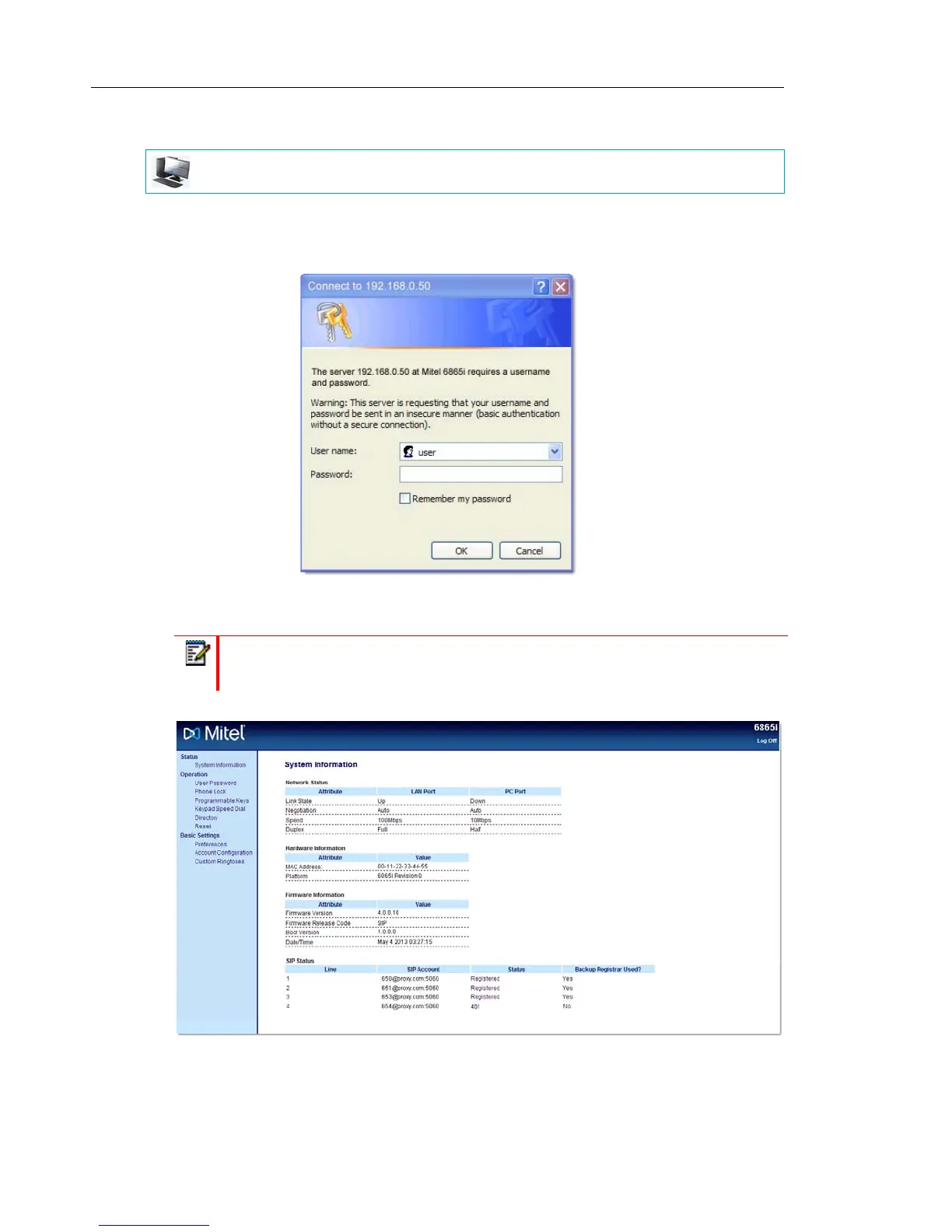
The following logon screen displays:
2. At the prompt, enter your username and password and click OK.
The Status window displays for the IP phone you are accessing.
3. You can logout of the Mitel Web UI at any time by clicking Log Off.
MITEL WEB UI
Note: For a user, the default username is user and the password field is left blank.



 To Next Page