Mitel 6865i SIP Phone Release 4.1.0 User Guide
5. Select a Daylight Savings time from the list of options.
Valid values are:
•OFF
• 30 min summertime
• 1 h summertime
• Automatic (Default)
6. Press the key or select 4Set to save the Daylight Savings setting.
CONFIGURING TIME SERVERS
With a valid time server enabled your IP phone will synchronize the time displayed with the
specified configuration server. The phone will use the time from Time Server 1 unless it is not
configured or unavailable, in which case it will move on to Time Server 2, and if necessary Time
Server 3
1. Press on the phone to enter the Options List.
2. Select Preferences.
3. Select Time and Date.
4. Select from Time Server 1, Time Server 2, or Time Server 3.
5. Enter an IP address or domain name for the time server.
6. Press the key or select 4Set to save the time server setting.
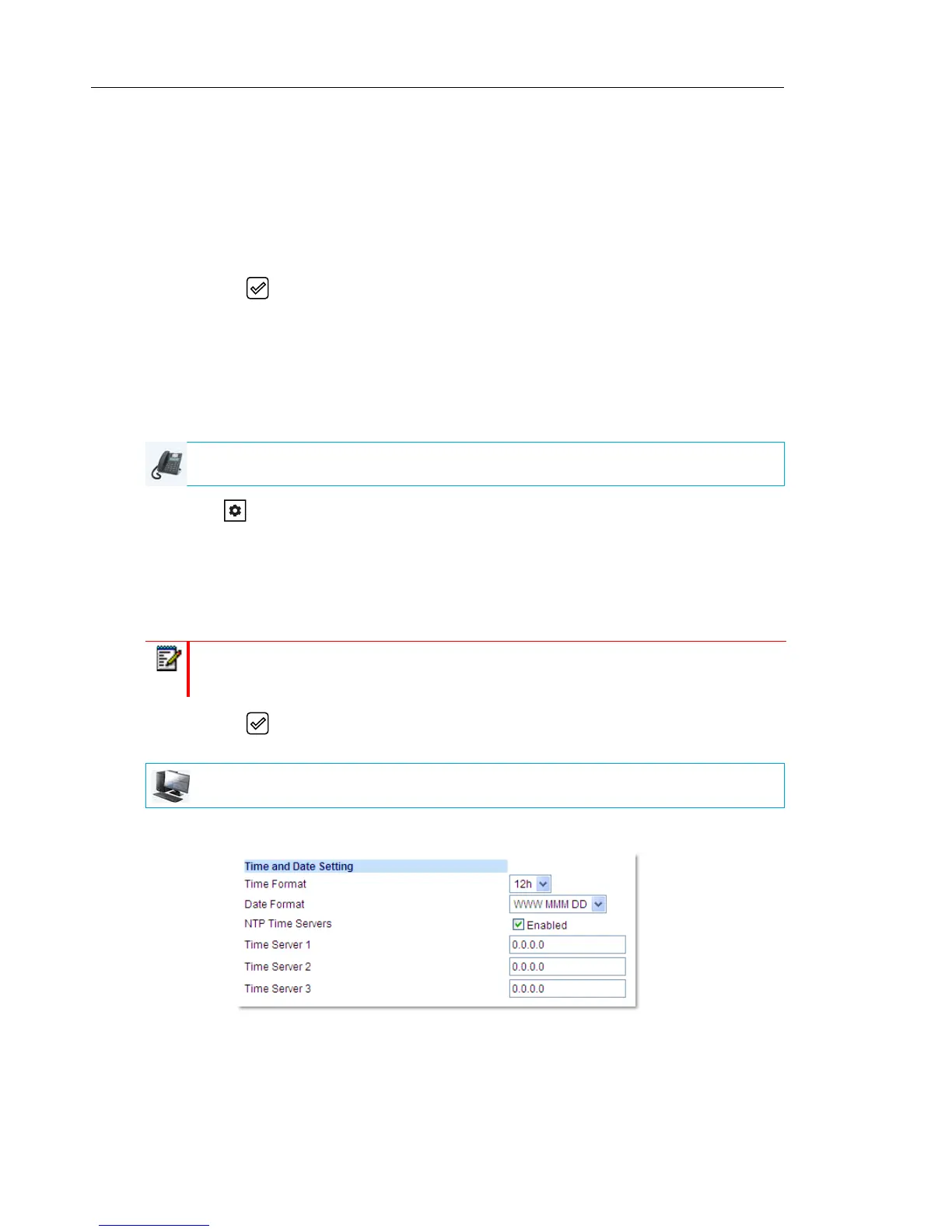
1. Click on Basic Settings > Preferences > Time and Date Setting
2. In the Time Format field, select the time format you want to use on your phone. Valid
values are:
• 12h (12 hour format) (default)
IP PHONE UI
Note: Time Servers are enabled by default. The Time Servers can be Enabled or
Disabled only from the Mitel Web UI.
MITEL WEB UI



 To Next Page