Line Keys and Programmable Keys
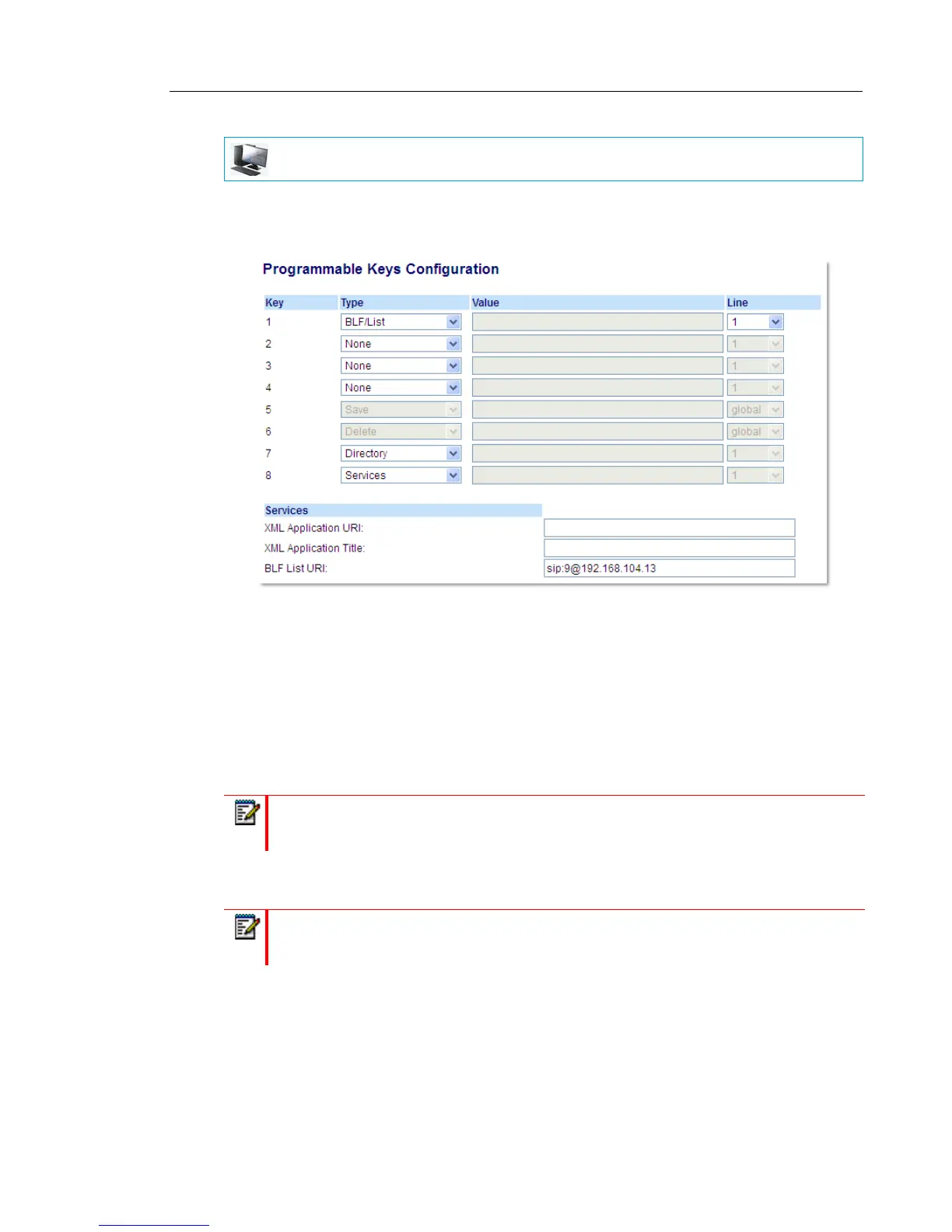
1. Click on Operation > Programmable Keys.
or
Click on Operation > Expansion Module <N>.
Programmable Keys
2. Select from Key 1 through Key 8.
3. In the Type field, select BLF/List (BroadSoft BroadWorks).
4. In the Line field, select a line number that is actively registered to the appropriate SIP proxy
you are using. Valid values are:
• global
• 1 through 24
5. In the BLF List URI field, enter the name of the BLF list defined on the BroadSoft Broad-
Works Busy Lamp field page for your particular user. For example, sip:9@192.168.104.13.
Expansion Module Keys
6. Select from Key 1 through Key 16 (M680i) or Key 84 (M685i).
7. In the Line field, select a line for which to apply this key. Valid values are:
• global
MITEL WEB UI
Note: The Label and Value field are not required. The BroadWorks BLF/List name is
configured in the BLF List URI field instead.
Note: Contact your System Administrator for the BLF List URI.



 To Next Page