IPB-5000A
6. Discription of Display Screens
6-11
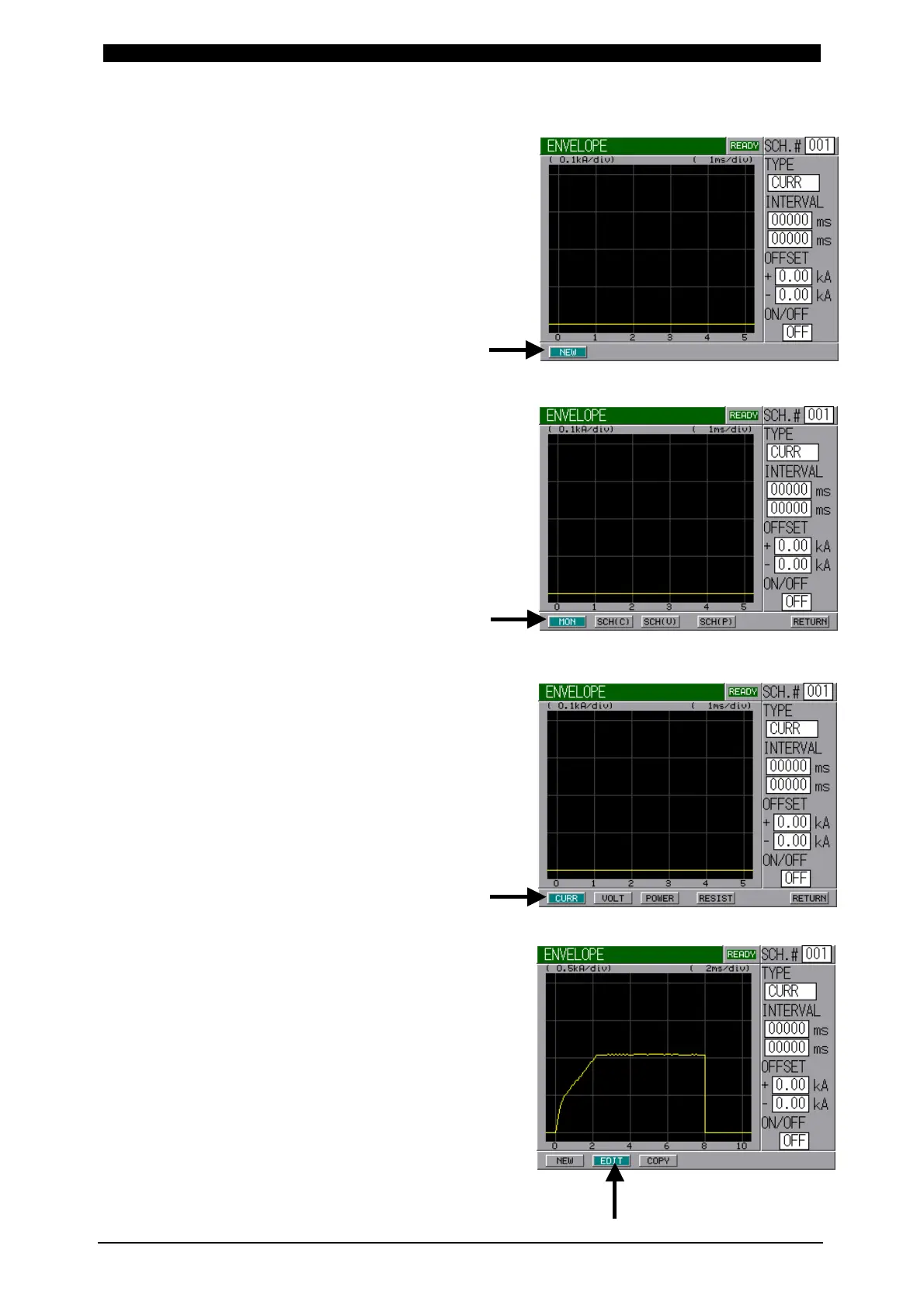
② Select NEW Button and press ENTER
Key to draw a standard waveform.
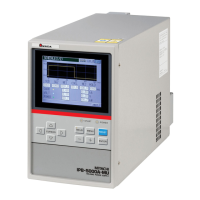
③ Select MON Button and press ENTER
Key to draw a standard waveform from
a monitored waveform.
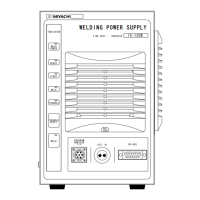
④ Select CURR Button and press
ENTER Key to draw the standard
waveform of a current waveform.
In the case of Voltage, Power or
Resistance, select each button
situated on the right side of CURR
button and press ENTER Key.
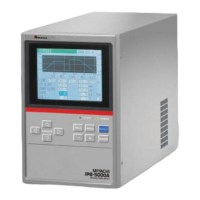
⑤ Select EDIT Button and press
ENTER Key to draw Envelope
Waveform.


 To Next Page