IPB-5000A
6. Discription of Display Screens
6-12
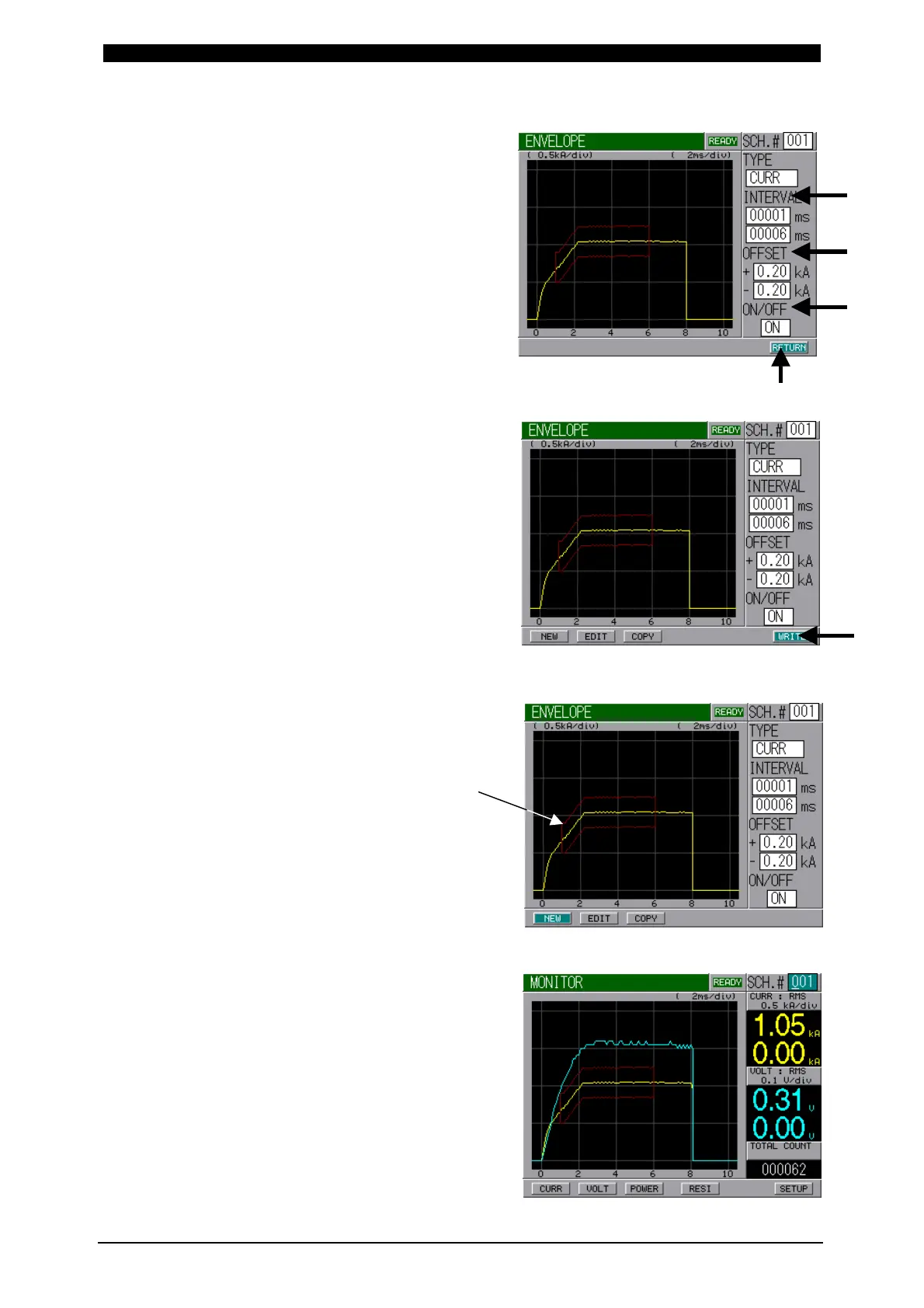
⑥ INTERVAL sets the time period
from the beginning to end of
Envelope waveform.
OFF-SET sets a plus (+) and
minus (-) allowable value.
Concerning ON/OFF, ON should
always be selected when using
Envelope function. If OFF is
selected, no Envelope function
works.
After setting the above items,
select RETURN Button and
press ENTER Key.
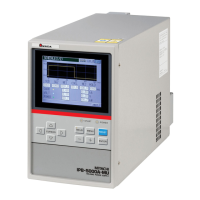
⑦ Select WRITE Button and press
ENTER Key to store the setting.
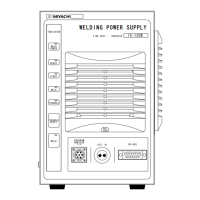
⑧ Here, in this step, Envelope
Waveform
has been set.
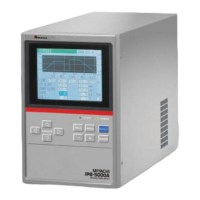
When displaying the monitored screen,
Envelope Waveform will appear.
Envelo
e Waveform


 To Next Page