IPB-5000A
7. Basic Operation
7-3
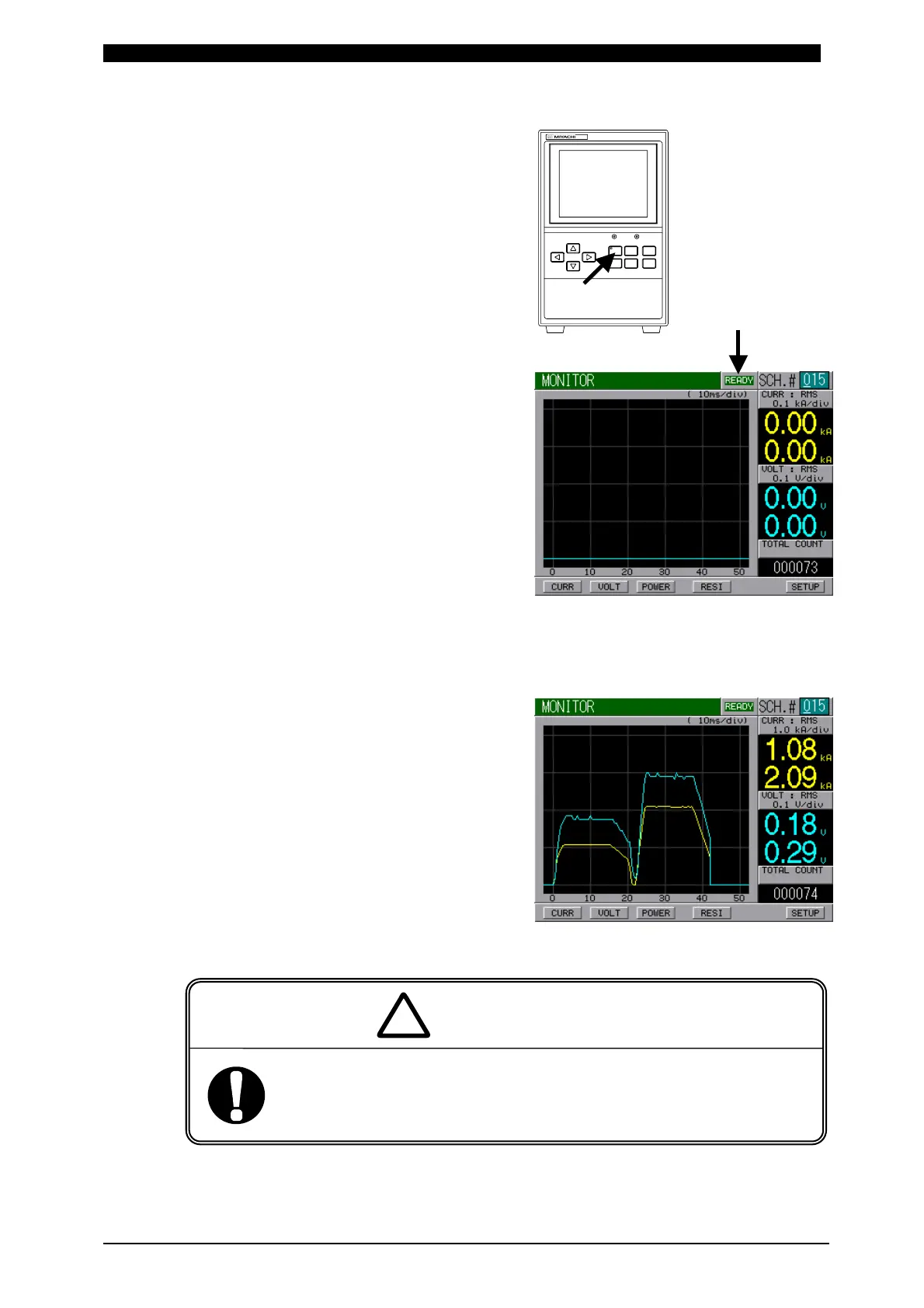
(7) Press WELD Key on Front Panel to
light up WELD Lamp (LED).
(8) Set ON (Closed circuit) to WELD
ON/OFF on Connecting Terminal
Strip for External Input/Output
Signal at Rear Panel.
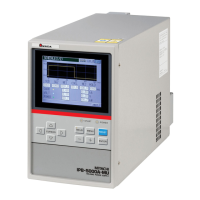
Make sure that the letter of READY
on the upper right of Screen is
green-lighted.
(9) Set ON (Closed circuit) to SCH1, SCH2, SCH4 and SCH8 on Connecting Terminal
Strip for External Input/Output Signal at Rear Panel for setting SCHEDULE#15.
(10) Set ON (Closed circuit) to 2ND STAGE
Start Input to begin testing the weld.
The squeeze signal is output, and
then the weld head begins to
squeeze for the weld.
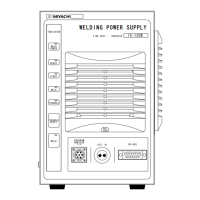
As the figure on the right is displayed,
check that the weld schedule is
correctly set.
When confirming the operation, check that SQZ Time (Squeeze
Time) is sufficient.
If weld current flows before the welding electrode force becomes
sufficient, spatters are produced.
WARNING
!
POWER
START
IPB-5000A
CURSOR
WELD MENU RESET
ENTER
+-
WELDING POWER SUPPLY


 To Next Page