EasyManua.ls Logo

MLR FX412 - Waypoint Entry by Range and Bearing

Default Icon
75 pages
Print Icon
To Next Page IconTo Next Page
To Previous Page IconTo Previous Page
Loading...
FX312 & FX412 VERSION 2.0
MLR ELECTRONIQUE
15
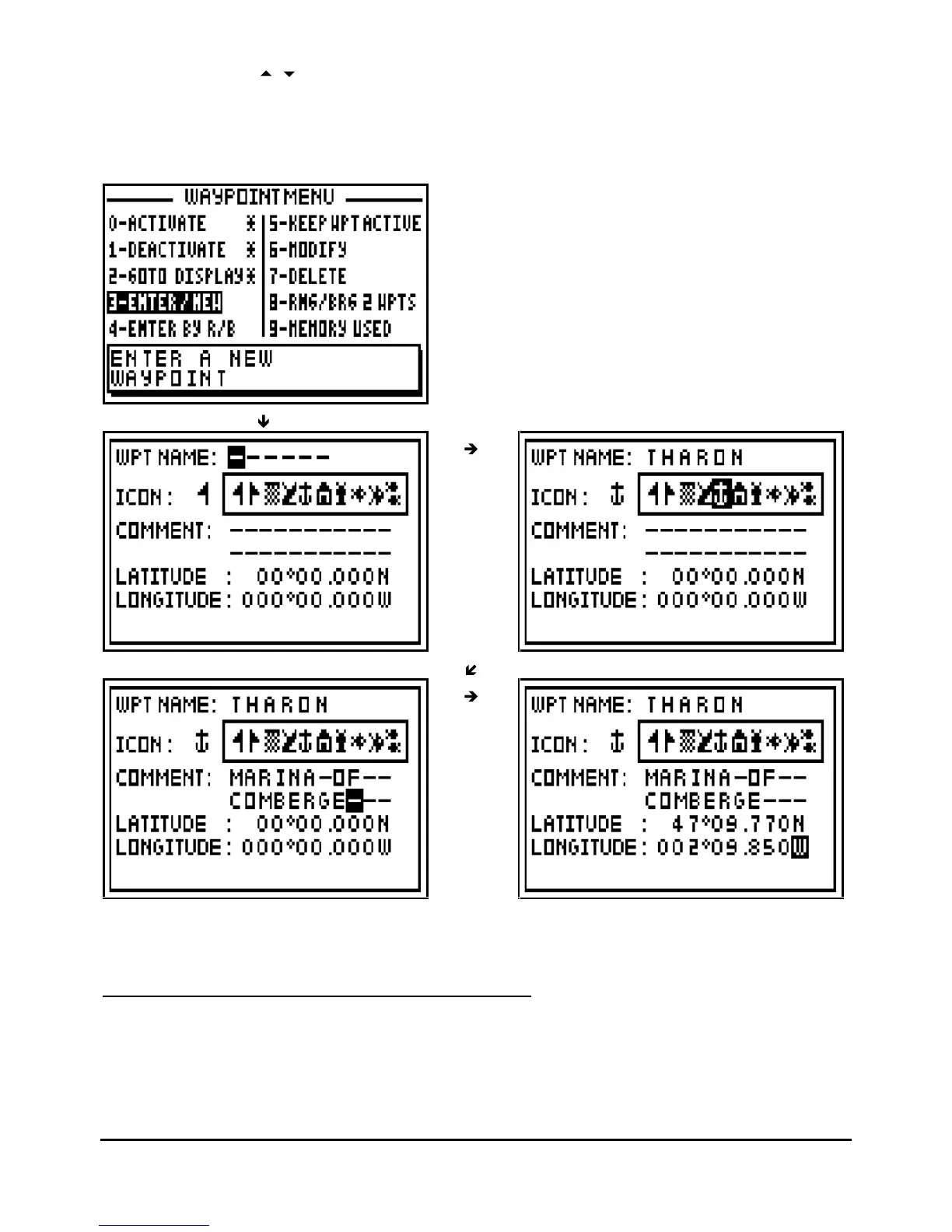
the cursor. Use the
arrow keys to go back to the previous line or to go forward to the next
line.
Note: To select North or South for the latitude, use the key 6
MN_
for North and 7
PRS
for South.
To select East or West for the longitude, use the key
3
DEF
for East and
9
WXY
for West.
Tip: Do not
forget to press the
Enter
key to validate your entry and store your new waypoint.
3.6.
WAYPOINT ENTRY BY RANGE AND BEARING
This function allows you to create a waypoint when you know its distance and bearing in relation
to a known position, another way
point or your position.

Table of Contents

Related product manuals