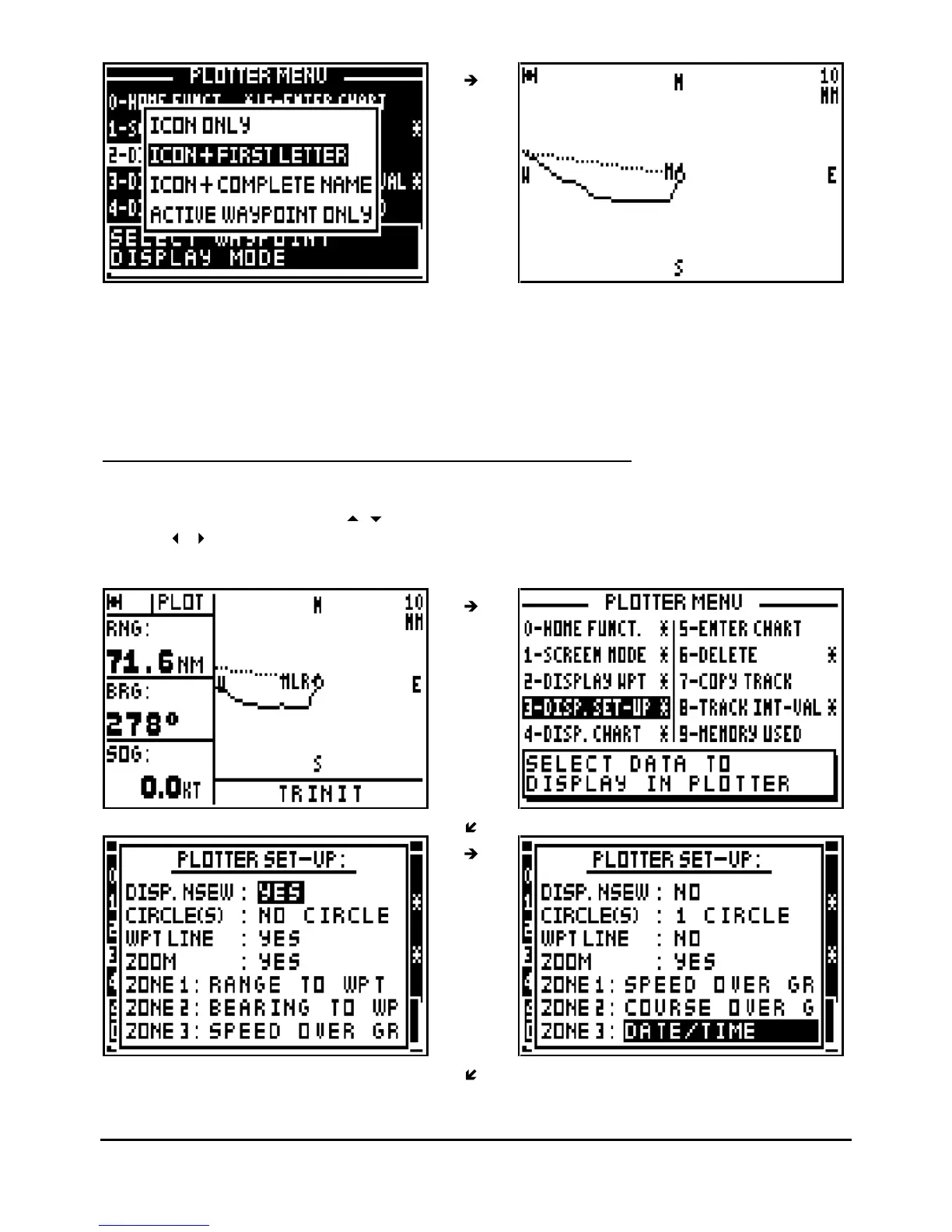
Waypoints can be represented by their icons only or by their icons plus the first letter of their
name or by their icons plus their complete name.
Tip : While choosing the ‘ACTIVE WAYPOINT ONLY’, only the icon of the active waypoint will
be displayed.
5.4.
–
SELECTION OF THE TYPE OF INFORMATION DISPLAYED
From
the PLOTTER function, press the
Menu
key and press the key 3 (or select 3-DISP. SET-
UP and press
Enter
). Use the
arrow keys to move the cursor within the set up menu and
use the
arrow keys to scroll through the different options available. When finished press
Enter to confirm your entries.



 To Next Page