25
4.7.
–
DELETE A ROUTE OR ALL OF THE ROUTES
From the GOTO ROUTE function, press the
Menu
key then press key 5 (or select 5-
DELETE
and press
Enter
). Press the key 0 (or select 0-DELETE A ROUTE and press
Enter
). The list of
your routes is displayed. Select from the list the route to delete, press
Enter
to confirm.
To erase all the routes, press the key
1
(1
-DELETE ALL OF THE ROUTES) and confirm.
4.8.
–
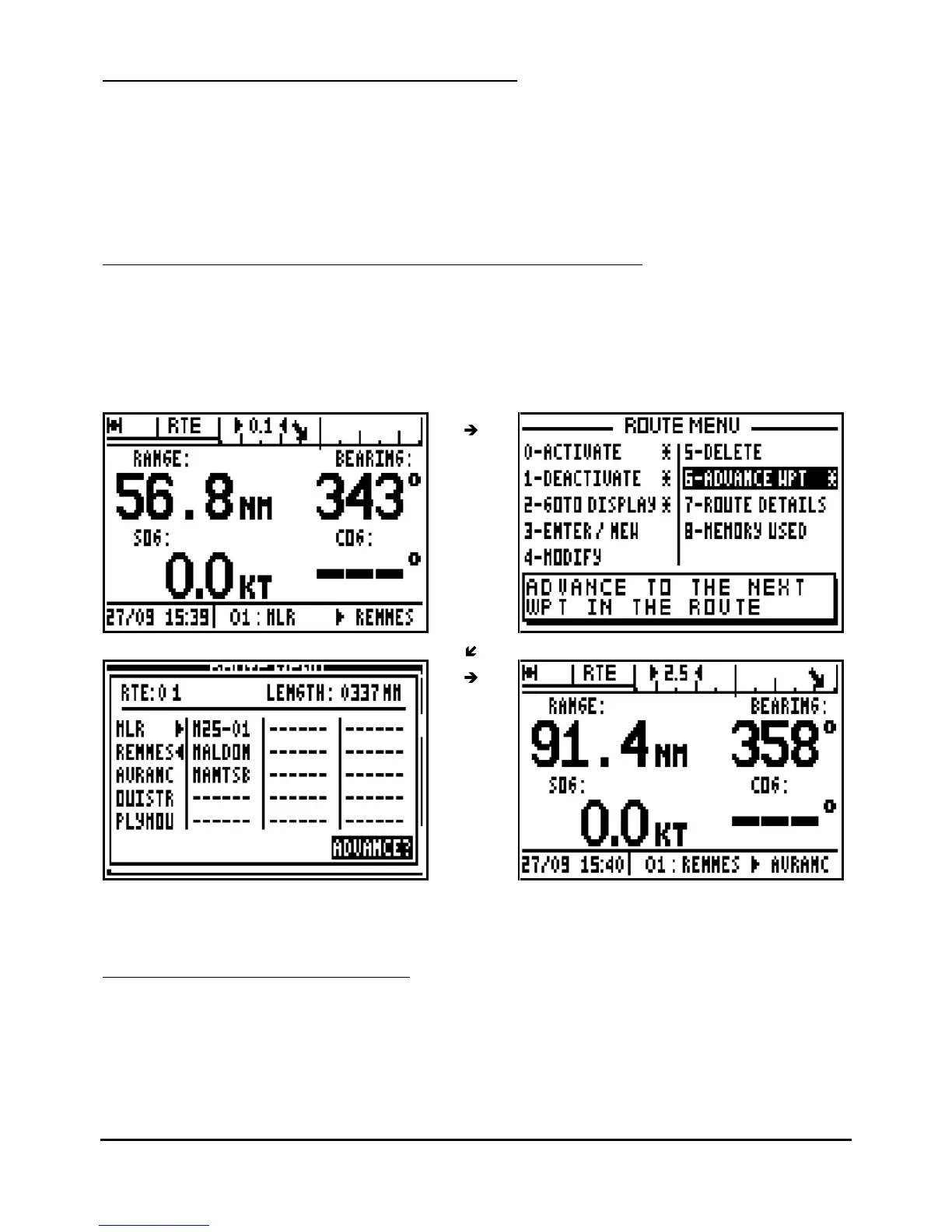
ADVANCE TO THE NEXT WAYPOINT IN AN ACTIVE ROUTE
This function allows you to advance to the next waypoint (or to
change leg) in your route without
having to deactivate the route.
From the GOTO ROUTE function, press the
Menu
key then press key 6 (or select 6-
ADVANCE
WPT and press
Enter
).
Tip: To advance several waypoints, repeat the operation as
required.
4.9.
–
DISPLAY THE ROUTE DETAILS
This function allows you to know the range and the bearing between each waypoints of the
route.



 To Next Page