26
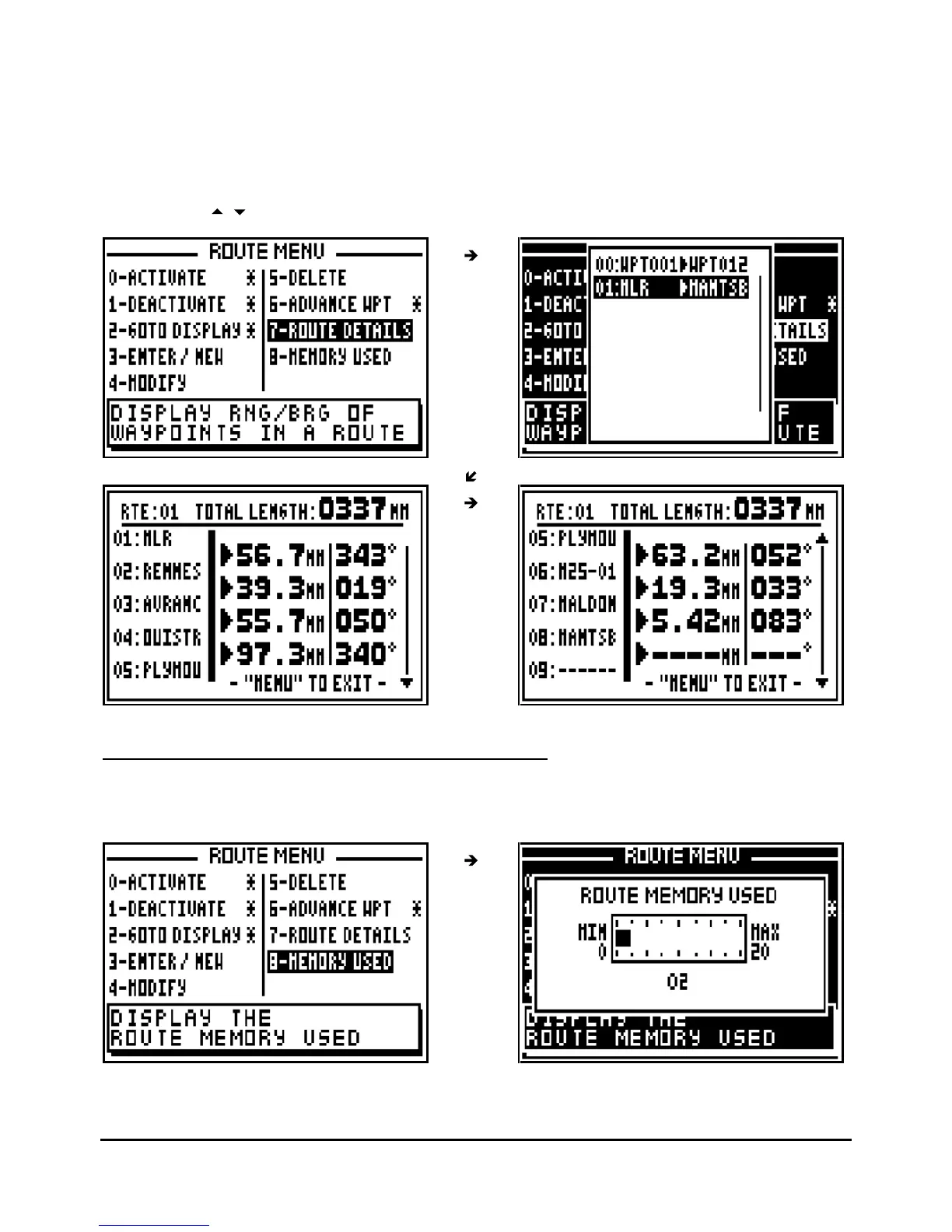
From the GOTO ROUTE function, press the
Menu
key then the key 7 (or select 7-
ROUTE
DETAILS and press
Enter
). The list of the routes will be displayed, select the route and press
Enter
.
After one or two seconds, the names of the waypoints appear in the left column, the ranges
between the waypoints are displayed in the middle column and the bearings between the
waypoin
ts in the right column. The total length of the route is displayed at the top of the screen
Use the keys
to display the other waypoints of the route.
4.10.
–
ROUTE MEMORY : USED AND FREE MEMORY
From the GOTO ROUTE function, press the
Menu
key and press key 8 (or select 8-
MEMORY
USED and press
Enter
).



 To Next Page