21
4.1.
–
ACTIVATE THE GOTO ROUTE FUNCTION
Press the
GoTo
key. Select either GOTO RTE or GOTO WPT, this will activate the selected
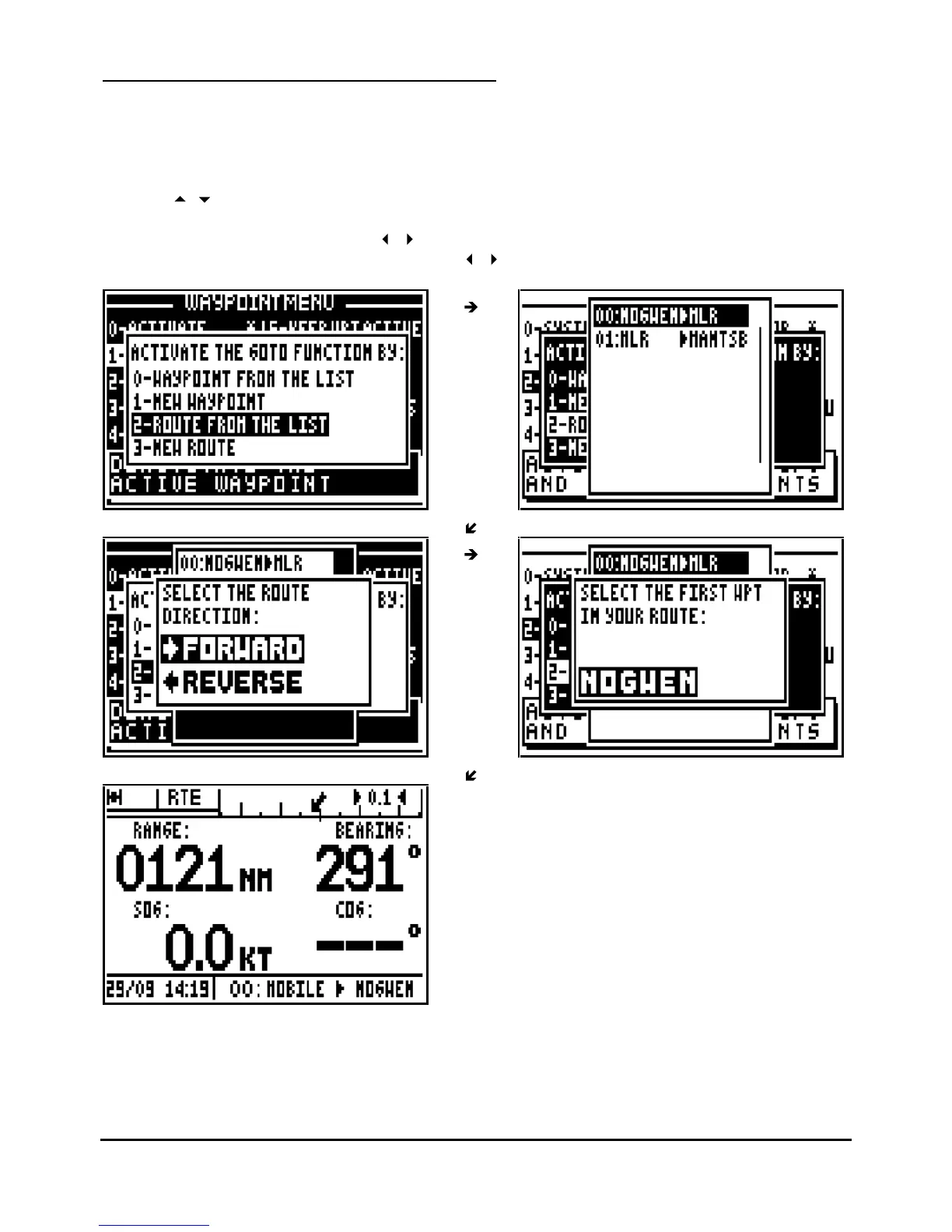
function. Select a route from the list or create a new route. You also have the option to activate
a waypo
int from the list or create a new waypoint (see the chapter GOTO WAYPOINT).
To select a route from the list press key
2
(or select 2
-ROUTE FROM LIST and press
Enter
)
Use the
arrow keys to move the cursor through the list and to select the desired route
,
press
Enter
.
Select the route direction using the
arrow keys and press Enter
.
Select the first waypoint in the route using the
arrow keys and press
Enter
.



 To Next Page