9
2
–
NAVIGATION DISPLAY: SPEED AND COURSE OVER THE GROUND
Press the
Nav
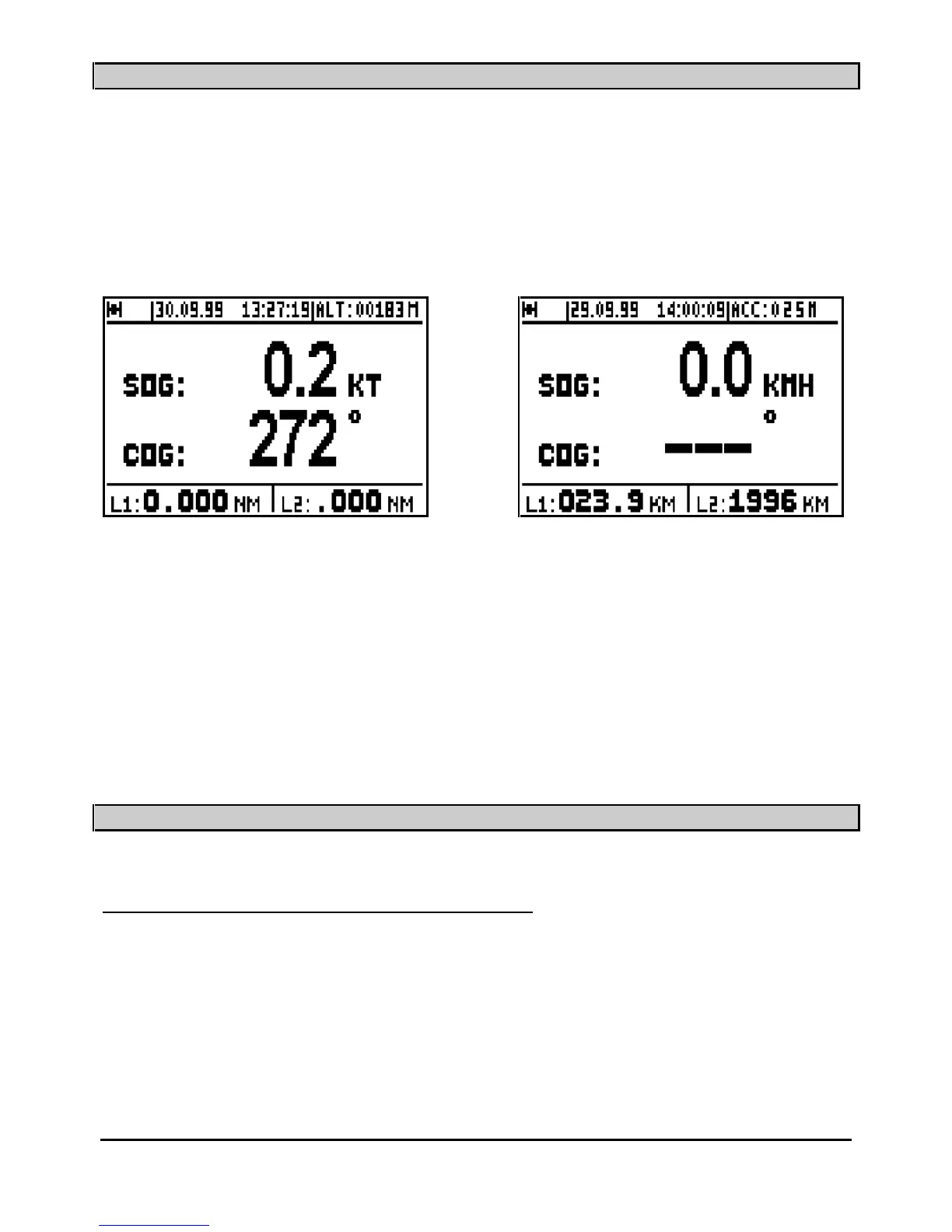
key to display the NAVIGATION function. The central part of the screen shows :
Speed Over the Ground
SOG
(in knots, kilometre/hours or in mile/hours) and Course Over the
Ground
COG
(in degrees) on the lower line.
Note: When the speed is zero, the course cannot be calculated and dashes are displayed.
Information displayed in the top part of this screen is identical to the POSITION
screen.
Two logs, L1 and L2 display the distances travelled (in the unit selected i.e. km, miles etc. from
the NAVIGATION MENU) in the lower part of the screen.
Note: From the NAVIGATION MENU you can reset to zero each log individually and con
figure
the following parameters: unit of distance, unit of altitude, 2D/3D/Auto mode, speed filter,
compass variation and alarms.
_____________________
3
–
GO TO WAYPOINT DISPLAYS
3.1.
–
ACTIVATE THE GOTO WAYPOINT FUNCTION
Press the
GoTo
key. The
GOTO options are displayed unless a waypoint or a route has already
been selected; in which case you get the Data, Compass, 3D Road or Radar displays.
You now have the option of choosing a WAYPOINT FROM THE LIST, NEW WAYPOINT,
ROUTE FROM THE LIST or NEW
ROUTE.



 To Next Page