39
8
–
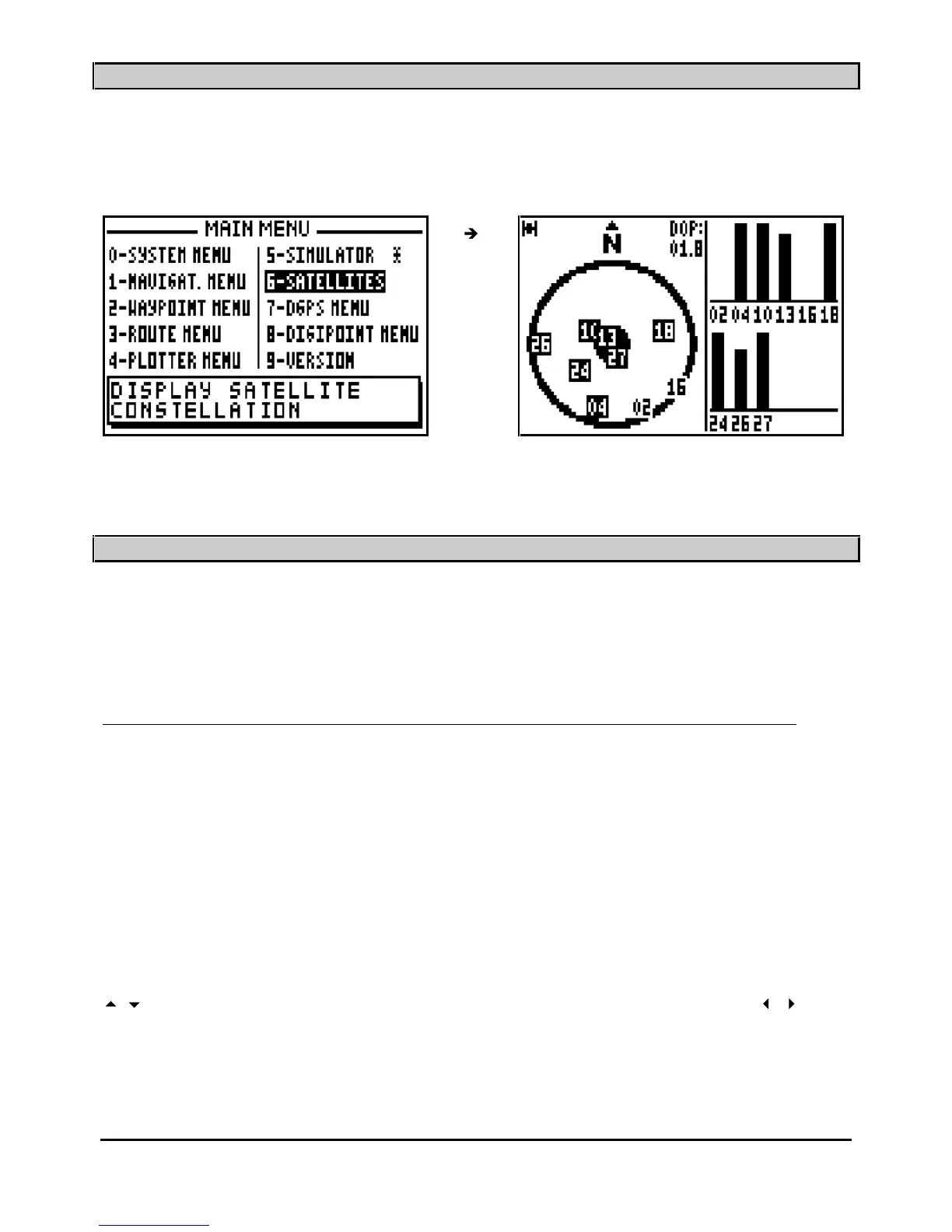
SATELLITES
From the MAIN MENU, press key
6
(or select 6
-SATELLITES and press
Enter
).
You will find further information about satellites in the chapter C, paragraph 2, SATELLITES.
____________________
9
–
TO USE THE FX312 OR THE FX412 IN DIFFERENTIAL MODE
You will find in this chapter 3 paragraphs describing : the use o
f the FX312 with the MLR DF300
differential beacon receiver, the use of the FX312 with another differential beacon receiver and
the use of the FX412 in differential mode.
9.1.
–
USING THE FX312 WITH THE MLR DF300 DIFFERENTIAL BEACON RECEIVER
The DF300 is a DGPS receiver from the MLR range. It has been designed so that it may be
controlled entirely from your FX312. Connect the FX312 to the DF300 while following
instructions from paragraph E – INSTALLATION INSTRUCTIONS and configure the data input
of the F
X312 for DIFFERENTIAL format.
From the MAIN MENU press key 7 (or select 7-DGPS MENU and press
Enter
), then press the
key
0 to select 0-DGPS. On the left of the screen the signal strength is displayed by a
bargraph, (a good signal = 3/4 of black in the
bargraph) and the percentage of error on the data
should be a low figure. At the bottom of the screen the DGPS station identification number is
displayed together with a list of the satellites which are being corrected.
To change parameters of the DF300, press the
Enter
key to display the options menu. Use the
arrow keys to move the cursor in the window. Use the numeric keys and the
arrow
keys to enter your new parameters then press
Enter
to validate.
DGPS PARAMETERS:
FREQ.T = Frequency of the sta
tion to receive (frequency transmitted to the DF300).



 To Next Page