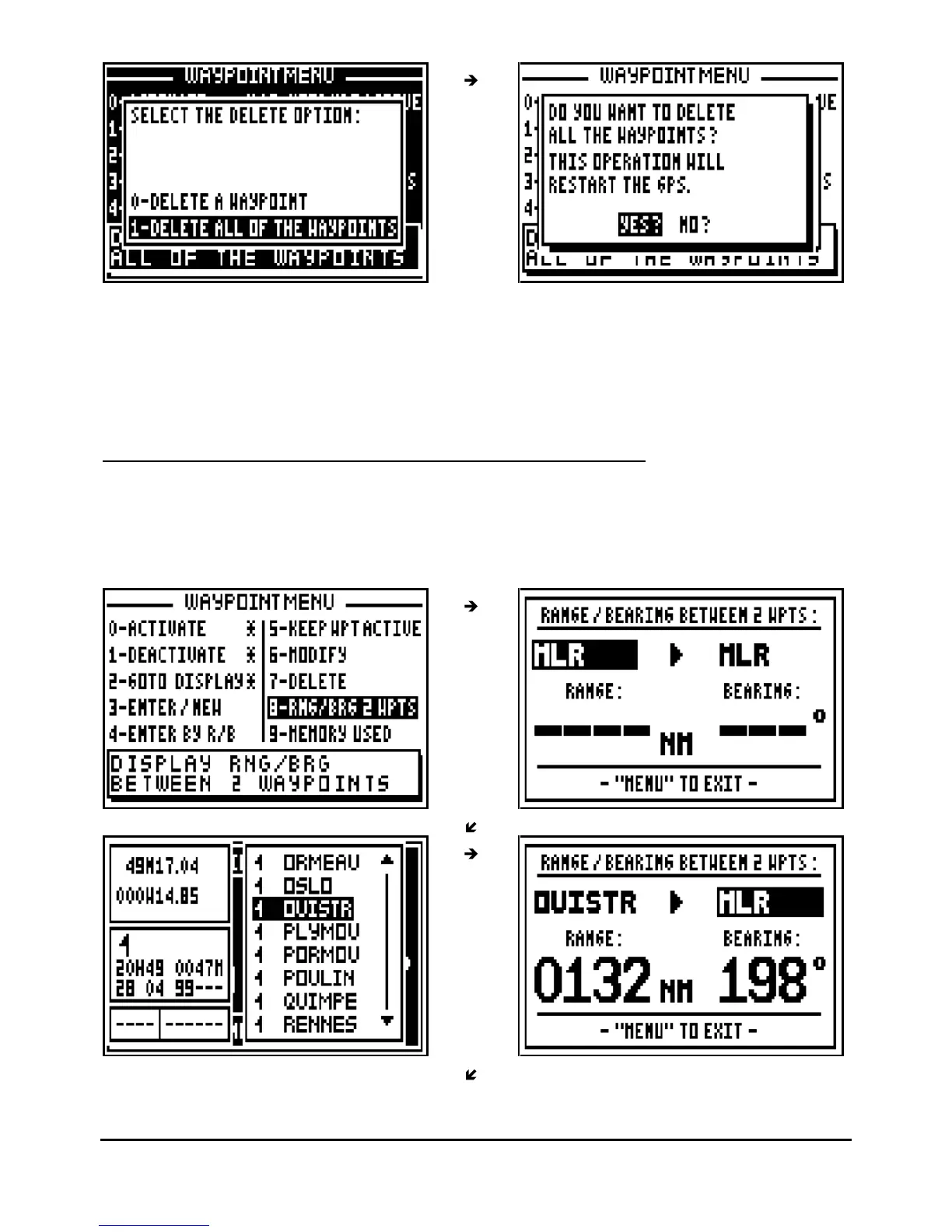
Tip: If you do not want to delete all your waypoints, select
NO?
and press
Enter
or press the
Pos
,
Nav
,
GoTo
,
Plot
or
Menu
function keys to cancel the operation.
Note: Once all your waypoints are deleted, it will not be possible to reinstate them, it will
also erase all your routes.
3.10.
–
DISPLAY
RANGE AND BEARING BETWEEN 2 WAYPOINTS
From the GOTO WAYPOINT function, press the
Menu
key then press the key 8 (or select 8-
RNG/BRG 2 WPTS and press
Enter
), then press the 9
WXY
List key or the
Enter
key to display
the list of your waypoints. Select the first waypoint and press
Enter
, follow the same procedure
for the second waypoint.



 To Next Page