EasyManua.ls Logo

MLR FX412 - Use of Arrows Keys and Enter

Default Icon
75 pages
Print Icon
To Next Page IconTo Next Page
To Previous Page IconTo Previous Page
Loading...
FX312 & FX412 VERSION 2.0
MLR ELECTRONIQUE
51
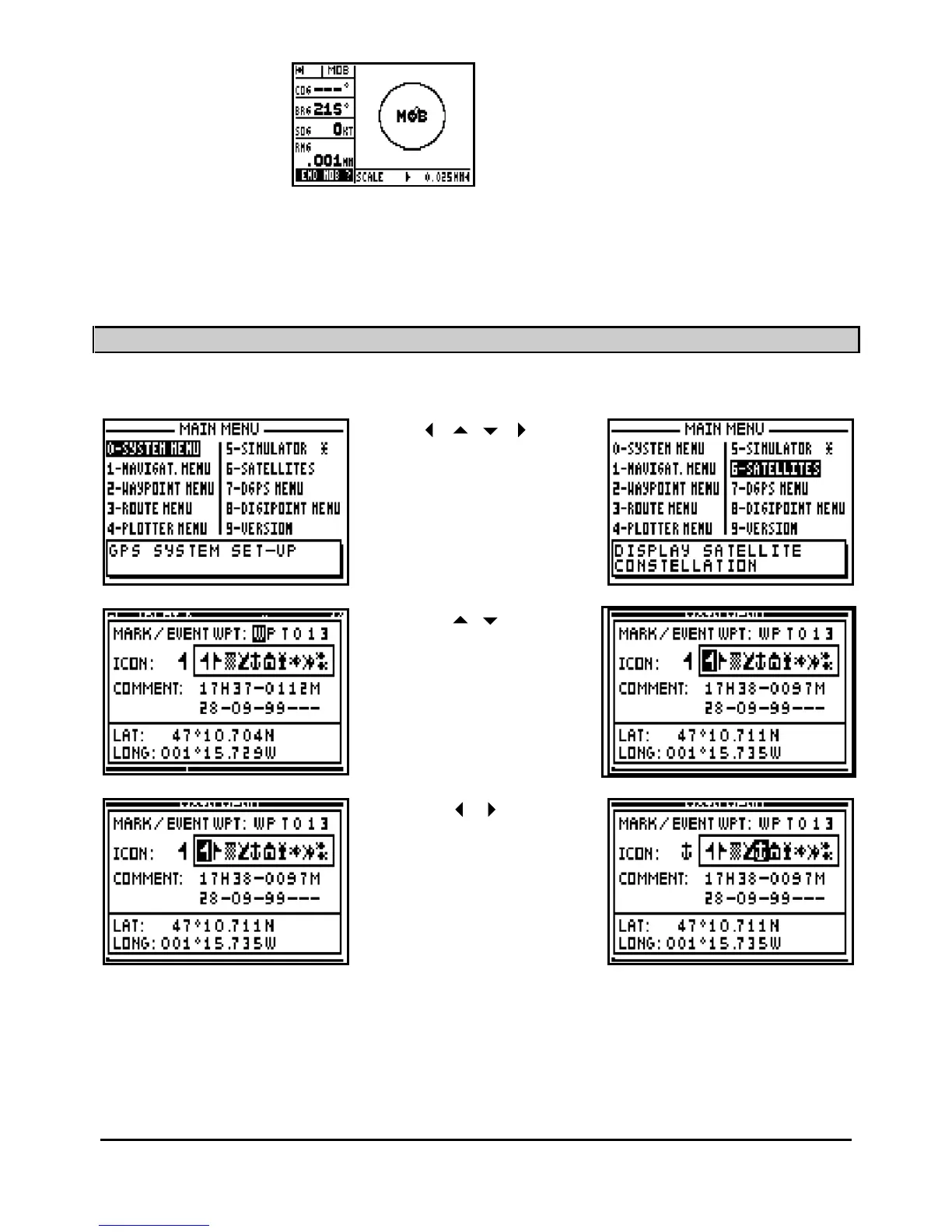
Mark/Mob
At least 3 presses in
the MOB and MARK
mode
Enter
To stop the MOB
function
Note: From the POSITION, SYSTEM MENUS, NAVIGATION, WAYPOINT, ROUTE or
PLOTTER functions, one press on the
Menu
key gives you access to the MAIN MENU. MENUS
with options denoted by a star return you directly to the function menu.
5
USE OF 'ARROWS
' KEYS AND ENTER
Vertical and horizontal
movement of the cursor in a
MENU or option window
Vertical movement of the
cursor in an options window
or in a list
Horizontal movement to
select a parameter in a
line of op
tions within a window

Table of Contents

Related product manuals