12
C -
B = Range to the destination waypoint
C -
E = Speed over the ground
C -
F = Velocity to destination
C -
D = Cross Track Error
XTE
Note: VTD, TTG and ETA are individually represented (compass, 3D road and radar).
Tip : To reach your destination waypoint using the shortest path, ensure that:
-
Your COG is equal to your BEARING.
- Your XTE must equal to zero.
-
Your Velocity to destination must be positive and equal your Speed over the ground.
Tip : When using the cross track error alarm (see Chapter C.7.2.8.C) you will be warned by the
alarm sound each time your cross track error becomes bigger than the limit you have
programmed.
3.2.
–
DEACTIVATE THE GOTO WAYPOINT FUNCTION
From the GOTO WAYPOINT function, press the
Menu
key then press key 1 (or select 1-
DEACTIVATE and press
Enter
) to deactivate the GOTO WAYPOINT function.
Tip: To activate a route when a waypoint is active. You must first deactivate the active waypoint
using the WAYPOINT MENU. You may then select a route from the GOTO Menu. Select Item 2
- ROUTE FROM THE LIST or Item 3 - NEW ROUTE to ACTIVATE THE GOTO ROUTE
function.
3.3.
–
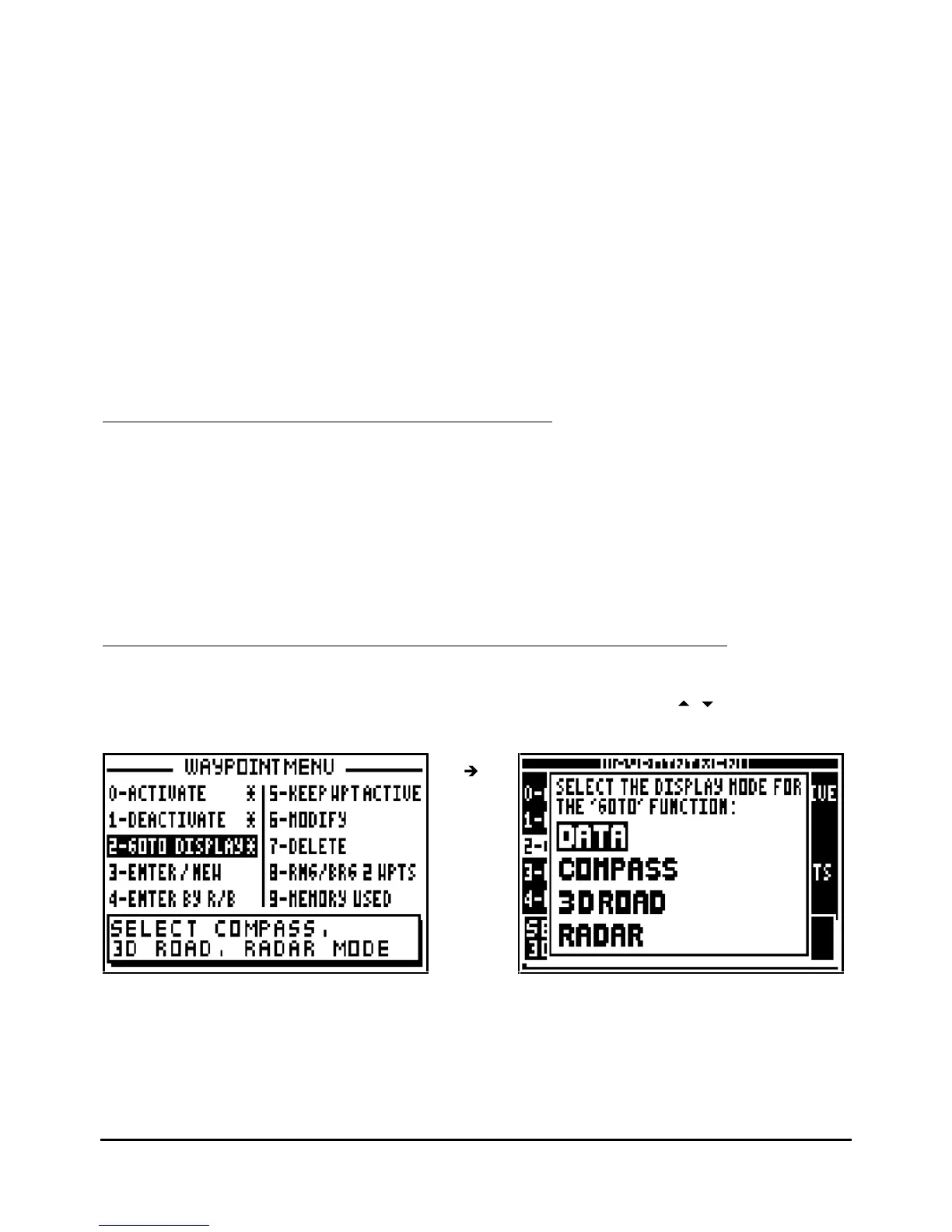
DISPLAY MODE SELECTION: DATA, COMPAS
S, 3D ROAD OR RADAR
From the GOTO WAYPOINT function, press the
Menu
key then press key 2 (or select 2-
GOTO
DISPLAY and press
Enter
). Select the display mode required using the
arrow keys then
press
Enter
.
Note 1 : The indication of the cross track error (XTE) in the COMPASS, 3D ROAD and RADAR
screens gives you the distance C-D (see Chapter 3.1) and the letter R (Right) or letter L (Left)
indicates your position in comparison with the direct route. For instance XTE : R 0.05NM, you
are at the right of the route and at 0.05 nautic mile from the direct route. To correct your
direction, you have to go left.



 To Next Page