www.mobotix.com • sales@mobotix.com
Note
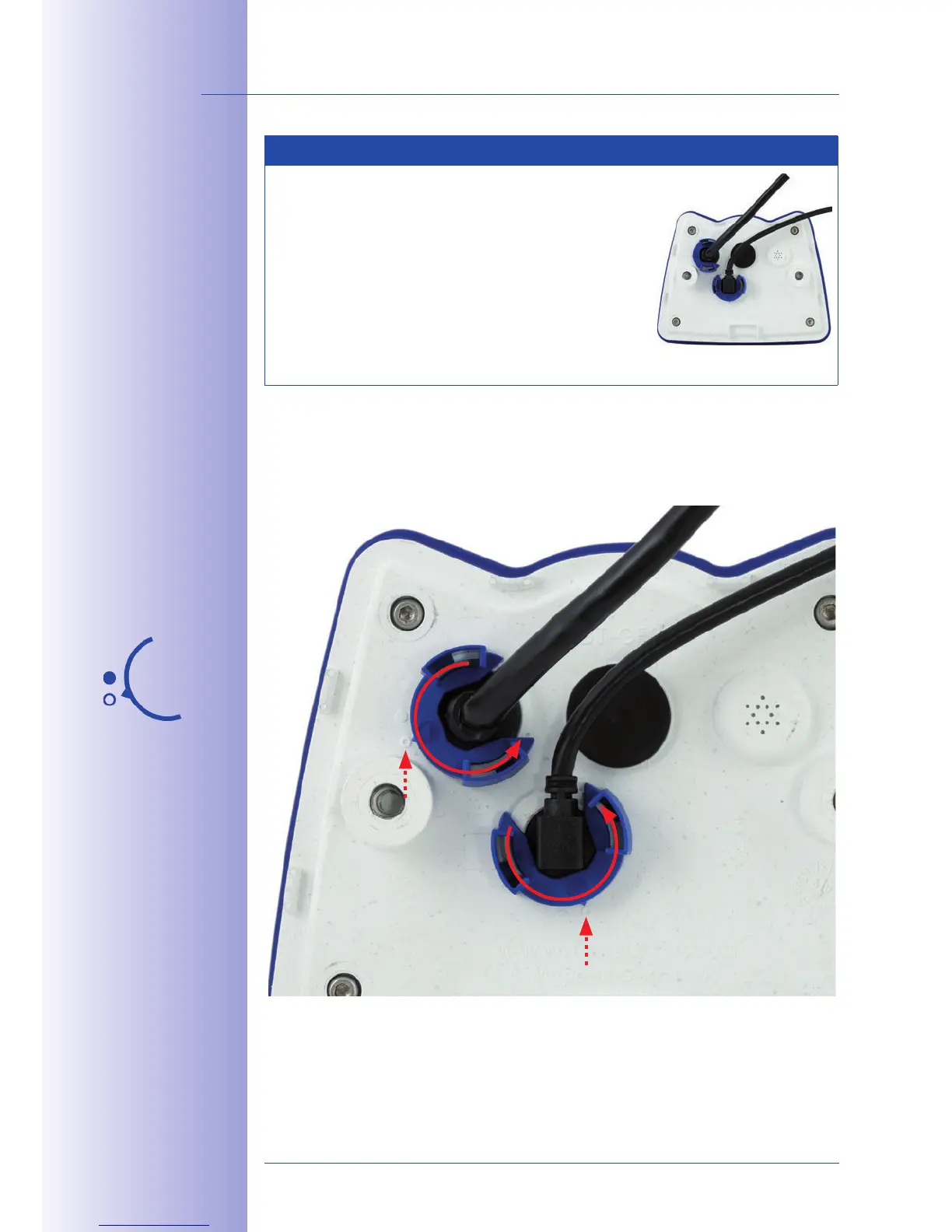
Cables passing in to the back of the camera (patch
cable for the network connection and for Mini USB) are
secured using a special cable retainer with bayonet catch.
When replacing this cable, ensure that the cable is
properly seated in the port and that the retainer with
the blue bayonet catch is locked (short clockwise turn
until it clicks into place).
Rotate the bayonet catch counterclockwise to the "open circle" symbol (see diagram). The
catch may be removed from the side. The cable can now be pulled out of the camera.
Open the cable
retainer by rotating
the bayonet catch to
the marked position



 To Next Page