Appliances --- Section 4
Cayman 2005
151
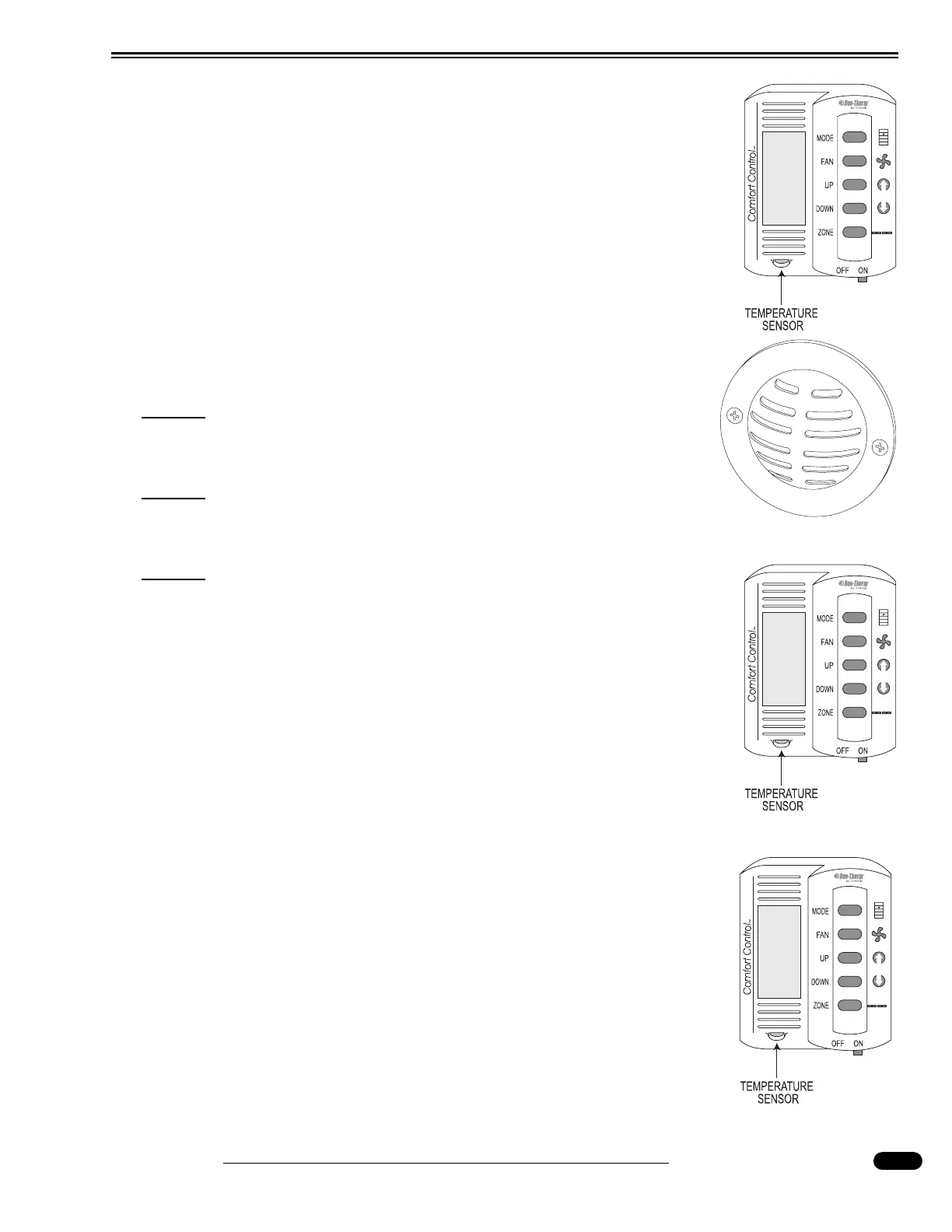
There are five different modes of the Comfort Control system:
Off, Fan, Cool, Heat Pump (Optional) and Furnace. These are selected
by repeat pressing of the Mode button. The Fan button controls the fan
speed of the roof air conditioner. Two speeds are available: Low, and High
fan speed control applies only to the blower speed of the roof air condition-
er. Selecting the fan speed Auto adjusts the fan speed automatically, depend-
ing on temperature set point and actual temperature in a selected zone.
The motorhome is divided into two operating Zones, the living room and
the bedroom. The living room is Zone One. The bedroom is Zone Two. The
comfort control must be in Zone 1 for the furnace to operate. Press the Zone
button to change zones. The selected zone will flash. The Up and Down but-
tons control the temperature in any mode.
NOTE:
The Comfort Control must be On to operate any HVAC func-
tion.
NOTE:
The motorhome will not heat or cool faster by selecting a very
high or very low temperature setting.
NOTE:
Conflicting modes cannot be selected. One zone cannot be set
to Heat mode while another zone is set to Cool mode.
Fan Operation:
Interior air is circulated using the roof air conditioner blower. The fan
speed controls the roof air conditioner blower speed in the following modes:
Fan, Cool or Heat Pump.
• Slide the On/Off switch (on hallway thermostat) to the On position.
• Press the Mode button repeatedly until Fan is displayed.
• Press the Fan button to select fan speed.
Air Conditioner Operation:
• Slide the On/Off switch (on hallway thermostat) to the On position.
• Press the Zone button to select Zone 1 (front roof A/C) or Zone 2 (rear
roof A/C).
• Press the Mode button repeatedly until Cool is displayed.
• Select fan speed by pressing the Fan button.
• Set desired cooling temperature in each Zone by pressing the Up and
Down buttons.
050200b
030950
Remote Sensor Display
050200b
Fan
050200b
Cool




 To Next Page