Equipment --- Section 5
Cayman 2005
199
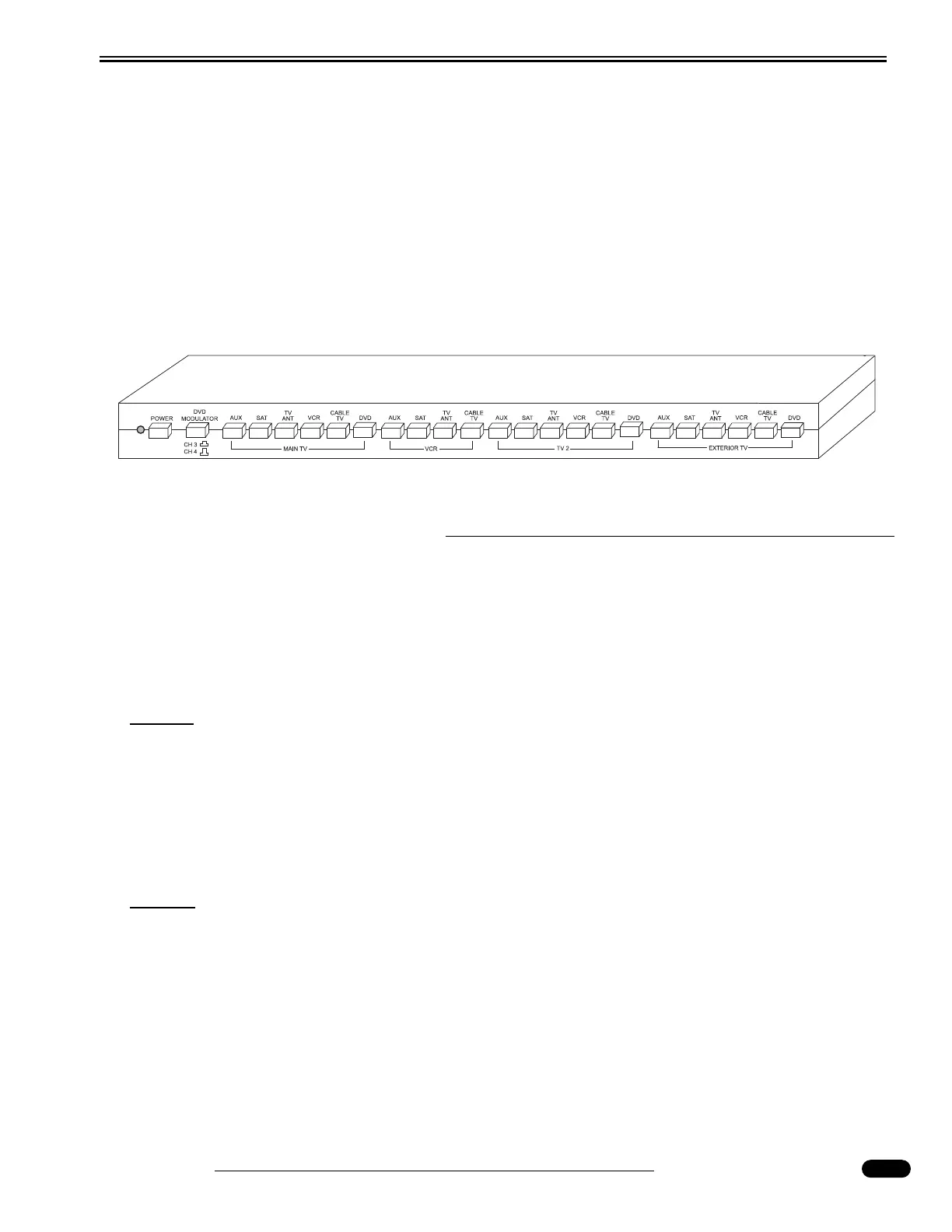
Video Selector Box
The motorhome is equipped with a video selector box that has five inputs and four outputs. The video
selector box interfaces the different input signals from the various components to the televisions and VCR.
Features Include:
• Five Inputs: Satellite Receiver (N/A), TV Antenna, VCR, Cable TV and Auxiliary.
• Four Outputs: MAIN TV, TV2 (Bedroom TV), VCR, EXTERIOR TV.
• Built-in 12 Volt TV antenna amplifier.
• Independent viewing of signals at different televisions, with a record option from the
VCR.
Operating the Components
To Watch TV Using the Antenna:
Press the TV ANT button located above the section marked MAIN TV on the switchbox. Turn TV ON
and select channel. Fringe area reception can be improved by pressing the POWER button on the
switchbox. Follow the same procedure for TV 2 (Bedroom TV).
NOTE:
The picture quality from the outdoor TV antenna varies depending on the location of
the TV station in relationship to the location of the TV antenna. If picture quality is
poor, turn the POWER button on the Video Selector Box. Turn off when not viewing
from the antenna.
To Watch TV Using the Shore Cable Signal:
Press the CABLE TV button above the section marked MAIN TV. Turn the TV ON and select channel.
NOTE:
To view Cable TV signals, hook a 75-Ohm cable from the supplied service to the Cable
TV input in the Water Service Compartment. Cable TV inputs are available at many of
today's campgrounds.
To Play or Record using the VCR:
Press the VCR button above the section marked MAIN TV. Turn the TV ON and select channel 3.
Turn the VCR ON and insert videotape. To record, select the component to be recorded from in the VCR
section of the switchbox. Follow the same procedure for TV2 (Bedroom).
030861c




 To Next Page