Section 5 --- Equipment
Cayman 2005
202
• DISC SLOT - With the label surface facing up, gently insert the disc into the slot until the
soft-loading mechanism engages and disc play begins.
• TRACK SELECT - These buttons are used to quickly select the beginning of a particular
track. With each momentary tap of the Forward Track Select button (right arrows) the next
higher track number will be selected as shown on the display panel. Similarly, with each
momentary tap the Backward Track Select button (left arrows) the next lower track number
will be selected.
• CD PLAY/PAUSE DESELECTOR - During disc play, press this button to temporarily
stop play of the disc. Press the button again to resume play of the disc from the point at
which it was stopped.
• REPEAT PLAY SELECTOR - During disc play, press this button to repeat the play of the
selected track ("RPT" will appear on the display panel). Play of the track will continue to
repeat until the button is pressed again.
• DISC EJECT - Disc play is stopped, the disc is ejected and the unit will change to radio
operation by pressing this button.
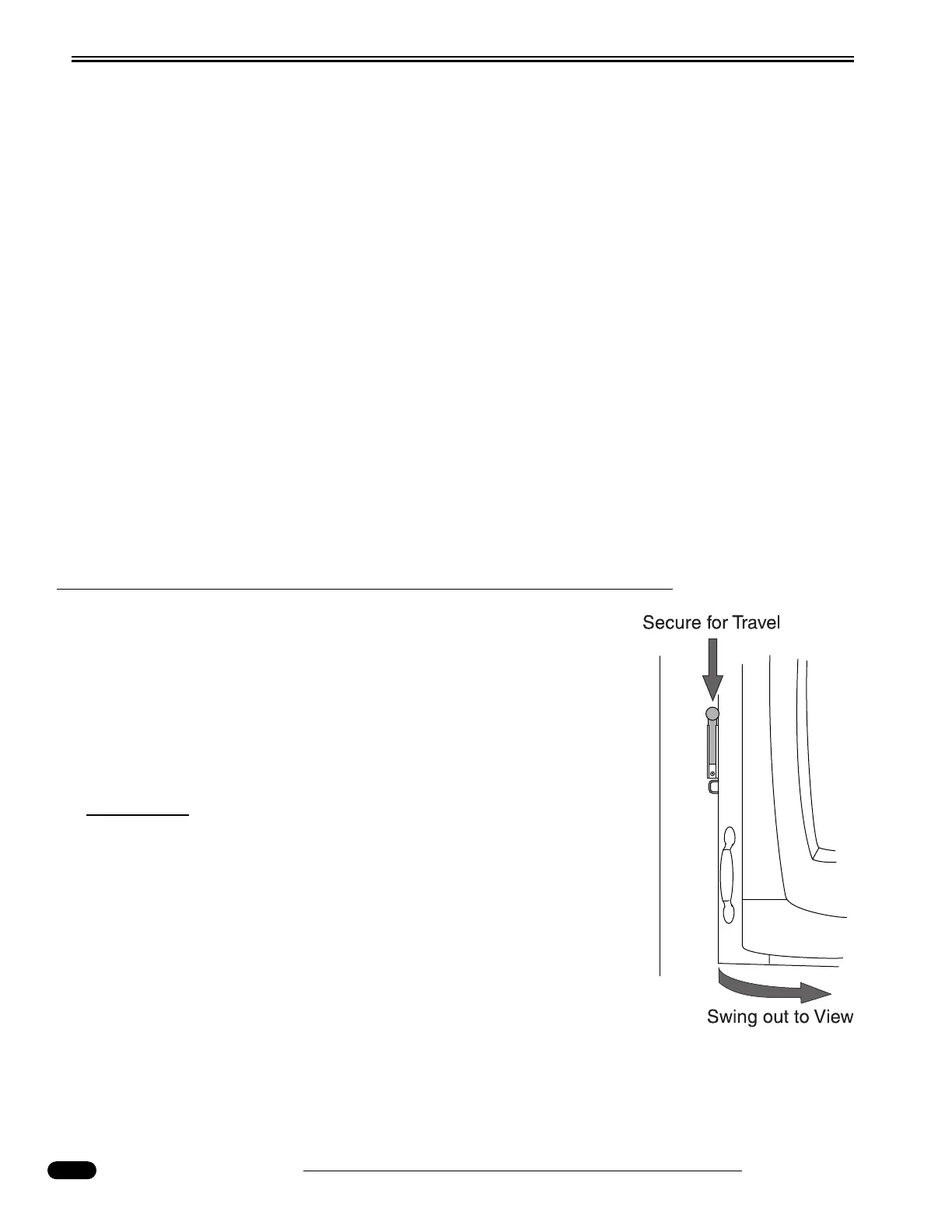
BEDROOM TV SWIVEL
Bedroom TV Swivel (Certain Models):
• Unlock the TV when parked. Pivot the TV outward to desired
angle.
• Stow the TV into the cabinet when preparing for travel. Lock the
TV into position.
CAUTION:
Failure to lock TV in travel position can result in damage
to the TV and cabinetry.
020257




 To Next Page