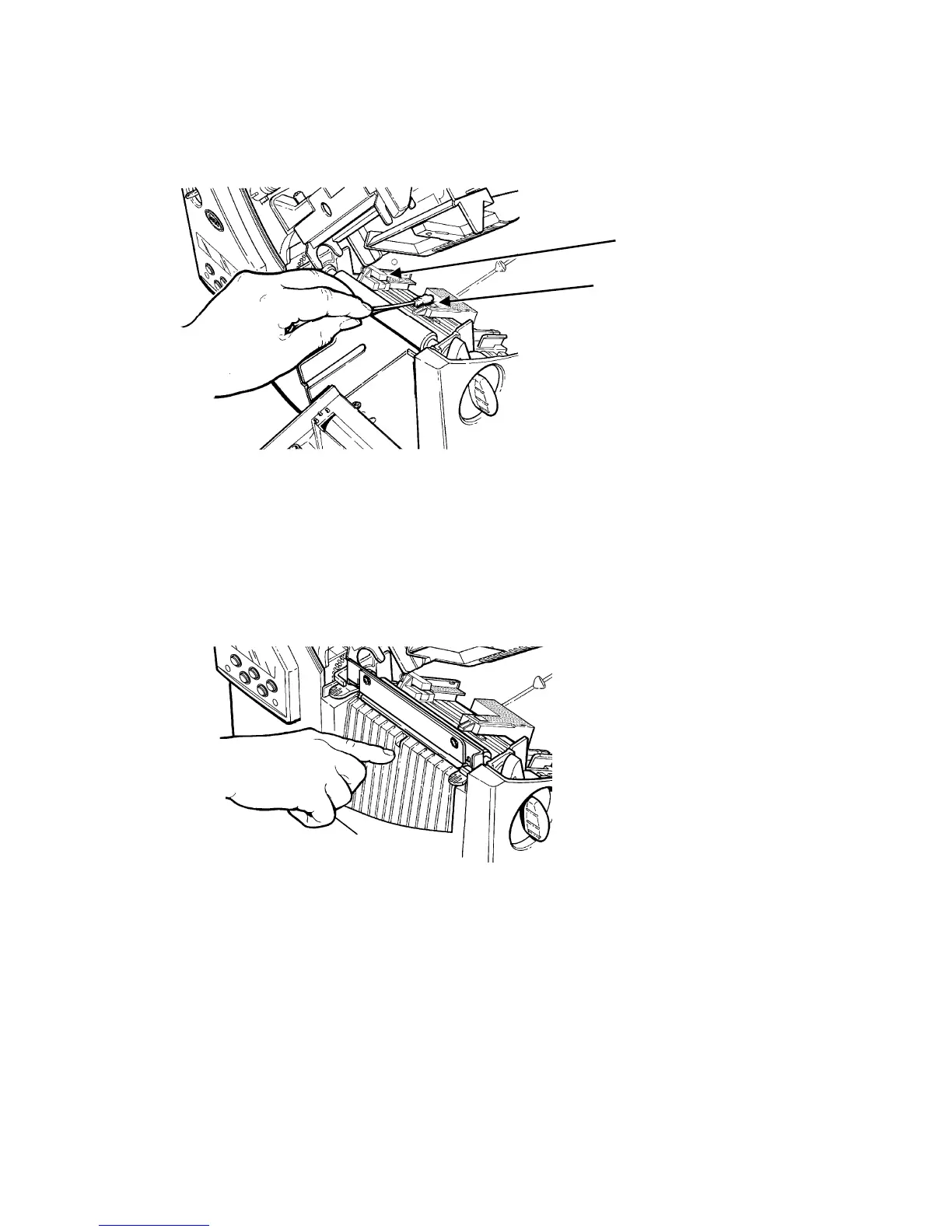
7. Rub the cotton swab across the supply sensor and die cut sensor and
remove any build-up.
Die Cut Sensor
Supply Sensor
8.
Clean the build-up in the supply path.
9. Let the printer dry before you reload supplies.
10. Close the exit cover by pushing firmly on it. Both latches will click into
place.
11
. Close the cover and printhead assembly.
12. Turn on the printer.
13. Press Feed/Cut to position the supply under the printhead. Resend your
format, batch, and check digit packets.
9-4 Operator's Handbook



 To Next Page