Loading Supplies 2-17
10. Hold the printhead assembly by the printhead tab while pressing down on
the printhead release.
11. Close the printhead by pressing down on the thumb well until you hear it
click into place.
12. Close the cover.
13. Press Feed/Cut to position the supply under the printhead.
If the printer will be unused for extended periods of time, we recommend
leaving the printhead unlatched.
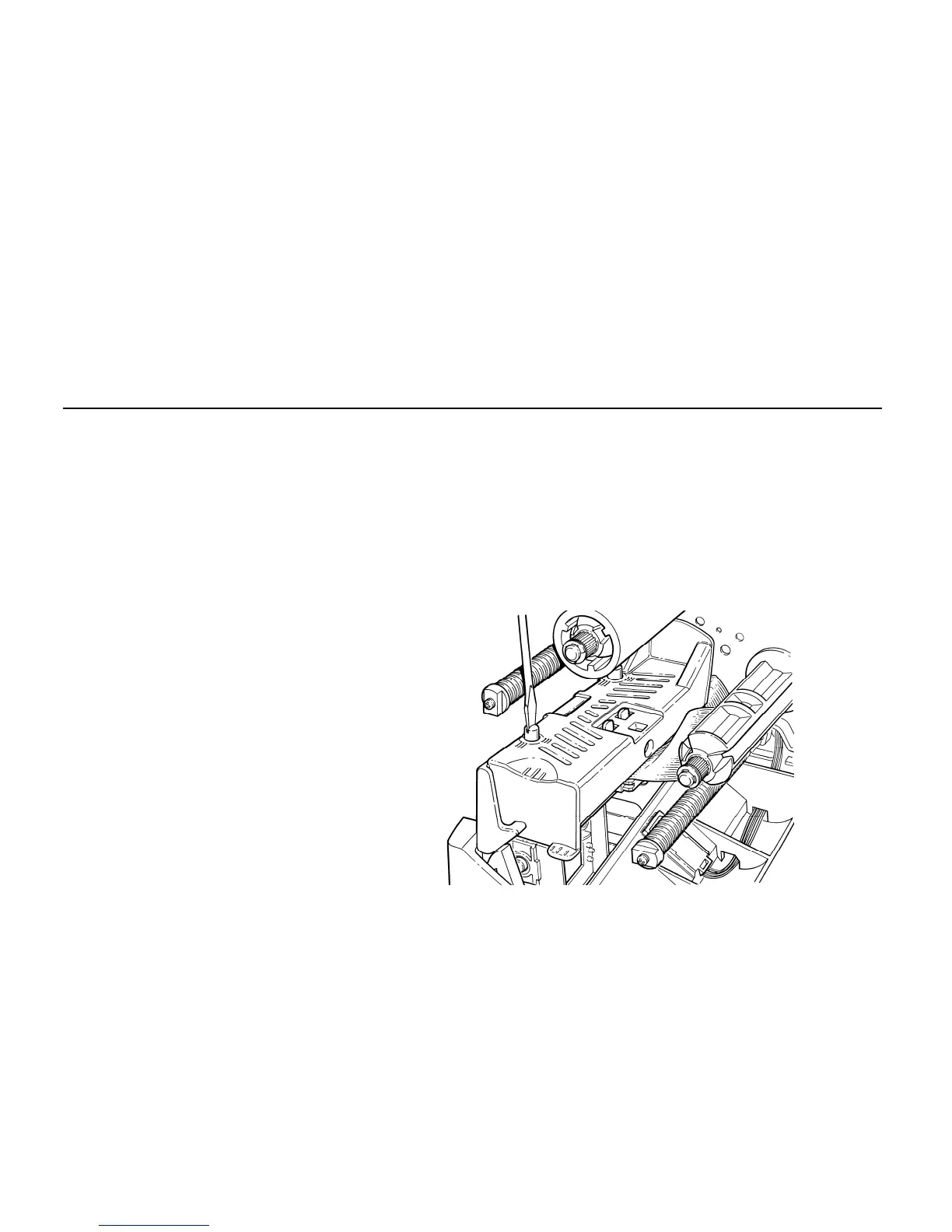
Adjusting the Wide/Narrow Knobs
You may need to adjust the two wide/narrow knobs according to the width of
your supply. For supply that is more than two inches, adjust the knobs to
the wide setting. For supply that is two inches or less, adjust the knobs to
the narrow setting. For linerless supply, use the narrow setting (knobs are
up). For string tag supply, use the wide setting (knobs are down).
For narrow supplies, turn the wide/narrow knobs counter-clockwise with a
screwdriver until it pops back up.
Yo
u must adjust both of the knobs to the same position.
Note: The adjustment is shown in the wide position.
If you experience ribbon
smudging in cold, dry
environments, adjust the
wide/narrow knobs to the
wide setting.
For wide supplies, push
down and turn the
wide/narrow knobs
clockwise with a
screwdriver.



 To Next Page