36
ع Resetting the cutting format
This screen is used to return each setting of a specifi ed format No. to its default (factory setting).
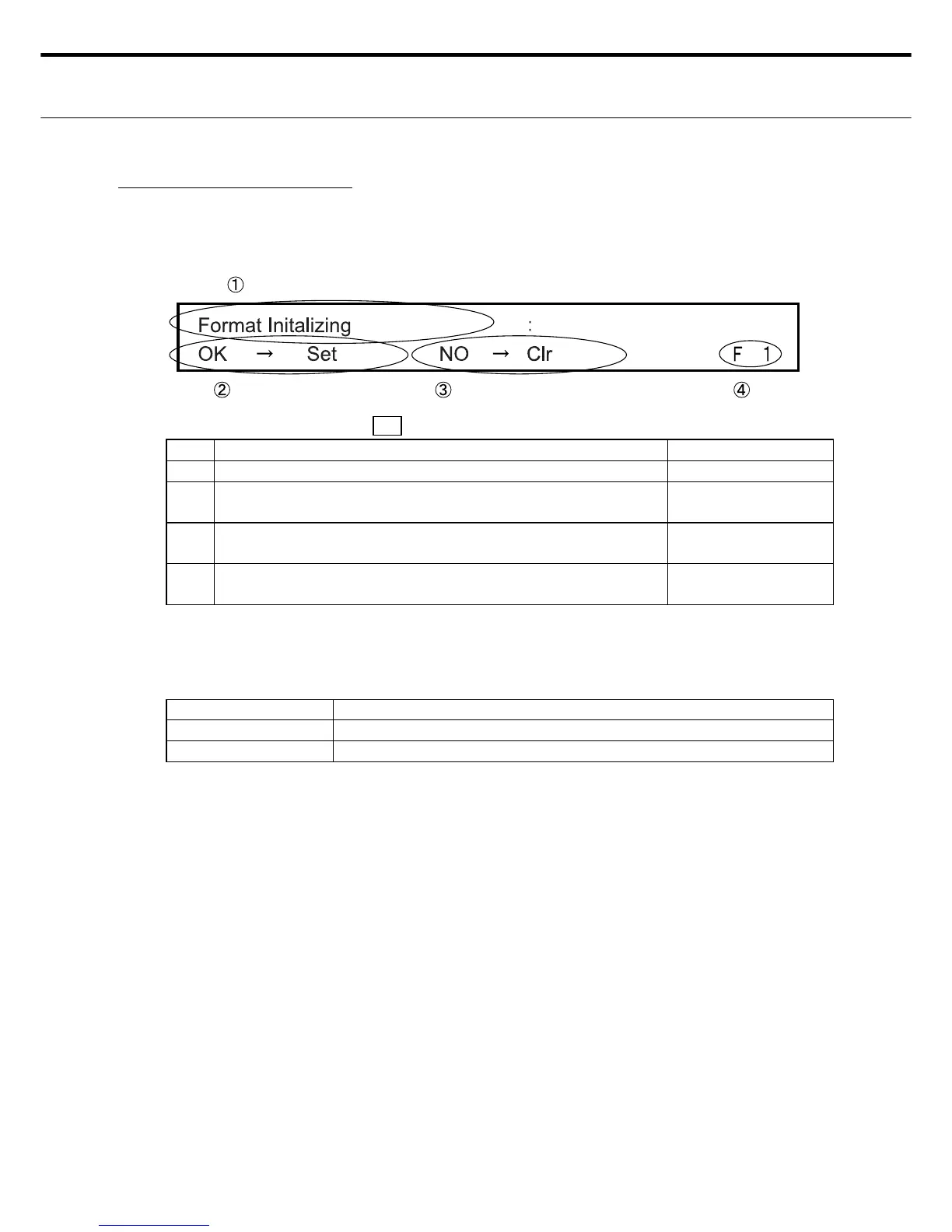
٤ LCD display for the cutting format reset screen
LED display Power LED: ON
, READY : OFF, ERROR: OFF
No. Display information Display Changes
Ԙ Shows that this is the cutting format reset screen. INOP (Fixed screen)
ԙ Indicates to press the ENTER switch if you want to reset a cer-
tain format No.
INOP (Fixed screen)
Ԛ Indicates to press the CLEAR switch if you don t want to re-
set a certain format No.
INOP (Fixed screen)
ԛ Displays the currently selected format No. The settings for this
format No. will be changed if you reset.
OK
Note: Even if either the ENTER or the CLEAR switch was pressed later on, the screen will
automatically shift to the Menu screen 1 in Setting Entry mode.
٤ Cutting format reset switches
Switches Description
ENTER Resets the applicable format No.
CLEAR Use if not resetting the applicable format No.
Note: If an error such as Cover-Open was detected before pressing the Enter switch then
after eliminating the error, operation shifts to Standby mode without storing any of the
changes.



 To Next Page